


Last Updated
Overview
Tired of the complexities of healthcare practice management? CubHub software, purpose-built for clinics like yours, is the antidote. Solve all administrative headaches, as you harness precision documentation, seamless scheduling, and streamlined billing. Empower your practice and elevate patient care. Unlock efficiency today – explore CubHub systems today!
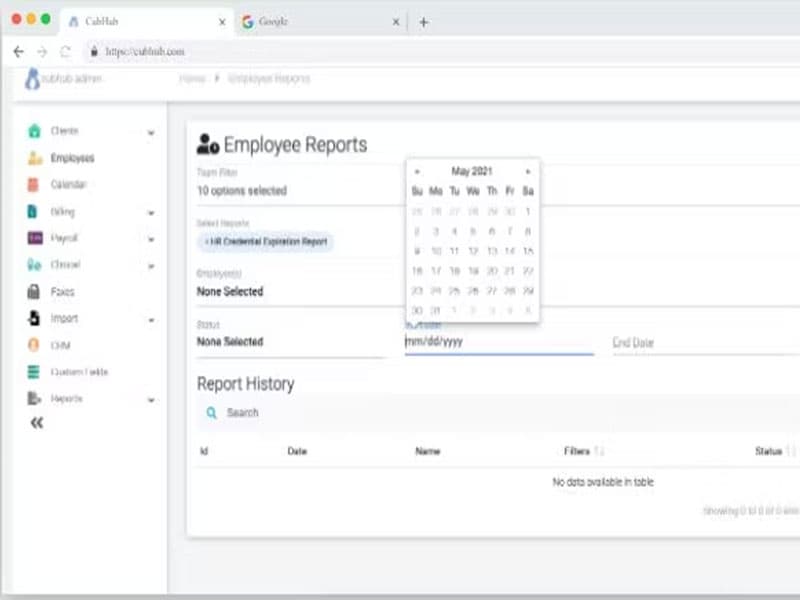
CubHub Specifications
- Appointment Management/Scheduling
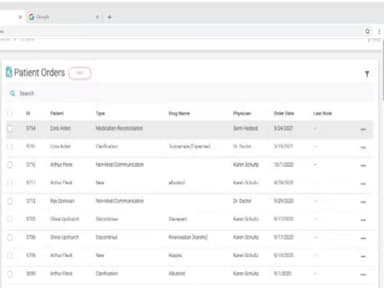
- e-Prescriptions
- Lab Integration
- Patient Portal
CubHub Features
e-Prescribing
This feature enables healthcare providers to electronically create, send, and manage prescriptions directly from the software. With real-time access to patient medication history and drug interactions, practitioners can make informed decisions, enhance patient safety, and expedite prescription fulfillment.
Billing And Invoicing
This feature automates the generation, submission, and tracking of patient bills and invoices. By integrating seamlessly with patient records and treatment data, it ensures accurate billing and claims management.
Appointment Scheduling
Efficiently manage patient appointments through customizable time slots, automated reminders, and real-time availability updates. Optimize your schedule by minimizing no-shows and missed appointments.
Patient Portal
Empower your patients by providing them secure and instant access to medical records, test results, and treatment plans. The intuitive patient portal of CubHub software helps patients communicate with care providers easily, request appointments at their convenience, and refill prescriptions online.
Pros And Cons of CubHub
Pros
Intuitive and user-friendly interface with secure communication, clinical training and countless administrative hours
Mobile app documentation with truly patient centered approach
Comprehensive appointment scheduling
Cons
Potential information overload, as per some user reviews
Data analytics and reporting can be improved
CubHub Reviews
Total 8 reviews
3.9
All reviews are from verified customers
Rating Distribution
5
Stars38%
4
Stars38%
3
Stars13%
2
Stars0%
1
Stars13%
Share your experience
Serena Kow
Pediatrics, 11-50 employees
Less than 6 months
“Very disappointing”
Pros
Insurance companies may find it useful but my experience has been far from positive. There are several issues that make it difficult to work with and it does not meet my expectations in terms of efficiency or reliability.
Cons
The least use-friendly, nurse & patient-centric charting I’ve ever suffered to use, in my 25 years in ( critical care) nursing.
Rating Distribution
Ease of use
1
Value for money
3
Customer Support
3
Functionality
1
Cory C.
Medical practice, 11-50 employees
“Reliable but distracting”
Pros
The accounting capabilities of ClubHub are incredible and have helped me keep track of A/R. It offers easy scheduling options that are quite user-friendly. And the data is seamlessly stored on the cloud and available on the app without any delays, which facilitates our task in terms of administration.
Cons
I find it annoying that you cant focus on one thing at a time. It takes a lot of work to construct a schedule because you cant just add your clients and employees once and have them there for the whole month. For no good reason, you must do double the work in CH.
Rating Distribution
Ease of use
8
Value for money
8
Customer Support
9
Functionality
8
John
Medical Practice, 101-500 employees
“Supportive & goal-oriented”
Pros
The team has been super responsive and really knows the industry well. It brings everything together in one place from scheduling and HR to compliance, clinical charting, QA and billing. It works great for complex care and habilitation services, making things so much easier to manage.
Cons
While the data analytics and reporting have room for improvement, they have already shown progress in this area based on our experience.
Rating Distribution
Ease of use
10
Value for money
10
Customer Support
10
Functionality
10
Frequently Asked Questions
What level of support does CubHub software offer?
CubHub offers support via telephone and email.
Who are the typical users of CubHub software?
The main users of CubHub include chiropractors, nursing, homecare physical therapists, and other medical professionals working for or running healthcare facilities of all types and sizes.
What languages does CubHub software support?
CubHub supports English.
Does CubHub software support mobile devices?
Yes, CubHub supports mobile devices.
How much does CubHub software cost?
CubHub subscription cost would depend on the size and specific needs of your practice. You can contact us for more information.
How does CubHub software help healthcare systems?
CubHub aids healthcare systems by streamlining patient data management, appointment scheduling, billing, and documentation. It enhances efficiency, offers incredible operational improvement reduces errors, and provides insights through analytics. This improves overall patient care and operational workflows.
Which medical departments prefer CubHub software?
CubHub is favored by chiropractic centers, physical therapy clinics, Pediatric home care industry and other specialty facilities. It is also used by general medical practices.
How long does it take to implement CubHub software?
The implementation duration for CubHub can vary based on factors such as practice size, customization requirements, and existing systems.