


Bloomfire
Last Updated
Overview
Bloomfire helps teams access, surface, and share knowledge across departments and systems. While it requires teams to actively maintain content for maximum value, its AI-powered search, content authoring, and governance tools make accurate information easy to find and use. Overall, it is a reliable platform that supports informed decision-making.
Bloomfire Specifications
- Knowledge Base
- Analytics And Reporting
- Ticket Management
- Live Chat
Bloomfire Features
AI-Powered Enterprise Search
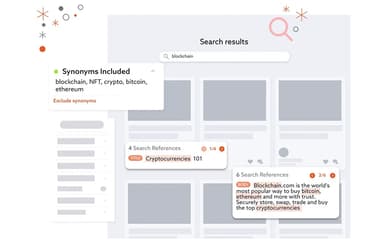
Bloomfire’s AI-powered ‘Enterprise Search’ tool delivers access to relevant answers through deep indexing, semantic search, and generative AI that unify content sources and streamline workflows. It centralizes research, analyzes media, automates curation, and enhances productivity.
Access Management
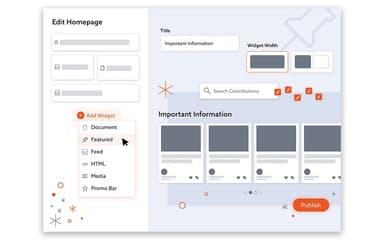
The software ensures precise control of content visibility through secure groups, role-based permissions, and detailed auditing. It protects sensitive materials by managing access, monitoring engagement, and enforcing controlled distribution across varied teams.
Content And Document Management System (DMS)
The platform centralizes documents, deep-indexes libraries, and unifies sources into an organized system. It automates curation, version control, and bulk updates while simplifying unstructured data management through AI-driven syncing and categorization.
AI Authoring Tools
The software accelerates the creation of tailored knowledge by generating summaries, key takeaways, and insights while indexing content. It refines tone and formatting, renders documents, and builds interconnected posts to streamline knowledge development.
Knowledge Management Analytics
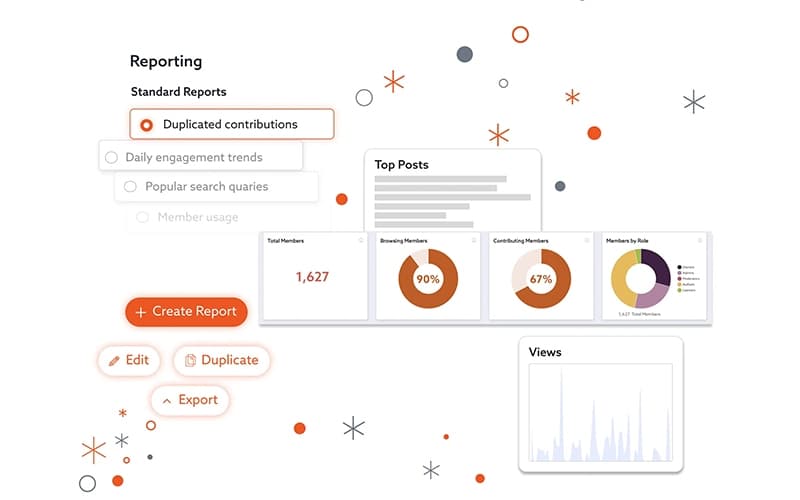
Bloomfire delivers real-time visualizations, exportable reports, and activity metrics to identify gaps and measure knowledge health. It analyzes searches, engagement, and behavior trends to guide data-driven decisions and support continuous improvement.
Pros And Cons of Bloomfire
Pros
Easy to use and intuitive navigation
Effective archival system and version control
Good for uploading and downloading content
Cons
Reporting features could be improved and made easier to export
Filters sometimes do not narrow search results sufficiently
Bloomfire Reviews
Total 49 reviews
4.7
All reviews are from verified customers
Rating Distribution
5
Stars80%
4
Stars14%
3
Stars6%
2
Stars0%
1
Stars0%
Share your experience
Accounting, 500+ employees
More than a year
“Good customization but search is frustrating”
Pros
Compared with a lot of the systems my company relies on, Bloomfire is one of the few that hasn't had a major outage yet. It also feels fairly customizable that is a nice plus.
Cons
Whether the problem is with the software itself or the way my company set it up, trying to search for a knowledge base article is an absolute mess.
Rating Distribution
Ease of use
6
Value for money
6
Customer Support
6
Functionality
6
Insurance, 101-500 employees
Less than 6 months
“unmatched simplicity”
Pros
Everything about it feels incredibly simple and that level of simplicity is hard to beat.
Cons
It's difficult to point to anything I genuinely dislike about it.
Rating Distribution
Ease of use
8
Value for money
10
Customer Support
10
Functionality
10
Education Management, 500+ employees
Less than 6 months
“Easy access to multiple books”
Pros
It gives me access to books I wouldn't be able to get in physical form.
Cons
The search can be a bit difficult to use at times.
Rating Distribution
Ease of use
8
Value for money
10
Customer Support
10
Functionality
10
Frequently Asked Questions
Does Bloomfire have a mobile app?
No, Bloomfire does not offer a dedicated mobile application.
What level of support does Bloomfire offer?
Bloomfire offers support through a blog, events, webinars, a product video library, FAQs, a help center, an online contact form, and email.
What other apps does Bloomfire integrate with?
Bloomfire integrates with a range of third-party tools, including Microsoft SharePoint, Microsoft Teams, Slack, Zendesk, Salesforce, Okta, and Google Workspace.
What language does Bloomfire support?
Bloomfire primarily supports the English language.
Who are the typical users of Bloomfire software?
Bloomfire features supports organizations across a wide range of industries, including finance, insurance, manufacturing, healthcare, legal services, education, and government.
Does Bloomfire offer an API?
Yes, Bloomfire offers an API.
What types of pricing plans does Bloomfire offer?
Pricing is organized into three customizable plans: the Team plan for single-team access, the Department plan for department-wide access, and the Enterprise plan for company-wide access. Request a detailed Bloomfire price breakdown for your organization today.