

Kayako
Last Updated
Overview
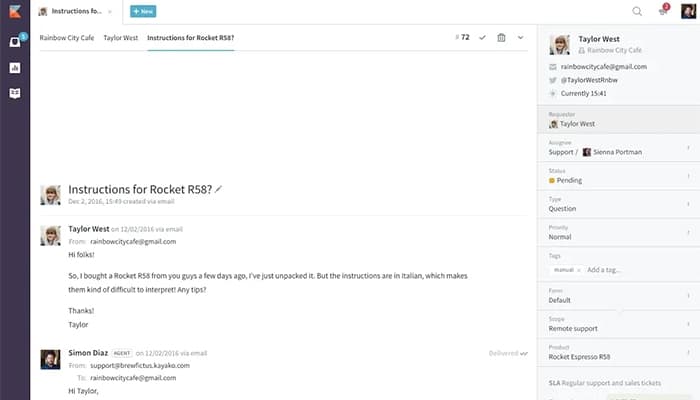
Kayako software is a powerful cloud-based customer support platform that helps in integrating emails, live chat, and phone support. Despite occasional performance lags, its multi-channel support enhances user engagement. Kayako software allows users to provide seamless communication support across different channels through ticket organization, automation shortcuts, and application integrations.

Kayako Specifications
- Ticket Management
- Live Chat
- Omnichannel Support
- CRM Integration
Kayako Features
End-to-End Workflow Automation
The feature helps users automate entire support processes. It makes it easier for the users to manage tasks and ensures a consistent experience for both users and customers.
Automation Conditions And Actions
Kayako software enables users to set specific rules and actions tailored to their needs. It allows teams to streamline operations and better meet customer expectations.
Selective Notification Triggers
It assists teams in managing notifications effectively and reduces unnecessary alerts for positive feedback. Furthermore, it focuses on areas that need improvement in service quality.
Mass Response For Multiple Tickets
The software centralizes multi-channel support to respond to several inquiries at once. It helps to save time and ensures that customers receive timely assistance from support staff.
New Chat Notification Triggers
This feature ensures instant alerts for new chat messages. It allows support teams to come and engage with customers for better service.
Pros And Cons of Kayako
Pros
Efficient ticket tracking
Multi-channel support engagement
Customizable support system
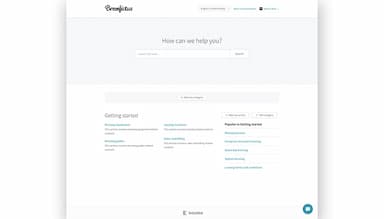
Comprehensive knowledge base
Cons
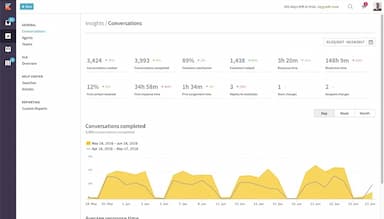
Limited reporting capabilities
Occasional performance lags
Limited analytics features
Kayako Reviews
Total 13 reviews
4.1
All reviews are from verified customers
Rating Distribution
5
Stars31%
4
Stars54%
3
Stars8%
2
Stars8%
1
Stars0%
Share your experience
PHP, HTML5, 51-100 employees
Less than a year
“It's an all-in-one tool”
Pros
I was able to resolve a customer issue really quickly by just tracking their ticket and providing a solution, all within one platform and that's Kayako.
Cons
When I was trying to find a specific report, the interface was so cluttered that it made it hard to find what I needed.
Rating Distribution
Ease of use
10
Value for money
10
Customer Support
10
Functionality
8
Finance, 11-50 employees
Less than a year
“Excellent software”
Pros
Kayako really simplifies customer interactions by bringing everything into one platform. It helps organize and track everything easily, while also allowing us to engage with customers across multiple channels.
Cons
Honestly, I can't think of any negatives. So far it is been great for us.
Rating Distribution
Ease of use
10
Value for money
10
Customer Support
10
Functionality
10
IT, 11-50 employees
Less than a year
“Makes our customer interactions better”
Pros
It's great having all customer interactions in one place as it makes it easy for us to track and resolve issues, like finding past conversations quickly when a customer has a follow-up question.
Cons
Kayako can feel a bit overwhelming for new users, especially when you are trying to navigate all the features and set everything up. It takes a bit to get used to.
Rating Distribution
Ease of use
9
Value for money
10
Customer Support
8
Functionality
9
Frequently Asked Questions
What level of support does Kayako Software offer?
Kayako software offers email, knowledge base, and FAQs/forums support.
Who are the typical users of Kayako Software?
Typical users of Kayako software are customer support teams, help desk managers, and small to medium-sized businesses, especially in e-commerce and SaaS industries.
What types of pricing plans does Kayako Software offer?
The official Kayako cost is not mentioned on its website, and custom pricing is available on request. Request a tailored Kayako pricing estimate according to your business requirements.
What language does Kayako Software support?
Kayako software supports over 40 different languages, like English, Chinese, Dutch, French, German, Spanish, Swedish, Russian, Portuguese, Japanese, Italian, Turkish, and many more.
What other apps does Kayako Software integrate with?
Kayako software integrates with wide-ranging apps like Zapier, Slack, Webhooks, WooCommerce, Salesforce, and Evernote.
Does Kayako Software have a mobile app?
No, Kayako software does not have a mobile app.
Does Kayako Software offer an API?
Yes, Kayako software offers an API.