


Plain
Last Updated
Overview
Plain helps B2B teams manage customer communication with unified channels, AI-powered workflows, and structured reporting that supports fast, organized support operations. While some advanced workflow options remain limited, its streamlined design benefits SaaS companies, technical support teams, and growing organizations seeking clarity and efficiency in daily support management.
Plain Specifications
- Canned Responses
- Analytics And Reporting
- Escalation Management
- SLA Management
Plain Features
Reporting
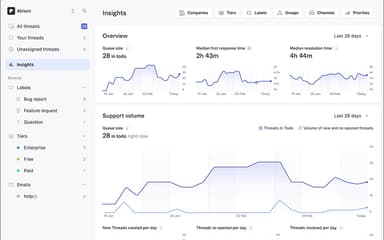
Plain delivers workflow-embedded reporting that highlights trends, prioritization needs, and performance patterns across teams and customers. It surfaces real-time metrics, detailed breakdowns, and SLA tracking while automatically organizing accounts by company or tier to support scalable B2B operations.
AI-Powered Workflows
The platform accelerates support operations by auto-triaging requests, generating context-aware responses, and summarizing conversations. It also enhances prioritization through configurable SLAs that surface risks early and align response expectations with capacity across tiers, companies, and varying levels of urgency.
Issue Tracking
The software streamlines issue tracking by linking support threads to tools like Linear, Shortcut, or Jira. It automatically updates statuses when resolutions occur and prompts follow-up actions to ensure clear communication and efficient closure across teams.
Forms
Plain enables structured, in-product forms that gather essential details upfront and automatically capture contexts such as user IDs or release versions. It streamlines triage, reduces unnecessary back-and-forth, and supports customizable designs that create a smooth, integrated customer experience.
Email Support
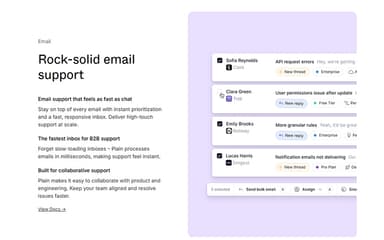
The platform delivers rapid, reliable email handling with instant prioritization and a high-speed inbox that performs in milliseconds. It supports collaborative work across teams, enabling coordinated responses and efficient resolution of issues within fast-paced B2B environments.
Pros And Cons of Plain
Pros
Useful broadcast capability for messaging multiple customers
Simple, powerful layout that supports heavy ticket volume
Continuous release of new AI features
Cons
Reporting filters are somewhat limited
Occasional text formatting issues with code blocks
Plain Reviews
Total 10 reviews
4.9
All reviews are from verified customers
Rating Distribution
5
Stars90%
4
Stars10%
3
Stars0%
2
Stars0%
1
Stars0%
Share your experience
Computer Software, 11-50 employees
“Better collaboration with Plain”
Pros
Handling multiple channels in it has been really helpful especially with the separate views that keep everything neatly organized. It keeps our workflows clear and well structured and overall it makes collaborating as a team much more efficient.
Cons
There are a few limits when it comes to how freely certain things can be implemented. Aside from that though, I honestly don't have anything to complain about.
Rating Distribution
Ease of use
9
Value for money
9
Customer Support
10
Functionality
10
Not Specified, N/A employees
“built for technical support teams”
Pros
It gives B2B companies a thoughtful, opinionated way to handle customer support especially when the audience is highly technical like ours. The integrations are simple, the UX is clean and efficient for engineers helping other engineers and the whole platform simply does what it's supposed to do. It avoids overly complicated workflows while still offering plenty of flexibility and their team has been an absolute pleasure to work with.
Cons
I haven't faced any issues with it.
Rating Distribution
Ease of use
10
Value for money
9
Customer Support
10
Functionality
9
Computer Software, 101-500 employees
“Smooth Slack and Linear sync”
Pros
One of the strongest parts is how tightly it connects with external threads like Linear and Slack. When I'm replying to customers through Slack using Plain, the conversation feels very natural and smooth.
Cons
The part I'm less happy with is the search feature. It doesn't feel especially clear or well thought out and there are times when I have a hard time locating specific tickets.
Rating Distribution
Ease of use
9
Value for money
8
Customer Support
7
Functionality
7
Frequently Asked Questions
What types of pricing plans does Plain offer?
The vendor offers three pricing plans: Foundation at $39/month for one seat, Expansion at $299/month for three seats, and Frontier at $1,055/month for six seats, with a 14-day free trial. Request a detailed Plain price breakdown for your organization today.
Does Plain have a mobile app?
No, Plain does not offer a dedicated mobile application.
Who are the typical users of Plain software?
Plain features are used by customer success teams, support managers, and customer support teams.
What other apps does Plain integrate with?
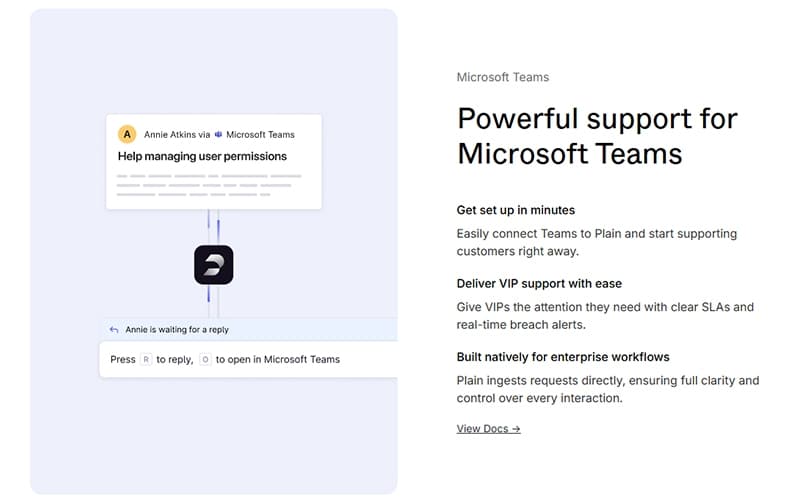
Plain integrates with third-party applications such as Jira, Slack, Zendesk, Microsoft Teams, HubSpot, Intercom, and Rootly.
What level of support does Plain offer?
Plain offers support through a help center, knowledge base, email, and chat.
What language does Plain support?
Plain primarily supports the English language.
Does Plain offer an API?
Yes, Plain offers an API.