


Vitally
Last Updated
Overview
Vitally centralizes customer data, collaboration, and workflow automation to help teams deliver proactive, scalable customer success. While its extensive customization may require thoughtful setup, its unified workspace streamlines operations. Overall, it supports SaaS companies and growth-focused teams aiming to strengthen retention and operational efficiency.
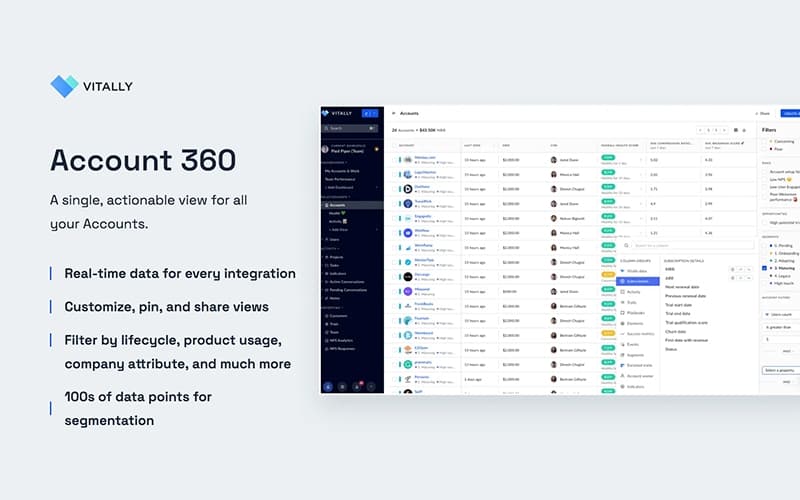
Vitally Specifications
- CRM Integration
- Analytics And Reporting
- Customer Feedback Surveys
- Customer Profiles
Vitally Features
Health Scores
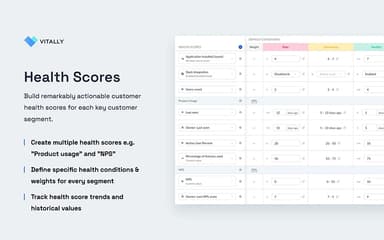
Vitally enables creation of tailored, multi-factor Health Scores that adapt to customer segments, lifecycle stages, and engagement patterns. It centralizes data, supports no-code configuration, and allows automated actions to be triggered when health conditions change.
Custom Surveys
Vitally supports creating and delivering custom, branded surveys that capture structured feedback across key lifecycle moments. It syncs responses to customer data while enabling automated triggers, instant reporting, and seamless integration into Customer Success workflows.
Automation
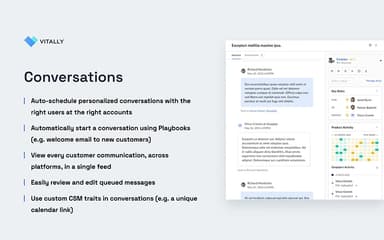
The software enables automated playbooks that operationalize customer success strategies by triggering structured workflows from data signals across onboarding, renewals, and risk scenarios. It drives actions and streamlines processes through predefined steps and automated execution.
Reporting
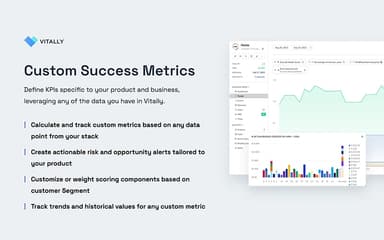
The platform centralizes customer data to deliver real-time dashboards that highlight health, engagement, and key metrics across accounts and segments. It enables flexible reporting, trend exploration, and seamless sharing without reliance on business intelligence tools.
Project Management
Vitally provides project management tools that centralize onboarding, implementations, and success plans within a unified workspace. It supports task assignment, shared updates, and coordinated collaboration across stakeholders to maintain alignment and transparency throughout the customer lifecycle.
Pros And Cons of Vitally
Pros
Strong automation and advanced playbooks
Powerful bulk messaging and scheduling options
Great for managing customer portfolios and communications
Cons
AI Copilot cannot summarize across multiple accounts
Reporting functionality could be improved
Vitally Reviews
Total 9 reviews
3.7
All reviews are from verified customers
Rating Distribution
5
Stars22%
4
Stars44%
3
Stars22%
2
Stars0%
1
Stars11%
Share your experience
Not Specified, N/A employees
“limited features”
Pros
Getting around the platform is easy and it does a good job of helping track the health of accounts.
Cons
Stakeholder mapping and hierarchy features are pretty limited. One thing that's especially frustrating is that you can only assign one client account owner. With large enterprise accounts, there are usually several owners involved. From an Account Manager perspective, it feels like a lot of the functionality I need is still missing. A big challenge for us is that it hasn't been set up properly and doesn't connect very well with HubSpot or our backend systems although some of that is on our side. I'd also really like to see stronger templating for account plans and similar workflows.
Rating Distribution
Ease of use
6
Value for money
6
Customer Support
5
Functionality
4
Not Specified, N/A employees
“Poor onboarding and wasted money”
Pros
It didn't add anything useful at all and ended up feeling like a complete waste of money with zero results.
Cons
Things looked okay right up until the sale was completed but after that the onboarding was really bad. It didn't feel worth the money in any way and the company came across as more focused on charging customers than actually delivering good service. On top of that, the customer success team didn't seem to know which customers were even using the software and there was no real accountability.
Rating Distribution
Ease of use
1
Value for money
1
Customer Support
1
Functionality
3
Not Specified, N/A employees
“Powerful customer tracking”
Pros
Handling multiple contacts under each customer is exactly where this platform helps us most. It lets us track issues by both contact and customer, assign tasks to the right CSM and keep an eye on progress without losing visibility. We also get a clear view of ARR, key dates and OHS which makes customer management much easier. The filtering options are really useful too especially when sorting by revenue or spotting customers with missing data. On top of that, being able to integrate it with our other core platforms is a must for us and adds a lot of value.
Cons
Because it is such a large platform, it takes some time to learn all of its features and fully take advantage of everything it offers. Pricing is also a little on the high side for the number of users and viewers included. Aside from that, it is still a great tool for CSMs.
Rating Distribution
Ease of use
8
Value for money
9
Customer Support
9
Functionality
7
Frequently Asked Questions
What language does Vitally support?
Vitally primarily supports the English language.
Does Vitally offer an API?
Yes, Vitally offers an API.
Does Vitally have a mobile app?
No, Vitally does not offer a dedicated mobile application.
What types of pricing plans does Vitally offer?
Pricing for Vitally is organized into three tiers: Tech Touch, Hybrid Touch, and High Touch, with each plan offered at custom rates. Request a detailed Vitally price breakdown for your organization today.
Who are the typical users of Vitally software?
Vitally features are used by organizations across a broad spectrum of industries and services, including product analytics and data analytics, sales and marketing, security automation, fintech, customer messaging and support, e-commerce, and product management.
What level of support does Vitally offer?
Vitally offers support through email, phone, FAQs, a help center, events, a blog, a newsletter, podcasts, and a knowledge base.
What other apps does Vitally integrate with?
Vitally integrates with several third-party applications, including Jira software, HubSpot CRM software, Intercom, Slack, Snowflake, Zendesk, and Google Calendar.