


Surgeon-Cloud
Last Updated
Overview
Surgeon Cloud software streamlines surgical workflows with its intuitive EHR. Reduce manual tasks and gain visibility into operations with centralized patient data collection and automated reporting. Whether you need to optimize revenue cycles, engage patients, or focus on core specialties, Surgeon Cloud simplifies complex systems. Learn about it now!
Surgeon-Cloud Specifications
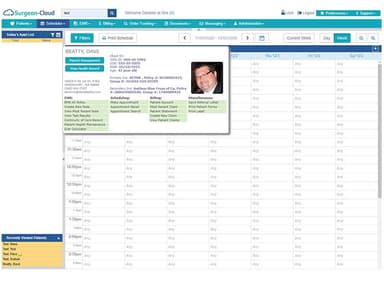
- Appointment Management/Scheduling
- e-Prescriptions
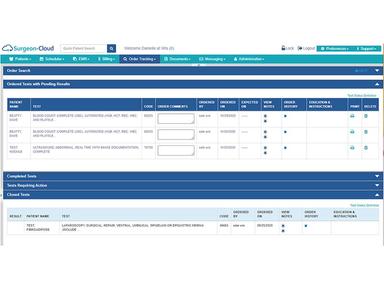
- Lab Integration
- Patient Portal
Surgeon-Cloud Features
Integrated EHR And Practice Management System
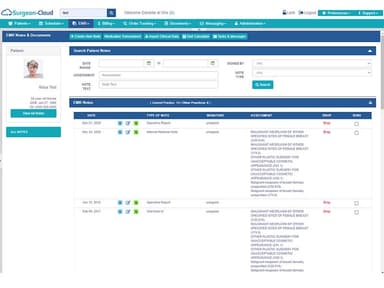
Surgeon Cloud provides a single, integrated system to manage a practice's entire workflow from check-in to check-out. Patient data flows seamlessly between clinical documentation, scheduling, billing and other components.
Customizable EHR Templates
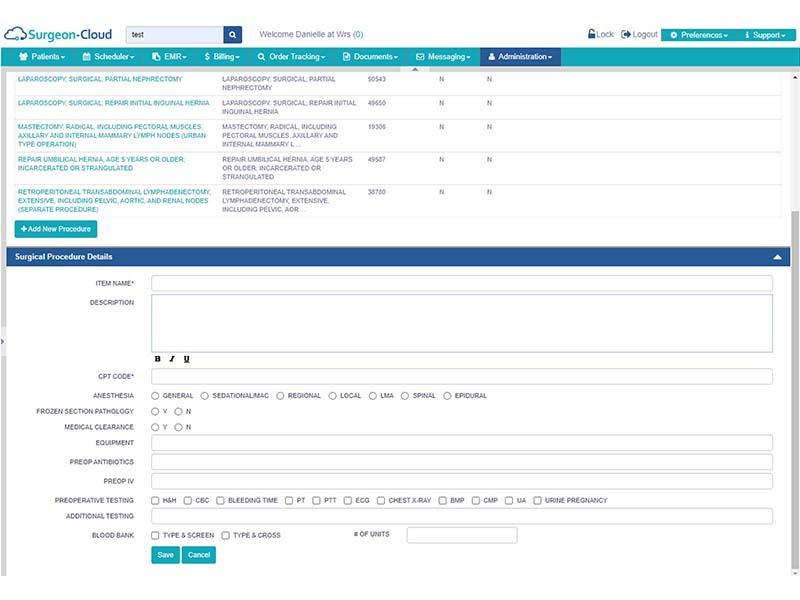
The software learns the ways surgeons commonly chart procedures and develops templates to save time. Templates can be tailored to individual preferences and include modifiers for optimal coding.
Automated Billing Workflows
Tasks like populating claim forms, posting payments and conducting claims scrubbing are automated to reduce errors and denials. Customizable reports also provide real-time revenue data.
Engagement Tools
A patient portal collects online check-in data and allows pre/post-op communications. Telehealth services, appointment reminders and reputation management features are also integrated.
Specialty-Focused Design
The platform is customized for surgical specialties like general surgery, orthopedics and OBGYN. Workflows support pre-op scheduling through post-op tracking of the global period.
Pros And Cons of Surgeon-Cloud
Pros
Integrated and streamlined workflows, instant insurance eligibility checks, and laboratory and imaging connectivity significantly improve practice efficiency
Customizable templates and configurations allow users to optimize the software for their unique needs
Centralized database and reporting provide comprehensive visibility into practice performance
Cons
Transitioning to new software requires initial time investment for setup and user training
Some clinicians may prefer a more flexible or comprehensive set of documentation and customization options, according to some user reviews
Surgeon-Cloud Reviews
Total 1 reviews
4
All reviews are from verified customers
Rating Distribution
5
Stars0%
4
Stars100%
3
Stars0%
2
Stars0%
1
Stars0%
Share your experience
Healthcare, Employee Health, 11-50 employees
Less than 6 months
“all-in-one solution”
Pros
The best thing about this product for me is that the pricing can be customized to your needs. Also, it provides an all-in-one solution for everything which saves us a lot of time. It allows surgeons to stay focused on patient care while administrative tasks such as scheduling, documentation, and billing run like a well-oiled machine in the background.
Cons
There is not anything specific I do not like about this product; however, the availability of a mobile app will be a great addition.
Rating Distribution
Ease of use
8
Value for money
9
Customer Support
7
Functionality
8
Frequently Asked Questions
What level of support does Surgeon Cloud software offer?
Surgeon Cloud offers 24/7 phone and chat support for emergency issues as well as online resources for help.
Who are the typical users of Surgeon Cloud software?
The software primarily targets small to medium sized surgical practices with 2-15 physicians.
What languages does Surgeon Cloud software support?
Surgeon Cloud software includes English.
Does Surgeon Cloud software support mobile devices?
Yes, Surgeon Cloud has responsive web interfaces that are optimized for access via tablets and smartphones.
How much does Surgeon Cloud software cost?
Surgeon-Cloud EHR pricing is tailored to the needs of the users. Contact us for a tailored quote.
Is Surgeon Cloud software free?
No, Surgeon Cloud software requires a monthly or annual paid subscription like most professional practice management solutions.
Does Surgeon Cloud software upload laboratory and imaging results directly into the patient's file prior to their appointment?
Yes, Surgeon Cloud practice management software easily incorporates lab tests, MRIs, CTs and other scans ordered by providers directly into the patient's EHR. This speeds up result retrieval without manual entry.