


Zkipster
Last Updated
Overview
Zkipster streamlines event management by offering tools for various operations. While it excels in usability, its pricing structure may be challenging for smaller teams. The software's flexibility and robust data security make it a strong choice for event planners.
Zkipster Specifications
- Budgeting Tools
- Attendee Communication
- Registration Management
- Venue and Resource Management
Zkipster Features
Seating
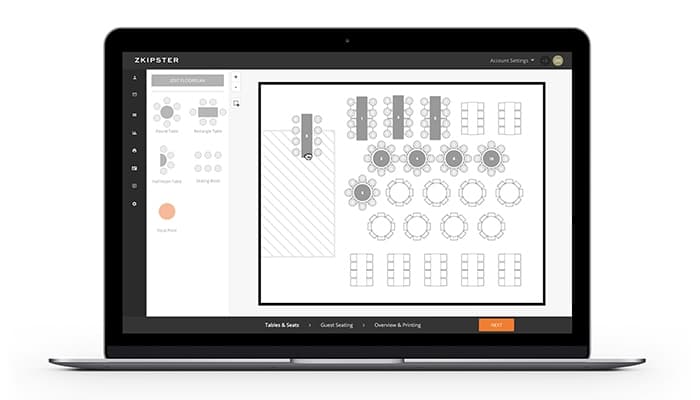
Zkipster enables you to create customizable seating charts and efficiently assign guests to seats or tables. This improves event organization with real-time adjustments, ensuring smooth coordination and a personalized experience for guests.
Event Check-In
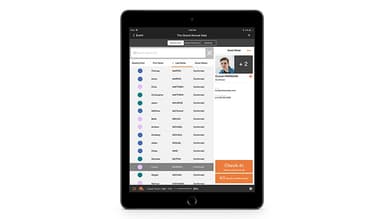
The software offers seamless digital event check-in tools, enabling quick guest verification using mobile devices. This reduces long queues and provides real-time data, ensuring a hassle-free experience for both attendees and organizers.
Event Reporting
Zkipster’s event reporting feature provides detailed insights into guest attendance and other key metrics. This helps organizers assess event success, make data-driven decisions, and improve future planning efforts.
Guest Management
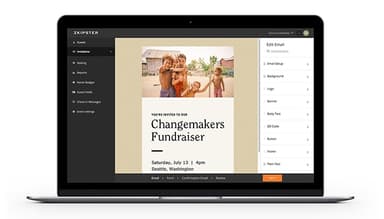
Users can streamline guest management by offering tools to handle guest lists, RSVPs, and communications in one place. The benefit is enhanced efficiency, ensuring personalized interactions and avoiding overbooking or miscommunication.
Event Forms
The software enables organizers to collect important guest information, such as RSVPs or dietary preferences, before the event. This feature ensures accurate data collection, improving event planning and tailoring the experience to guest needs.
Pros And Cons of Zkipster
Pros
Extensive list of useful features
Easy to deploy
Customizable
Intuitive interface
CRM integrations
Cons
Guestlist management options are limited
Expensive for smaller firms
Check-in feature can be slow at times
More font and highlight features required, according to software users
Zkipster Reviews
Total 9 reviews
4.8
All reviews are from verified customers
Rating Distribution
5
Stars78%
4
Stars22%
3
Stars0%
2
Stars0%
1
Stars0%
Share your experience
Retail, 11-50 employees
More than a year
“easy to use for check-ins”
Pros
Using Zkipster is a breeze especially the in-event check-in system. After running some large events, I received great feedback from customers about the smooth check-in experience upon arrival.
Cons
Not really a con for me, but I would love a purpose-built post-event feedback survey function and it would be great if the text feature could show my business name instead of Zkipster's.
Rating Distribution
Ease of use
10
Value for money
8
Customer Support
8
Functionality
8
Casuality, 11-50 employees
Less than 6 months
“Fantastic support team”
Pros
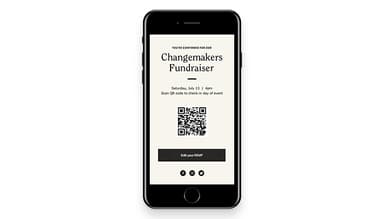
The support team is fantastic and I find the QR code feature incredibly helpful.
Cons
There are some features I wish were available like the ability to de-duplicate names after importing different lists and support for multiple RSVPs within one invite.
Rating Distribution
Ease of use
8
Value for money
7
Customer Support
9
Functionality
7
Banking, 500+ employees
More than a year
“Truly a must have app!”
Pros
It offers a simple, reliable, and secure way to check in clients no matter how big or small our events are.
Cons
There isn't any specific feature of this app that I dislike.
Rating Distribution
Ease of use
10
Value for money
10
Customer Support
10
Functionality
10
Frequently Asked Questions
Does Zkipster offer an API?
Yes, Zkipster offers an API.
What language does EventsAIR support?
Zkipster supports English.
What other apps does Zkipster integrate with?
Zkipster integrates with Salesforce, Zoom and Zapier.
Does Zkipster have a mobile app?
Zkipster supports Android and iOS devices.
What type of pricing plans does Zkipster offer?
Zkipster price starts at $442/month. Users can get pricing for a tailormade plan.
Who are the typical users of Zkipster?
The typical users of Zkipster are those in the music, hospitality, and entertainment industries.
What level of support does Zkipster offer?
Zkipster offers email, chat, phone support, a Knowledge Base, and FAQs.