



Last Updated
Overview
Lawcus helps law firms streamline case management with automated workflows, integrated billing, and secure client communication. While its appointment scheduler may not meet every workflow need, the platform provides strong operational visibility and structured processes. Overall, it is ideal for small to mid-sized legal teams that prioritize organized practice management.
Overall Rating
Based on 59 users reviews
4.8
Rating Distribution
Positive
97%
Neutral
3%
Negative
0%
Starting Price
$39
per month
Lawcus Specifications
- Access Controls/Permissions
- Budget Management
- Data Import/Export
- Employee Management
Lawcus Features
End-To-End Matter Management
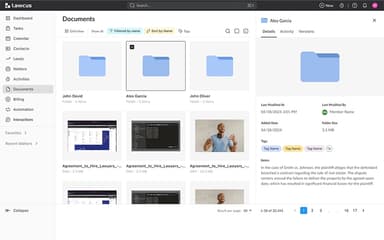
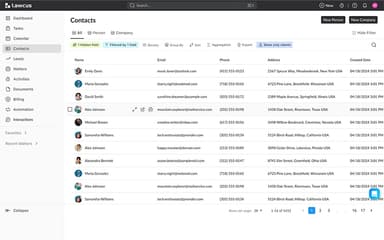
This feature allows firms to keep all their case-related information, deadlines, and tasks in one place. It lets legal teams manage every stage of a legal matter — from lead intake to closure — in one centralized system, including tasks, documents, contacts, and communications. The software ensures that no detail is overlooked, no matter how minute. It results in better organization, less stress, and more successful case outcomes. Legal professionals can also set rule-based triggers for case milestones.
Time And Expense Tracking
The software’s time and expense tracking functionality allows firms to accurately record the time spent on each case and track any associated expenses. Lawcus ensures fair compensation for the firm's efforts and promotes transparency by informing clients about resource allocation.
Integrated Billing And Trust Accounting
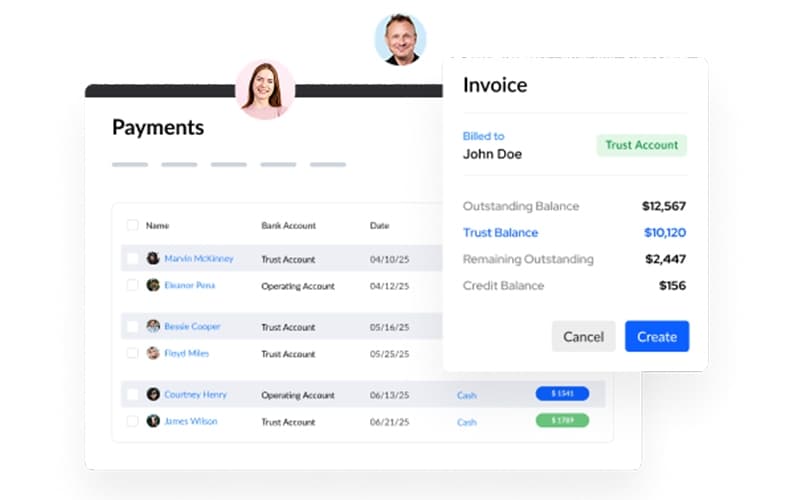
Lawcus streamlines the billing process, enabling firms to easily create and send invoices. It allows firms to track time, manage expenses, generate invoices, and handle trust accounts with built-in compliance and transparent financial reporting. The platform offers online payment options to accelerate the payment process for legal professionals. It also ensures that your invoices are sent promptly for quicker payments.
No-Code Automation
This feature enables law firms to automate their workflows without complex coding. It helps them automate repetitive tasks, such as document generation or sending email reminders. The software lets users manage administrative responsibilities, freeing up valuable time for more critical aspects of case management.
Secure Client Portal And Collaboration
The software offers a client portal to help law firms share information with their clients transparently and in real time through centralized chat systems built for efficient communication. It enables secure communication and document sharing with clients through a dedicated portal while maintaining strict access controls and audit trails.
Appointment Scheduler
Law firms can schedule appointments with their clients in an organized and efficient manner using this functionality. It helps them keep track of their appointments and ensure they are always on time. The appointment scheduler also allows users to send reminders to their clients, reducing the risk of missed appointments.
Kanban Boards
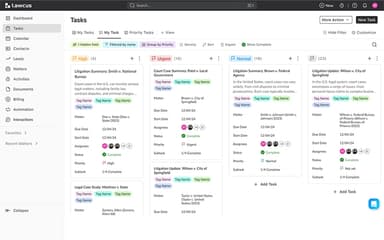
The Kanban boards feature lets law firms visualize their workflow and track the progress of their cases. It helps practices organize their tasks and ensure they are always on track. Moreover, the software allows managers to assign tasks to team members, promoting collaboration and accountability within the firm.
Pros And Cons of Lawcus
Pros
Offers robust tools for organizing and managing case details
Allows for easy assignment and tracking of tasks
Helps law firms accurately record billable hours and expenses
Enables workflow automation, saving time on repetitive tasks
Helpful and responsive customer support
Cons
Some UI elements could use updates
Lacks detailed user activity tracking
Some issues with the customization of features
Lawcus Pricing
Standard | Plus | Business | Enterprise |
|---|---|---|---|
$39per month | $49per month | $69per month | Custom Pricing |
|
|
|
|
Disclaimer: The pricing details were last updated on Sep 14, 2026 from the vendor's website. Please contact us for a tailored pricing list.
Lawcus Reviews
Total 59 reviews
4.8
All reviews are from verified customers
Rating Distribution
5
Stars80%
4
Stars17%
3
Stars3%
2
Stars0%
1
Stars0%
Share your experience
Legal Services, 500+ employees
“Simple and practical client management”
Pros
From my experience, it is easy to use and practical. I can track everything easily and it works great for client management without any issues.
Cons
In my use, bugs pop up from time to time and managing documents can feel a bit tricky. I've also noticed that not every feature is available unless you move to a paid plan.
Rating Distribution
Ease of use
9
Value for money
10
Customer Support
10
Functionality
10
Law Practice, 11-50 employees
“Easy onboarding for the whole team”
Pros
The learning curve felt fairly easy overall and I noticed everyone was able to get up to speed in a reasonable amount of time.
Cons
From my experience, there were a few bugs and issues at the start but customer support worked closely with us during the first week. I was a bit skeptical at first, though things improved quickly.
Rating Distribution
Ease of use
9
Value for money
10
Customer Support
9
Functionality
10
Retail, 1-10 employees
“Cost-effective and well-organized software”
Pros
After trying this software, I found it cost-effective and a great value. I really appreciate how easy it is to learn and navigate and it delivers on that. Document and case management feel well organized which makes things much easier for me.
Cons
Overall, I'd rate this software around a 9/10. The only real challenge I faced was trying to integrate it with another billing system I was already using.
Rating Distribution
Ease of use
9
Value for money
10
Customer Support
10
Functionality
10
Frequently Asked Questions
Does Lawcus offer an API?
Yes, Lawcus offers an API.
What language does Lawcus support?
Lawcus supports English and Spanish languages.
What other apps does Lawcus integrate with?
Lawcus integrates with various software, including QuickBooks, Dropbox, Gmail, Box, Intaker, Zapier, and LawPay.
Does Lawcus support mobile devices?
Yes, Lawcus offers a mobile app for iOS devices.
What types of pricing plans does Lawcus offer?
Lawcus offers 4 pricing plans: Standard ($39/month), Plus ($49/month), Business ($69/month), and Enterprise plans (custom pricing). Get a personalized quote that caters to your firm’s specific needs.
Who are the typical users of Lawcus?
The typical users of Lawcus are law firms and legal professionals specializing in various practice areas, including civil litigation, real estate law, banking and finance law, bankruptcy law, government law, immigration law, and criminal law.
What level of support does Lawcus offer?
Lawcus offers a range of support options, including FAQs, a forum, a 24/7 live representative, a knowledge base, chat, email, a help desk, and phone support.