


Bill4Time
Last Updated
Overview
Balancing client management and time tracking can be challenging, leading to potential revenue loss and frustration. Bill4Time's robust and agile platform offers a solution, simplifying operations for a smoother experience, allowing professionals to focus on their core activities with confidence. Explore Bill4Time features to streamline your business operations.
Overall Rating
Based on 100 users reviews
4.9
Rating Distribution
Positive
100%
Neutral
0%
Negative
0%
Starting Price
$29
per user per month
Bill4Time Specifications
- Time Tracking
- Task Management
- Reporting
- Budget Management
What Is Bill4Time?
Overview
Bill4Time is a cloud-based solution designed to cater to the needs of various professionals. The software offers a range of solutions, from time and expense tracking to project and client management, invoicing, online payments, and reporting. This wide array of features offered by Bill4Time allows users to manage their operations and focus on business activities.
What Is Bill4Time Best For?
Bill4Time has established a distinctive presence within the market due to its exceptional customer support services. The company recognizes the significance of delivering prompt and effective assistance and has diligently prioritized providing high-quality customer service. Whether you encounter technical challenges or require guidance in comprehending a feature, the customer support team at Bill4Time remains consistently prepared to offer its assistance.
Bill4Time Pricing
The vendor offers the following three pricing plans:
- Time & Billing – $29/user/month
- Time & Billing Enterprise – $69/user/month
- Legal Pro – $49/user/month
- Legal Enterprise – $89/user/month
Disclaimer: The pricing is subject to change.
Bill4Time Integrations
Bill4Time integrates with several third-party applications, including the following:
- Microsoft Outlook
- QuickBooks
- Box
- NetDocuments
How Does Bill4Time Work?
Here's how you can navigate the dashboard and make use of the software's features:
- Log in to your Bill4Time account using your credentials
- Upon login, view a summary of your important tasks, recent activities, and financial data
- Start tracking billable hours with a single click from the dashboard
- Easily add and manage client information, including contacts and billing details
- Create invoices, set billing rates, and send them directly to clients
- Record and categorize expenses, attaching receipts for accurate billing
- Generate detailed reports on your time, expenses, and financial performance
- Sync your calendar to manage appointments and deadlines efficiently
- Access customer support resources and documentation for assistance
Who Is Bill4Time For?
Bill4Time software benefits small law firms specifically. Trainers, coaches, and contractors use it. Moreover, the following industries also use the platform:
- Architecture
- Accounting
- Consultation
- Freelance
- Healthcare
Is Bill4Time Right For You?
If you’re looking for a comprehensive solution that tracks your time and manages your projects, clients, and invoices, then Bill4Time might be the perfect fit for you.
It ensures your data is safe with 256-bit encryption and local data backup. The software is hosted in a world-class secure data center with full N+1 redundancies. Moreover, it offers scalability to accommodate the growing needs of your business.
Still have questions unanswered in this Bill4Time review? Contact our customer support team on 661-384-7070, and they will answer all your queries about the software, helping you analyze if the software is worth your dime.
Bill4Time Features
Time And Expense Tracking
You can accurately record your billable hours and expenses from any location at any time using this feature. It helps capture lost revenue and provides detailed insights into time spent, thereby aiding in productivity analysis. The software provides a detailed view of your work hours and expenditures, allowing for more informed resource allocation and cost management.
Client And Project Client Management
Bill4Time billing software lets you manage projects and clients efficiently. It offers case, task, and document management solutions, ensuring all client-related information is organized and easily accessible. Additionally, the software assists in maintaining a smooth workflow and enhances client relationships. It lets you streamline your project management processes, foster effective collaboration, and stay well-informed about client engagements for superior project outcomes.
Invoicing And Online Payments
The platform simplifies invoicing by allowing users to customize and generate professional invoices effortlessly. It also supports online payments, making it convenient for clients to pay their invoices anywhere. This functionality improves the payment collection process and enhances the overall client experience. You can speed up your cash flow and provide a seamless payment experience to your clients, reinforcing your business's reliability.
Reporting
This feature lets users generate detailed reports that provide valuable insights into their business operations. These reports can help identify trends, understand productivity levels, and make informed decisions for business growth. The software allows you to make data-driven decisions.
Bill4Time Key Sentiments
Most Positive Sentiments
Invoicing Management

100% Positive

0% Neutral

0% Negative
Least Positive Sentiments
Client Management
0% Positive
39.13% Neutral
60.87% Negative
Most Positive Sentiments
Least Positive Sentiments
Invoicing Management
100% Positive
0% Neutral
0% Negative
Client Management
0% Positive
39.13% Neutral
60.87% Negative
Pros And Cons of Bill4Time
Pros
Access your data and work from anywhere
Efficiently manage client information, contacts, and billing details
Easily record and categorize expenses
Create customized, professional invoices and accept online payments
Generate insightful reports for data-driven decision-making
Cons
Learning curve can be improved, according to some Bill4Time software users
Initial setup and customization may be time-consuming
Full functionality depends on an internet connection
Bill4Time Pricing
Time & Billing | Time & Billing Enterprise | Legal Pro | Legal Enterprise |
|---|---|---|---|
$29per user per month | $69per user per month | $49per user per month | $89per user per month |
|
|
|
|
Disclaimer: The pricing details were last updated on Sep 25, 2026 from the vendor's website. Please contact us for a tailored pricing list.
Bill4Time Reviews
Total 100 reviews
4.9
All reviews are from verified customers
Rating Distribution
5
Stars86%
4
Stars14%
3
Stars0%
2
Stars0%
1
Stars0%
Share your experience
Healthcare, 1-10 employees
More than a year
“Recommend Bill4Time”
Pros
I find it really user-friendly, plus their customer service is top-notch.
Cons
I wish the time tracking feature would summarize hours, including non-billable and overtime hours.
Rating Distribution
Ease of use
10
Value for money
10
Customer Support
10
Functionality
10
Insurance, 1-10 employees
More than a year
“Great product for Time & Expense Billing”
Pros
The interface is so simple and user-friendly. I love how easy it is to navigate.
Cons
At first, the dashboard seemed overwhelming, but once I started using the product, it became more manageable.
Rating Distribution
Ease of use
10
Value for money
10
Customer Support
10
Functionality
10
Legal, 1-10 employees
More than a year
“Fantastic Product”
Pros
I really enjoy using this product because it's so user-friendly.
Cons
I have not found anything I dislike about B4T.
Rating Distribution
Ease of use
10
Value for money
10
Customer Support
10
Functionality
10
Frequently Asked Questions
Does Bill4Time offer an API?
Yes, Bill4Time does offer an API for its users.
What language does Bill4Time support?
Bill4Time, a legal practice management software, supports the English language.
What other apps does Bill4Time integrate with?
Bill4Time integrates with QuickBooks, Microsoft Outlook, NetDocuments, and Box applications.
Does Bill4Time support mobile devices?
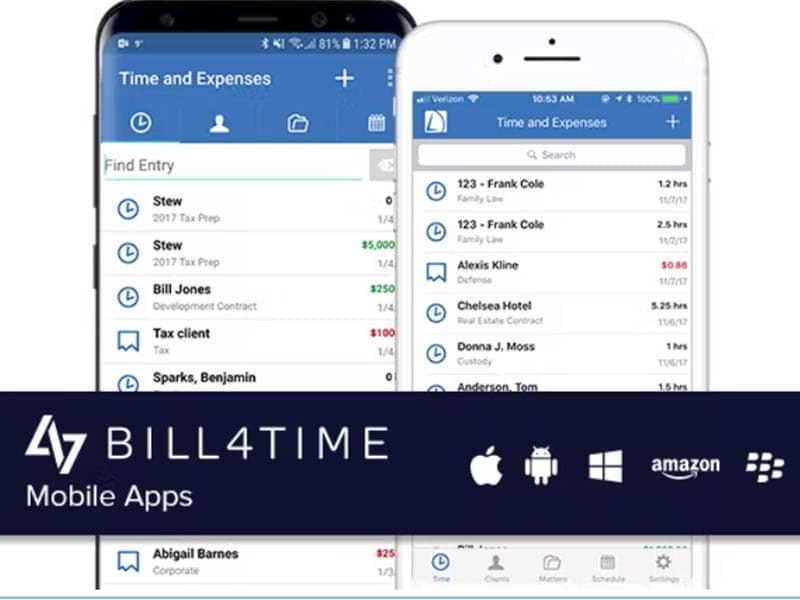
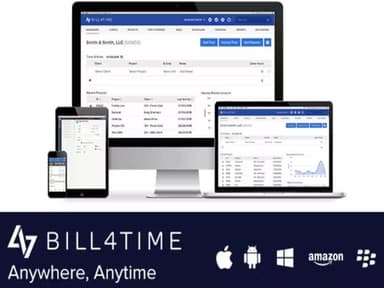
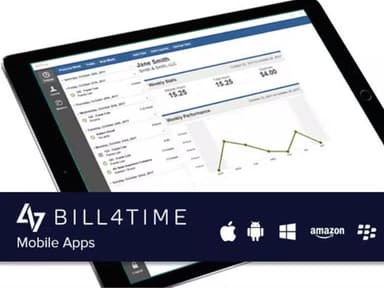
Yes, Bill4Time supports mobile devices, including Android, iPad, and iPhone.
What types of pricing plans does Bill4Time offer?
Bill4Time has three pricing plans: Bill and Time ($29/month), Bill and Time Enterprise ($69/month), Legal Pro ($49/month), and Legal Enterprise ($89/month). Get a custom Bill4Time cost per your company’s needs.
Who are the typical users of Bill4Time?
Typical users of Bill4Time include trainers and contractors. It is also used by healthcare, architecture, freelance, consultation, and accounting industries.
What level of support does Bill4Time offer?
Bill4Time, a legal billing software, offers support options such as FAQs, forums, a knowledge base, chat, email, a help desk, and phone support options.
Is Bill4Time a billing program?
Yes, Bill4Time is a billing program that helps you maximize billable hours for your law firm.
What are the main features offered by Bill4Time?
Bill4Time offers several key features, including document storage, time entries, a mobile time-tracking system, and weekly time summaries to streamline your legal services operations and assist you in staying ahead of most firms using other billing programs.