


Lead Docket
Last Updated
Overview
Lead Docket optimizes lead management for law firms by automating client intake and follow-ups, ensuring a more efficient process that enhances conversion rates. However, despite some users noting limited customization options, its seamless integration with existing tools and comprehensive reporting makes it a valuable asset for legal professionals.
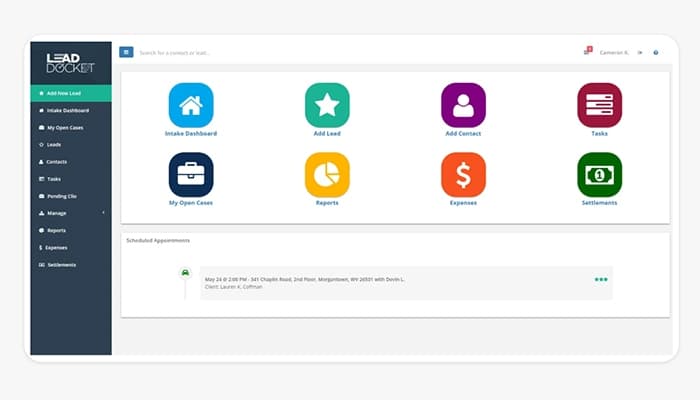
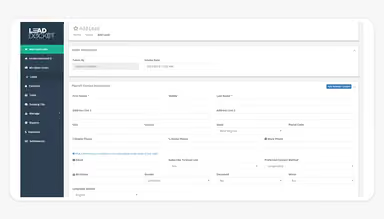
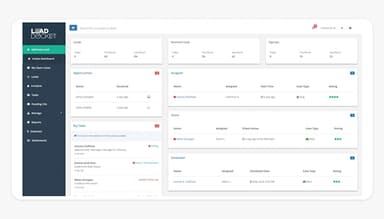
Lead Docket Specifications
- Client Management (CRM)
- Workflow Automation
- Reporting and Analytics
- Mobile Access
Lead Docket Features
LeadsAI
LeadsAI utilizes artificial intelligence to summarize key case facts, analyze client communication sentiment, and predict case success likelihood. This accelerates case evaluations and identifies potential issues early, transforming intake into a strategic, revenue-generating asset.
Lead Tracking
Lead Docket captures every lead and monitors it through to conversion, ensuring timely follow-ups. This comprehensive tracking keeps both you and potential clients informed, enhancing client acquisition and retention.
Marketing Optimization
By revealing lead sources, Lead Docket enables targeted marketing investments. Users can input marketing expenditures to assess campaign outcomes, measuring revenue by source and conversion rates, thereby maximizing marketing budgets.
Intake Forms
The software offers customizable intake scripts that efficiently gather lead contact information and case details, facilitating smooth conversions. Integration with web chats and answering services provides potential clients quick access to your intake process, enhancing client experience.
Workflow Automation
Lead Docket features automated messaging option that ensures clients receive timely communications. Recurring tasks are automated for each lead, preventing overlooked follow-ups and ensuring consistent engagement throughout the client acquisition process.
Pros And Cons of Lead Docket
Pros
Intuitive and user-friendly interface
Effective automation of lead follow-ups
Enhanced communication with potential clients
Customizable to fit specific business needs
Improved operational efficiency
Cons
Reporting capabilities could be improved
Challenges with data management
Messaging system limitations
Lead Docket Reviews
Total 8 reviews
5
All reviews are from verified customers
Rating Distribution
5
Stars100%
4
Stars0%
3
Stars0%
2
Stars0%
1
Stars0%
Share your experience
Legal Services, 51-100 employees
Less than a year
“Big fan of it”
Pros
It is very easy to input information and immediately open the case. Way faster than having to re enter everything. The result of it is that it saves me a lot of time.
Cons
Some things do not stick and there isn't space for all the info, so we just end up putting it in the accident description.
Rating Distribution
Ease of use
10
Value for money
10
Customer Support
10
Functionality
9
Legal Services, 11-50 employees
Less than a year
“Makes managing intakes simple”
Pros
What I like about Lead Docket is how it keeps our intake process organized, tracks leads easily and automates follow ups. Also it integrates well with our case management system which makes client sign ups and referring cases out a simple task.
Cons
The reporting has some limitations and some of the integrations could use more work. I also think the customization options could be a bit more extensive.
Rating Distribution
Ease of use
10
Value for money
10
Customer Support
9
Functionality
9
Law Practice, 11-50 employees
More than a year
“Perfect fit for law firms”
Pros
I very much love how easy the automated systems are to use and how simple it is to create custom solutions that fit our law firm's needs.
Cons
At times it become a little confusing for me to figure out who to contact for customer support.
Rating Distribution
Ease of use
10
Value for money
10
Customer Support
8
Functionality
10
Frequently Asked Questions
What language does Lead Docket support?
Lead Docket supports the English language.
Who are the typical users of Lead Docket software?
The platform is mainly used by law firms, legal marketing agencies, in-house legal teams, and other legal firms.
What other apps does Lead Docket integrate with?
Lead Docket integrates with Google, Zendesk, Aure, Mailchimp, and Filevine.
Does Lead Docket offer an API?
Yes, Lead Docket offers an API.
Does Lead Docket have a mobile app?
No, Lead Docket does not have a mobile app.
What types of pricing plans does Lead Docket offer?
Lead Docket price depends on business needs and size. Users can get personalized Lead Docket cost today!
What level of support does Lead Docket offer?
Lead Docket offers support via phone, email, chat, FAQS, and knowledge base.