


Lightning Bolt
Last Updated
Key Takeaways
Generated from the text of customer reviews
Lightning Bolt is a cloud-based physician scheduling software widely used by hospital administrators, clinical teams, and medical directors. It serves healthcare organizations across specialties such as anaesthesiology, radiology, and emergency medicine. Users praise its rule-based automation and fair shift distribution, though many report mobile usability challenges. Recently, Lightning Bolt introduced automated operating room case scheduling to enhance workflow coordination.
Our Verdict
The software offers practical value for healthcare organizations that require efficient physician scheduling across multiple departments. Lightning Bolt’s customized pricing structure offers flexibility for larger hospitals but may not be ideal for smaller practices seeking standardized plans. Overall, it’s a reliable option for institutions prioritizing equitable shift distribution, workload balance, and coordinated physician coverage across departments.
Lightning Bolt Specifications
- Appointment Management/Scheduling
- e-Prescriptions
- Lab Integration
- Patient Portal
What is Lightning Bolt?
Lightning Bolt by PerfectServe is a cloud-based physician scheduling software that works through the process of combinatorial optimization. It works on user-defined rules and automatically schedules physician shifts. It is used by healthcare service providers of different sizes. This SAAS request management tool offers different healthcare solutions. Lightning Bolt software offers a centralized location to manage everything on a granular level. It easily aids schedule change requests.
What Is Lightning Bolt Best For?
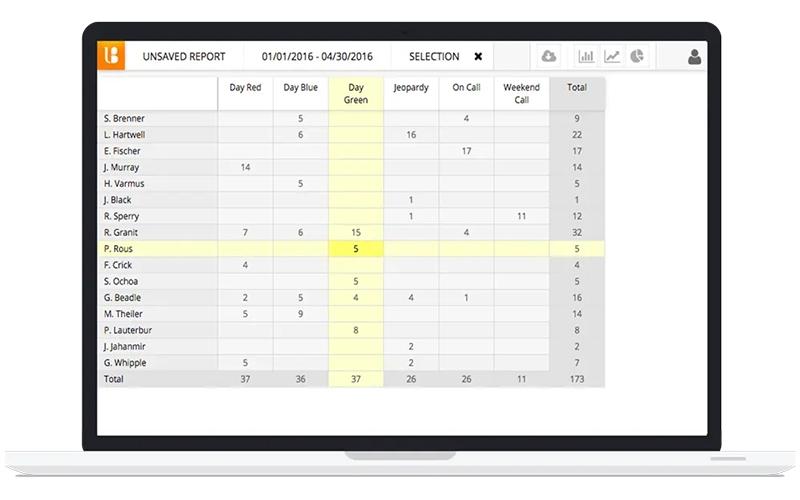
The software has a self-service portal for physicians. Through which providers can exchange their shifts with other available personnel, they can offer their shift through the tool by sending a request, and once the request is accepted, the shift is reassigned. Admins can control every base-level conflict, request, change, and cancellation through a centralized management dashboard. Lightning Bolt is available for IOS and web-based devices.
How Much Does Lightning Bolt Cost?
Lightning Bolt offers customized pricing based on each organization’s size, staffing structure, and scheduling complexity. The software provides a per-seat licensing model, where costs are determined by the number of scheduled individuals. Replacements do not affect pricing, but adding new staff requires additional licenses.
Lightning Bolt Integrations
The software offers integration with the following third-party applications:
- Epic
- Vocera
- Procare Solutions
- Allscripts EMR
- MD-Staff
How Does Lightning Bolt Work?
Here’s how you can start using the platform after signing up:
- Enter your username and password on the web or mobile. Use Enterprise Login if your org uses SSO
- From the Dashboard, go to the Viewer to see personal and create team schedules
- Focus on upcoming shifts, on-call duties, and location coverage generated from your group’s rules and preferences
- Maintain availability and preference inputs that inform equitable, rules-based schedule generation
- Submit time-off, swap, or coverage requests from web or the updated iOS app for quicker handling
- Publish and share finalized schedules with clinicians and staff to provide a single source of truth
- Use the mobile app to view who is working, make edits, and handle swaps and requests away from your desk
Software Demo
Reviews
You can find many happy users of Lightning Bolt scheduling around the web. Physicians give this software a high rating and leave many positive reviews. It has distinct features like Drag and Drop, On Call Scheduling, Physician Scheduling, and Staff Scheduling, which make shift management effortless.
Our Thoughts
Software physician schedule software provides services for Academic medicine, Anesthesiology, Cardiology, Emergency Medicine, Hospital Medicine, OB-GYN, Radiology, and other categories. It has real-time calendars for shift tracking. Physicians have mobile access to messaging and chat. You can easily track data analytics and export data with LightningBolt. This Medical Practice Management Software automatically finds the best software for you, making it a tool worth investing in.
Who Is Lightning Bolt For?
The software is ideal for medical professionals in:
- Cardiology
- Radiology
- Urgent Care
- Emergency Medicine
- Dentistry
- Dermatology
Lightning Bolt Use Cases
Based on an assessment of user feedback and Lightning Bolt’s existing functionality, several scenarios highlight where this platform is particularly effective for healthcare organizations aiming to improve workforce scheduling and coordination:
1. Hospital Departments Managing Complex On-Call Rotations
Hospitals with multiple departments and subspecialties often face difficulties balancing physician workloads while ensuring adequate coverage. Lightning Bolt’s intelligent scheduling engine enables departments such as radiology, anaesthesiology, and emergency medicine to coordinate shifts across large teams efficiently.
2. Multi-Site Healthcare Systems Standardizing Schedules
For organizations operating across several locations, maintaining consistency in provider scheduling can be challenging. Lightning Bolt centralizes scheduling data, allowing leadership to oversee shift allocations, track coverage gaps, and balance staffing levels across facilities.
3. Academic Medical Centers Balancing Teaching and Clinical Duties
Academic hospitals must coordinate faculty schedules that combine clinical, teaching, and research responsibilities. Lightning Bolt’s configurable scheduling parameters allow administrators to align physician availability with academic obligations, maintaining fair workloads and reliable patient coverage while supporting institutional efficiency.
4. Healthcare Organizations Prioritizing Data-Driven Staffing Decisions
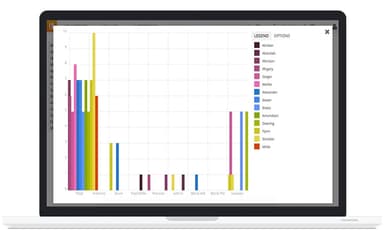
Administrators looking to enhance workforce efficiency benefit from Lightning Bolt’s analytics-powered insights. By evaluating trends in provider utilization, shift patterns, and patient demand, organizations can make evidence-based staffing decisions.
Lightning Bolt User Sentiments
Most Positive Sentiments | Least Positive Sentiments |
|---|---|
Ease of Use And Workflow
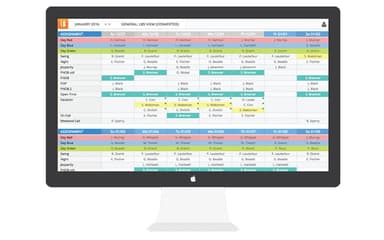
Users often find Lightning Bolt’s scheduling interface intuitive and easy to use. Its drag-and-drop functionality, organized calendar layout, and automated conflict resolution tools are valued for enhancing the efficiency of daily operations. | Mobile Accessibility And Calendar View
Users often express frustration with the platform’s calendar visibility and mobile experience. Many users report difficulty viewing a full month’s schedule. One user noted that, “Even with a wide computer monitor, it is not possible to view all of the days of the month on one screen without scrolling from side to side.” |
Scheduling Flexibility
Many reviewers commend Lightning Bolt for its ability to manage complex on-call rotations and cross-department scheduling. One user reports that, “Schedule automatically populates my calendar on my iPhone.” | System Performance
Frequent complaints include lagging, long load times, and periodic crashes. Users managing large provider rosters face delays during updates. A common user concern was, “Excessive lag time.” |
Implementation And Training Support
Several users specifically commend Lightning Bolt’s consulting and training teams for making implementation straightforward. They note that the consultants are knowledgeable, responsive, and guide teams efficiently during setup. Users note that, “The consultants at Lighting Bolt are great - training was straight forward and the software is easy to use.” | Usability Challenges
Users express frustration with the software’s limitations, such as its inability to create mock schedules for assessing staffing needs before approving time-off requests. This gap often forces managers to rely on manual workarounds. |
Is Lightning Bolt Right For You?
If your healthcare organization struggles with complex shift planning or inconsistent on-call coverage, Lightning Bolt can be a strong fit. This cloud-based scheduling platform automates physician rosters using advanced optimization algorithms.
It’s particularly useful for hospitals, multi-specialty practices, and academic medical centers that need to coordinate coverage among large clinical teams. With its analytics tools and burnout-prevention scheduling models, it also supports staff well-being and operational efficiency.
Still unsure if Lightning Bolt is the right choice for your practice? Connect with our customer support staff at (661) 384-7070 for tailored guidance.
Lightning Bolt Features
Rule-Based Scheduling
Lightning Bolt Scheduling lets healthcare organisations auto-generate schedules using a powerful rules-based engine that factors in provider preferences, skill sets, and staffing demands. It supports multi-location teams, shift-swap and time-off workflows, and on-call coordination. You can manage cyclic patient volumes and reduce hand-offs with the system. It offers end-to-end scheduling and analytics solutions across the enterprise.
Standard Provider Scheduling
It offers a streamlined solution for less complex departments. You can use Campaign Management features to secure physician-client trust. On-Call Scheduling provides a simpler alternative to intricate scheduling tasks. The software delivers robust analytics and reporting tools to evaluate scheduling effectiveness and drive improvements. It supports fully customizable schedules so teams can tailor workflows to their exact requirements.
Complete Patient Access
With Lightning Bolt Scheduling, appointment workflows become simpler and more responsive. The platform supports patient-access optimization by aligning provider availability with demand, increasing same-day appointment capacity, and reducing care delays. It offers reporting and analytics to identify resource gaps and support continuous improvement.
Automated OR Case Scheduling
Lightning Bolt auto-generates daily operating room (OR) case assignments according to user-defined policies, credentials, and preferences. It seeks to eliminate inefficiencies like double bookings and delays, ensuring surgical staff have transparent access to daily case rosters.
Burnout-Aware Scheduling And Wellness Tools
To address physician burnout, Lightning Bolt incorporates in-app wellness surveys and fatigue-risk analytics to flag providers under stress. Schedulers can build fairer rosters by integrating provider preferences, spreading night/weekend shifts evenly, and allowing more shift flexibility and swap control.
Pros And Cons of Lightning Bolt
Pros
It provides optimized scheduling capabilities that can help align resource supply with patient demand across an entire healthcare organization to improve operational efficiency
The software includes advanced administrative features like payroll tracking, trend reporting, and customizable data exports that can help streamline workflows and facilitate better business decisions
Lightning Bolt offers scalable integrations with important systems like EHRs, call centers, OR systems and more to improve care team coordination through integrated workflows
Cons
Setting up integrated workflows with all the necessary systems could be a complex implementation process for a large healthcare organization
Accessing the full capabilities of the sophisticated optimization and analytics features may require dedicated scheduling/workforce management expertise that not all organizations have
Lightning Bolt Reviews
Total 3 reviews
4
All reviews are from verified customers
Rating Distribution
5
Stars0%
4
Stars100%
3
Stars0%
2
Stars0%
1
Stars0%
Share your experience
Hospital and Healthcare, 51-100 employees
“Outstanding support with fast response times”
Pros
The standout feature of the software is its understanding and approachable customer support. The representative genuinely listens to my concerns and works diligently to address every issue with great patience. Compared to other software I have used, my experience with their customer support team has been quite positive. I found it very easy to reach out to them whenever needed. Also, the software update effectively resolved previous issues. Initially, the program fell short of expectations, requiring significant manual effort to manage scheduling. However, the software update proved to be a major improvement. Following the update, the automated scheduling for physicians now demands minimal manual intervention, which has significantly saved time and reduced the likelihood of errors.
Cons
In case, if the software faces any bugs and errors, it takes a while for the application developers to fix the issue. Although the bugs get fixed, the waiting period is a little longer which halts my organizational processes for the time. Unfortunately, there is no other way to resolve the issue than to inform the customer support team at the moment. Moreover, since such issues cannot be solved by the support team, there is not much that can be done either as the only response I get under such circumstances is that the technical team is already working on the issue. Hoping that the issue will be resolved soon.
Rating Distribution
Ease of use
9
Value for money
9
Customer Support
8
Functionality
7
Healthcare Administration, 11-50 employees
“Best physician scheduling platform I've ever used”
Pros
We were using Microsoft Excel initially to manage the scheduling of the physicians but it was very hectic. I am glad that we eventually landed on Lightning Bolt! I believe this was the best decision made by the company because the application produced the best schedule for us. The ‘combinatorial optimization procedure of the application makes the scheduling easier and simple. It automatically sets up the scheduling of the physicians. Adding to that, the experts at Lightning Bolt are excellent. The program is easy to use, and the training is simple. The software takes care of itself and fills in any timetable gaps. This entire algorithm of the software is excellent.
Cons
There is only one lagging point in the application. You cannot view the scheduling of the physicians for the entire month on a single screen. I even used a wider computer screen, but it is still not possible. Therefore, it gets difficult to find out who is working on a particular day without swiping back and forth through the screens. There is no other way than to search through an excessive number of potential shifts. Otherwise, I initially found the pricing of the software to be a bit excessive, but the benefits of the application make it worthwhile.
Rating Distribution
Ease of use
9
Value for money
7
Customer Support
8
Functionality
9
Health Care System, 11-50 employees
“Highly effective from day one”
Pros
Before settling on Lightning Bolt, we used some premium spreadsheets and another scheduling application. It was the best decision we made that led to the schedule we now have. Lightning Bolt has a great user interface, is easy to learn, and has a competent staff behind it.
Cons
The only real downside of Lightning Bolts for me is its high cost. Although it's pricey, I think it's worth the money. Besides needing patience during the setup, the training also takes quite a long time.
Rating Distribution
Ease of use
9
Value for money
9
Customer Support
7
Functionality
7
Frequently Asked Questions
Does Lightning Bolt have a mobile app?
Yes, the software offers a mobile app.
What type of pricing plans does Lightning Bolt offer?
Lightning Bolt offers customized pricing plans based on business size and requirements.
Who are the typical users of Lightning Bolt?
The software is ideal for medical professionals in cardiology, radiology, emergency medicine, dentistry, obstetrics, and gynecology.
What languages does Lightning Bolt support?
The platform primarily supports the English language.
What level of support does Lightning Bolt offer?
The platform offers support through phone, email, and FAQs.
Is Lightning Bolt free?
No, the platform isn’t free.
What other apps does Lightning Bolt integrate with?
The software offers seamless integration with Epic, Vocera, Procare Solutions, Allscripts EMR, and MD-Staff.
Does Lightning Bolt offer an API?
Yes, the software offers an API.