


Adobe Learning Manager
Last Updated
Overview
Adobe Learning Manager is a cloud-based LMS designed to manage corporate training programs efficiently. While it can be complex for small teams, it offers robust AI-driven content recommendations, analytics, and mobile accessibility, helping organizations deliver personalized learning at scale.

Adobe Learning Manager Specifications
- Asynchronous Learning
- Activity Tracking
- Access Controls/Permissions
- Training Management
Adobe Learning Manager Features
Personalization And Recommendation
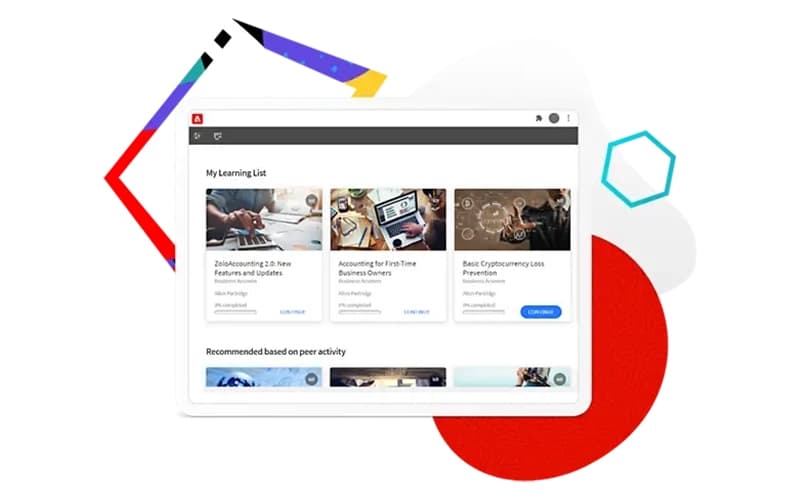
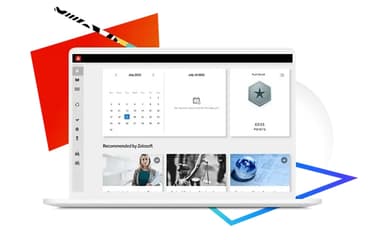
Adobe Learning Manager uses AI to recommend courses and learning paths based on individual learner behavior and skill gaps. This ensures users engage with the most relevant content efficiently.
Learning Experience Platform
The software provides a unified platform to deliver, track, and manage both formal and informal learning programs. It centralizes all training activities in a single system.
Headless LMS
With a headless LMS architecture, content can be delivered across multiple devices and platforms seamlessly. The backend remains flexible, supporting integrations with other systems.
Gamification
Gamification features like badges, points, and leaderboards increase learner motivation and engagement. Training becomes interactive and enjoyable for all participants.
Pros And Cons of Adobe Learning Manager
Pros
Adobe Learning Manager has an intuitive interface for training
Its extraordinary features help engage customers and increase productivity
The tool offers powerful automations, integrations, and high-quality experiences
Cons
Mobile analytics functionality is limited for on-the-go management
System can be sluggish sometimes with long loading times
Adobe Learning Manager Reviews
Total 18 reviews
4.1
All reviews are from verified customers
Rating Distribution
5
Stars28%
4
Stars56%
3
Stars11%
2
Stars6%
1
Stars0%
Share your experience
Mid-Market, 500+ employees
“Solid platform with regular improvements”
Pros
The custom user creation feature has been a real game-changer for our teams, I can set up administrators for specific content areas and adjust their access levels based on what they actually need. This prevents less experienced users from getting overwhelmed by too many options. Having external user capabilities and peer accounts would've been incredibly valuable if our partner organizations had decided to adopt the platform. The development team consistently works on improving the user experience based on our feedback too.
Cons
The system doesn't let managers upload third-party certificates like Red Cross directly to learners profiles whichcreates friction when training groups resist the transition. Right now, employees have to upload their own files or an admin needs to impersonate them, both options are pretty glitchy. Also some of our certifications last 4-5 years before renewal but the ALM doesn't track certifications for that long so we lose visibility on longer-term requirements.
Rating Distribution
Ease of use
8
Value for money
8
Customer Support
8
Functionality
9
Mid-Market, 500+ employees
“Excellent LMS”
Pros
I can quickly print sign-in sheets for my classes and mark attendance without any hassle. The "Impersonate User" feature is fantastic, it lets me log in as employees to troubleshoot their issues firsthand. Often people just need guidance on how the system works and being able to see exactly what they're seeing makes it so much easier to help them find solutions.
Cons
Learning Path grouping is nice but there's a frustrating issue when someone misses a course, I cant unenroll them from just the course without removing them from the entire path which makes management more complicated than it should be.
Rating Distribution
Ease of use
8
Value for money
8
Customer Support
8
Functionality
9
Mid-Market, 500+ employees
“GREAT training management solution”
Pros
I really appreciate how flexible this platform is, we've been able to customize it perfectly for our unique industry needs. The learning paths and certification options make it super easy to roll out training programs quickly and our team members feel more empowered because everything aligns with our company culture. The integration capabilities have been a game-changer for getting our systems to work together smoothly.
Cons
The learning curve can be pretty steep but thats mainly because there's so much you can customize. It's not really a complaint just something to keep in mind that all those customization options mean you'll need to invest time upfront to really learn how everything works.
Rating Distribution
Ease of use
9
Value for money
9
Customer Support
9
Functionality
10
Frequently Asked Questions
What other apps does Adobe Learning Manager integrate with?
Adobe Learning Manager integrates with Adobe Experience Manager (AEM), Microsoft Power BI and Salesforce.
Who are the typical users of Adobe Learning Manager?
Typical users include corporate training managers, HR teams, and learning administrators in enterprises across healthcare, retail, and hospitality sectors.
What level of support does Adobe Learning Manager offer?
Adobe Learning Manager offers dedicated customer support through webinars and its Learn & Support resources, helping users get guidance and resolve issues efficiently.
What language does Adobe Learning Manager support?
Adobe Learning Manager supports multiple languages, including English, Spanish, French, German, and more.
Does Adobe Learning Manager offer an API?
Yes, Adobe Learning Manager provides API access for custom integrations with other enterprise systems.
What types of pricing plans does Adobe Learning Manager offer?
Pricing depends on the number of registered users or monthly active users, with flexible enterprise options available. Explore Adobe Learning Manager price quotes to choose the best plan.
Does Adobe Learning Manager have a mobile app?
Yes, the Adobe Learning Manager mobile app is available on iOS and Android devices, allowing users to access courses remotely.