


Last Updated
Overview
modONE simplifies safety management for businesses with non-desk workforces, which helps to reduce injuries and insurance costs. While its deep customization of enterprise systems can be enhanced, its zero-setup design and real-time engagement tracking make it a compelling choice for teaching immediate safety protocols.
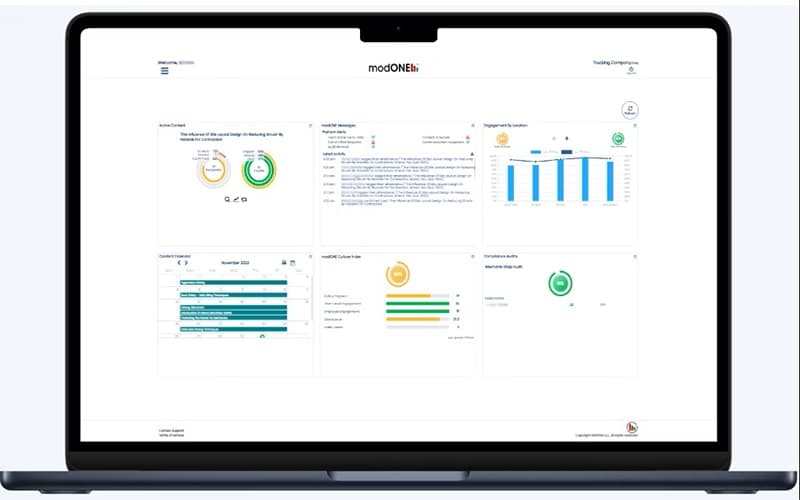
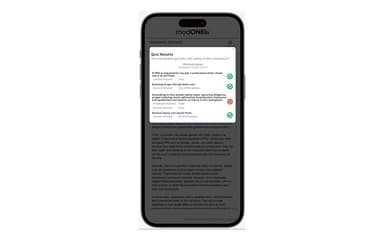
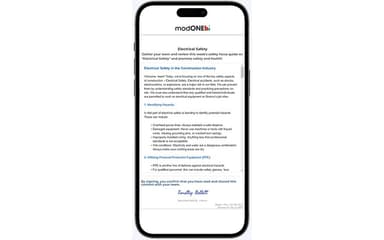
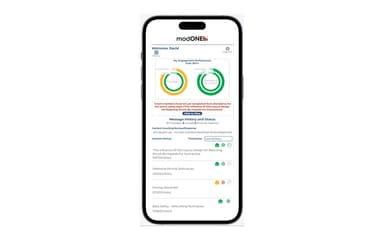
modONE Specifications
- Activity Dashboard
- Asynchronous Learning
- Activity Tracking
- Access Controls/Permissions
modONE Features
Easy Mobile Access
The modONE platform is made to function on any device right away, which means there is no requirement for downloads. This characteristic is meant to make it simple for everyone to get safety content through email or SMS. It helps to ensure that all can access the necessary information without encountering any technical difficulties.
Immediate Deployment System
modONE is built to be ready for use in just a few minutes, avoiding a complicated setup process. This allows for an immediate launch of a safety program, so teams can begin to see value right away. The smooth launch is intended to eliminate headaches and allow for rapid deployment across an organization.
AI-Powered SafetyBot™
SafetyBot™ is a function that automatically delivers safety content that has been designed for individual groups. It can select the most relevant content from modONE's library to ensure the information is timely and applicable. This offers administrators control over the delivery schedule, allowing for content to be sent daily, weekly, or monthly.
Real-Time Engagement Tracking
This feature provides a real-time perspective on engagement in the field, making it possible to see which teams are completing safety content. It shows those who may be behind and can help confirm that safety talks are happening. This visibility is available whether a single crew or many of them are being managed.
Proactive Risk Identification
The software is equipped to provide immediate visibility into teams or sites that may be underperforming. It highlights potential problem areas so that intervention can happen early on to help prevent costly incidents. The system sends automatic notifications when action may be needed, such as with low engagement scores or missed sign-offs.
Pros And Cons of modONE
Pros
Makes tracking safety meetings and engagement easy
Provides a simple way to give toolbox talks to a crew
Quick customer support with transparent communication
Offers great ease of use for safety program management
Cons
Communication regarding updates can be improved
Enhanced tracking and options to print out participation logs can be added
The content library could use a visual update
modONE Reviews
Total 14 reviews
4.7
All reviews are from verified customers
Rating Distribution
5
Stars79%
4
Stars14%
3
Stars7%
2
Stars0%
1
Stars0%
Share your experience
Jason S.
Construction, N/A employees
Less than a year
“easy tracking of safety meetings”
Pros
It makes tracking our safety meetings and team engagement really simple and easy. Also, I find it simple to use.
Cons
When new items appear on the dashboard, I feel confused because there's no clear explanation of how they're calculated or any advance notice of changes being made.
Rating Distribution
Ease of use
6
Value for money
7
Customer Support
7
Functionality
6
Kent M.
Construction, N/A employees
Less than a year
“imple toolbox talks for quick training”
Pros
This tool provides a simple way to give toolbox talks to my crew, making training quick and easy to manage.
Cons
It would be better for me if there were simpler ways to track progress and print out participation logs, since that would save time when reviewing records.
Rating Distribution
Ease of use
9
Value for money
10
Customer Support
10
Functionality
9
Mark S.
Renewables & Environment, N/A employees
Less than 6 months
“fantastic customer support”
Pros
Customer support with ModONE is fantastic. I feel genuinely valued as a client and the company is very transparent. I've tried other programs where sales teams couldn't answer simple questions but with this software, the free trial was so smooth that I just kept using it. I compared many programs before purchasing and this platform became my standard, it's easy to use right away without spending hours figuring it out.
Cons
I don't really have complaints. A feature I wanted wasn't ready yet but they actually gave me a workaround before its release which I thought was impressive.
Rating Distribution
Ease of use
10
Value for money
10
Customer Support
10
Functionality
10
Frequently Asked Questions
What language does modONE support?
The platform currently supports English and Spanish.
Who are the typical users of modONE?
The typical users of the software include logistics firms, contractors, manufacturers, healthcare organizations, and insurers.
What types of pricing plans does modONE offer?
modONE price structure includes a 30-day free trial, a Launch plan at $99 per month, an Essentials plan at $149 per month, a Pro plan at $199 per month, and an Enterprise plan with custom pricing. Users can request a customized pricing plan based on their business requirements.
Does modONE have a mobile app?
Information regarding a dedicated mobile app is not specified by the vendor.
What other apps does modONE integrate with?
Information about third-party software integrations has not been specified by the vendor.
What level of support does modONE offer?
modONE provides support through email, a messenger portal, and chat.
Does modONE offer an API?
Yes, modONE offers an API.