


Last Updated
Overview
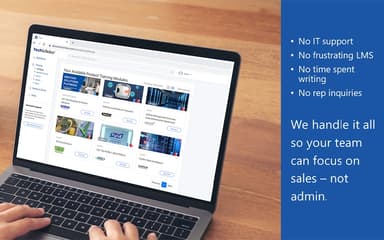
TechScholar offers a unique, full-service sales training solution by delivering expert-created content through its LMS platform. While the navigation around the lessons can be improved, its ability to rapidly onboard members and focus on delivering a complete training outcome makes it a compelling choice.

TechScholar Specifications
- Activity Dashboard
- Activity Tracking
- Access Controls/Permissions
- Training Management
TechScholar Features
Customization
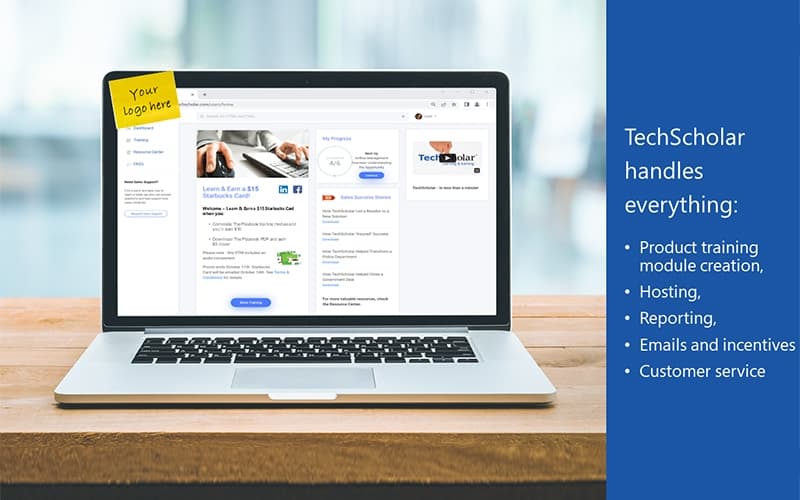
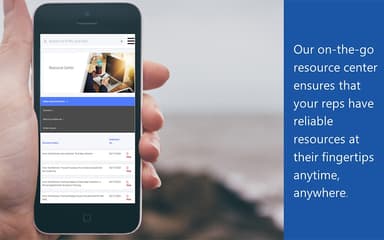
The TechScholar Campus functions as a centralized hub, providing sales representatives with resources for onboarding and ongoing product sales training. It offers a convenient method for making all sales collateral available for direct download. This feature allows for the creation of a training experience that is precisely tailored to meet specific organizational needs.
Written PTMs On Content
The content for the PTM is professionally developed utilizing provided materials. This content is structured to convey key value propositions, features, benefits, and competitive differentiators. These modules are designed to effectively enhance selling skills and ensure a consistent message across a team.
Marketing And Incentives
This feature integrates both marketing initiatives and incentive fulfillment into a single, cohesive location. This approach can assist in simplifying the management of these programs. The system provides a unified solution for supporting and motivating sales representatives.
Hard-Hitting Selling Tools
The platform provides a suite of tools that are specifically designed for utilization during sales calls. These tools include selling pointers to help in recognizing opportunities and dialog starters to initiate conversations. The resources also provide links to additional collateral and a quick review summary for preparation.
Reporting And Analytics
The system provides detailed engagement reports that allow for a thorough assessment of representative performance. The analytics can be filtered and viewed by company or by group segmentation for more granular insight. This allows for direct feedback to be gathered from the representatives who are completing the training.
Pros And Cons of TechScholar
Pros
A dynamic software flow that is easy to navigate
Detailed analytics track usage and performance
Provides a centralized dashboard for accessing training progress
Cons
A different screen resolution may affect the full training view
Learning content depends on vendor production
TechScholar Reviews
Total 1 reviews
4
All reviews are from verified customers
Rating Distribution
5
Stars0%
4
Stars100%
3
Stars0%
2
Stars0%
1
Stars0%
Share your experience
Anonymous
Mid Market, 51-100 employees
“Easy to get the hang of”
Pros
Its simple and I picked up the concepts pretty quickly without much effort.
Cons
The training section gets a bit tricky on smaller screens sometimes and becomes hard to follow when the resolution drops.
Rating Distribution
Ease of use
7
Value for money
8
Customer Support
7
Functionality
8
Frequently Asked Questions
Who are the typical users of TechScholar?
The typical users of the software include organizations across industries such as retail, cybersecurity, electronics, photography, and technology.
What types of pricing plans does TechScholar offer?
The vendor offers customized pricing plans, depending on the unique requirements of businesses. Get a custom TechScholar price plan tailored to your business needs.
Does TechScholar offer an API?
Information regarding the vendor’s API availability has not been provided.
What languages does TechScholar support?
The platform currently supports the English language.
Does TechScholar have a mobile app?
No, TechScholar does not offers a dedicated mobile app.
What other apps does TechScholar integrate with?
Information about third-party software integrations has not been specified by the vendor.
What level of support does TechScholar offer?
TechScholar provides support through email and phone.