


Apollo Software
Last Updated
Overview
Apollo provides robust project and contract management tools with budgeting, scheduling, and compliance tracking features. While the software’s extensive functionality might require some initial training, it focuses on managing contracts and project details, making it a valuable asset for complex project environments.
Overall Rating
Based on 1 users reviews
4
Rating Distribution
Positive
100%
Neutral
0%
Negative
0%
Starting Price
$23
per month
Apollo Software Specifications
- Time Tracking
- Task Management
- Reporting
- Budget Management
Apollo Software Features
Gantt Charts
Apollo software offers Gantt Chart support to help users visualize project schedules and track progress efficiently. It allows teams to create and manage tasks, set dependencies, and allocate resources. Moreover, this feature provides a comprehensive overview of project timelines, allowing teams to identify bottlenecks, adjust schedules, and ensure timely completion of tasks.
Task Scheduling
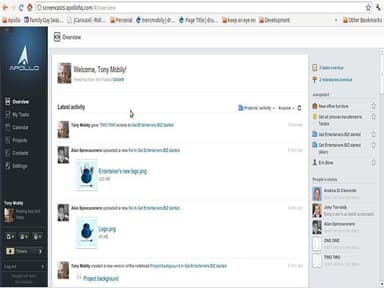
The software comes with a whole suite of task management features designed to simplify the organization and task management process. Its user-friendly calendar interface allows users to schedule tasks, set due dates, and allocate resources efficiently. It empowers teams to prioritize tasks, track progress, and meet deadlines, resulting in improved productivity and streamlined project management.
Project Templates
This feature empowers users to streamline project creation and execution by offering various customizable templates. Teams can transform any project into a reusable template, saving time and effort in repetitive project setups. It also allows them to define project structures, assign tasks, set milestones, and preconfigure dependencies.
Time Tracking
Apollo project management solution offers a comprehensive solution for accurately tracking and managing time spent on various tasks and projects. It provides detailed insights into time utilization, allowing teams to monitor productivity, identify areas for improvement, and optimize resource allocation.
Contact Management
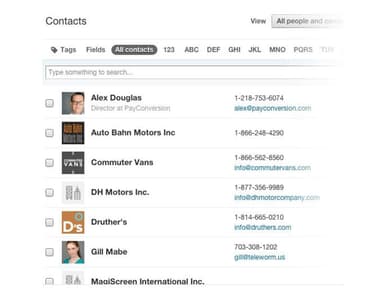
The platform helps users streamline the process of organizing and accessing contacts efficiently. It enables them to search for contacts by name or company, ensuring quick retrieval of relevant information. Moreover, teams can use this feature to organize their contact lists by removing inactive leads, prioritizing important contacts, and sharing them with co-workers.
Pros And Cons of Apollo Software
Pros
User-friendly interface
Secure and scalable
Robust contact management features
Variety of pre-built templates
Cons
Steep learning curve
Occasional glitches, according to some Apollo reviews
Apollo Software Pricing
BasicIndividual Entrepreneurs | PlusEssential features for small teams | PremiumAdvanced Suite Of Features | MaxSuitable for large organizations | CustomIdeal For Complex Enterprises |
|---|---|---|---|---|
$23per month | $48per month | $98per month | $148per month | Custom Pricing |
|
|
|
|
|
Disclaimer: The pricing details were last updated on Sep 14, 2026 from the vendor's website. Please contact us for a tailored pricing list.
Apollo Software Reviews
Total 1 reviews
4
All reviews are from verified customers
Rating Distribution
5
Stars0%
4
Stars100%
3
Stars0%
2
Stars0%
1
Stars0%
Share your experience
IT, 1-10 employees
Less than 6 months
“great for simplifying work and managing accounts on my macbook”
Pros
This program proved to be extremely helpful when I started my business. It allowed me to catalog and manage my products and contacts on my MacBook, saving me from the hassle of scrolling through numerous files. It's an excellent tool for organizing my work efficiently. I can easily access all the tasks, including subtasks. The availability of pre-made or partially completed templates simplifies the workflow tremendously.
Cons
Over time, I realized that many features were limited and that other similar programs on Microsoft were more efficient. However, on the Apple operating system, this application is the best. There's nothing negative to say about it, but for Microsoft, the story is a bit different. Overall, it's an excellent program.
Rating Distribution
Ease of use
10
Value for money
8
Customer Support
8
Functionality
8