



Last Updated
Overview
Having trouble finding the right low-code project management software with automated workflows for your growing organization? Caspio offers an intuitive solution for businesses of all sizes. With this low-code platform, you can effortlessly build feature-rich online database applications. Explore Caspio pricing plans and get started today.
Overall Rating
Based on 94 users reviews
4.2
Rating Distribution
Positive
83%
Neutral
10%
Negative
7%
Starting Price
$50
per month
Caspio Specifications
- Time Tracking
- Task Management
- Reporting
- Budget Management
Caspio Features
Financial Reporting
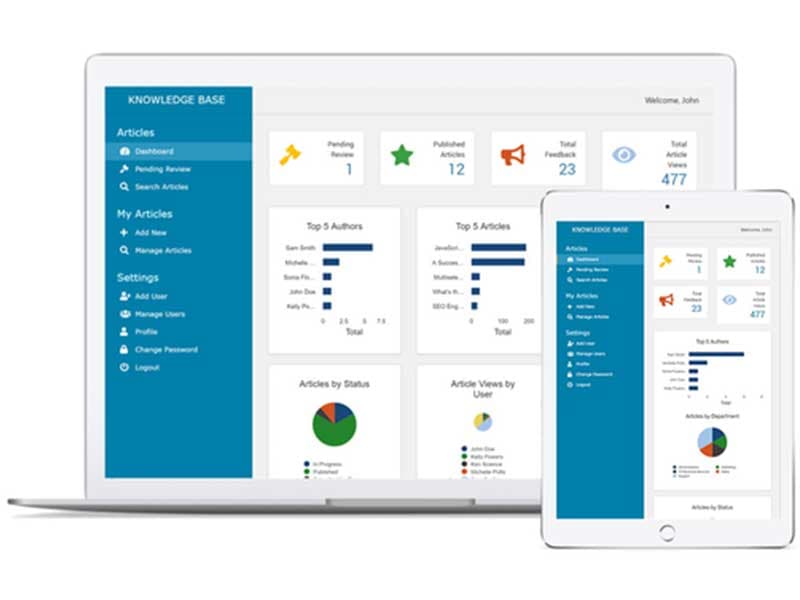
Turn complex financial data into actionable insights. Build interactive dashboards, approval forms, and digital invoices — no code required. Automate reporting processes and give stakeholders real-time visibility into performance.
Asset Management
Centralize your digital assets in one secure place. Caspio lets teams store, organize, and share files while maintaining full control with record-level security and permissions. Streamline distribution and ensure the right people access the right content.
Custom CRM
Build a CRM tailored to your exact workflow — not someone else’s template. Caspio’s visual builder helps you automate follow-ups, manage contacts, and track deals at a fraction of the cost of off-the-shelf systems.
Calendars And Scheduling
Create custom calendars for projects, appointments, and internal processes. Integrate with your data tables and automate scheduling workflows for complete visibility across teams.
Ready-Made App Marketplace
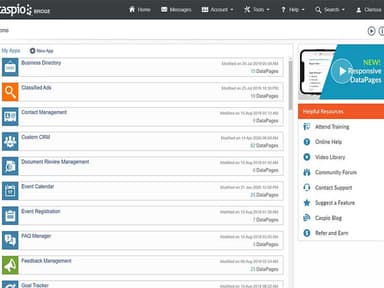
Start instantly with a pre-built app from the Caspio Marketplace — featuring templates for CRM, project tracking, inventory, and more. Each app can be customized to fit unique business workflows and branding.
Unlimited Users and Scalable Performance
Unlike most platforms that charge per user, Caspio’s pricing allows unlimited app users at no extra cost. Scale operations across your organization without worrying about per-seat fees or usage limits.
Integrations and Extensibility
Connect Caspio with popular tools like Zapier and Make — or use APIs and webhooks to link with other business systems. Extend functionality to fit any workflow, from automation to reporting.
Professional App-Building Services
Prefer a done-for-you approach? Caspio’s Professional Services team can design, build, and launch your custom app — ensuring you get production-ready results faster.
Caspio Database and Data Management
Caspio’s fully managed relational database—powered by Microsoft SQL Server—gives you enterprise-level reliability, scalability, and security without the overhead of traditional IT management.
Pros And Cons of Caspio
Pros
Empowers users to build complex applications and CRM systems without coding skills
Collaborate with unlimited users seamlessly
Ensures security for sensitive data
Free plan available for a limited trial period
Enhance insights with robust visualization tools
Streamline schedules with flexible calendar features
Cons
Potential information overload for new users, according to a users
Steep learning curve
Advanced features limited to the enterprise plan
Caspio Pricing
StarterFor Individuals And Small Teams | ProfessionalFor Individuals And Small Teams | ProfessionalFor Businesses And Enterprises | EnterpriseFor Businesses And Enterprises |
|---|---|---|---|
$50per month | $600per month | $600per month | $2250per month |
|
|
|
|
Disclaimer: The pricing details were last updated on Sep 14, 2026 from the vendor's website. Please contact us for a tailored pricing list.
Caspio Reviews
Total 94 reviews
4.2
All reviews are from verified customers
Rating Distribution
5
Stars55%
4
Stars28%
3
Stars6%
2
Stars3%
1
Stars7%
Share your experience
Automation, 1-10 employees
Less than a year
“***RIPPOFF ALEART*** They won't let you out of the subscription and will keep charging you”
Pros
To me, it seemed like a straightforward platform to set up.
Cons
Caspio boasted about its drag-and-drop feature for app development. However, after subscribing and paying the fee, they withheld support on implementing it, treating it like a closely guarded secret.
Rating Distribution
Ease of use
3
Value for money
6
Customer Support
6
Functionality
3
IT, 1-10 employees
Less than 6 months
“Casio review”
Pros
I am a fan of this software because it offers incredible power and flexibility. What really stands out to me is the project planning feature, which saves me heaps of time.
Cons
I don't see any downsides though initially, I found it a tad challenging to navigate.
Rating Distribution
Ease of use
10
Value for money
10
Customer Support
9
Functionality
10
IT, 11-50 employees
Less than a year
“Caspio Feedback”
Pros
I found the one-click deployment method super efficient for fast web application development.
Cons
I have encountered limitations with Caspio's backend and tasks, especially when it comes to customization for specific designs.
Rating Distribution
Ease of use
6
Value for money
8
Customer Support
8
Functionality
7
Frequently Asked Questions
Who are the typical users of Caspio?
The typical users of Caspio include businesses of all sizes across various industries and sectors, including healthcare, media, education, finance, government, energy, and non-profit organizations.
What types of pricing plans does Caspio offer?
Caspio offers the following pricing plans: Starter ($50/month), Professional ($600/month), and Enterprise ($2250/month). Click Get Pricing for a personalized quote.
What language does Caspio support?
Caspio supports multiple languages, including English, Spanish, French, German, Portuguese, Italian, Chinese, and Russian.
Does Caspio offer an API?
Yes, Caspio offers an API.
What level of support does Caspio offer?
Caspio offers online documentation, video tutorials, community forums, email, phone and live chat support.
Does Caspio support mobile devices?
Yes, Caspio supports mobile devices.
What other apps does Caspio integrate with?
Caspio integrates with Microsoft Office 365, OneDrive, Zapier, ServiceNow, Make, Blogger, PayPal, and more.
Does Caspio offer integrated cloud database solutions?
Yes, Caspio provides users with integrated cloud database solutions.