


Karbon Software
Last Updated
Overview
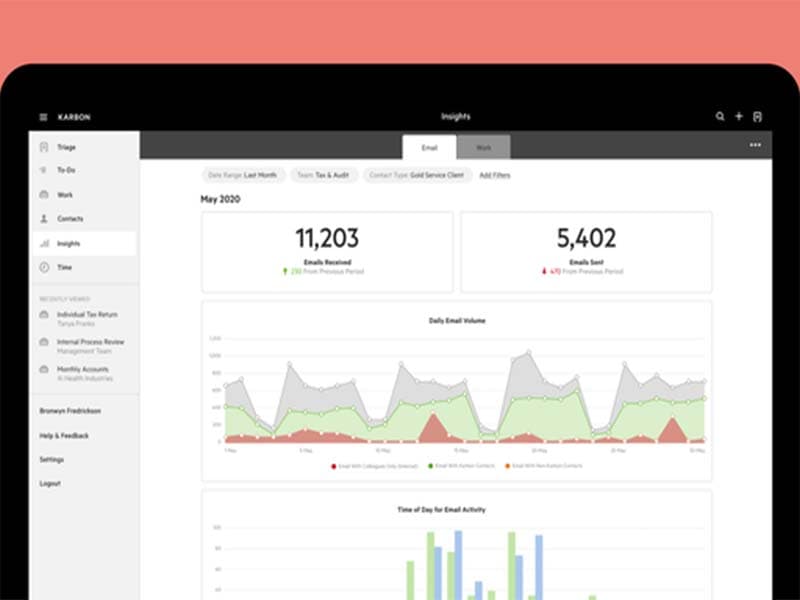
Karbon software is the collaborative practice management platform that can help you solve these challenges. It’s designed to streamline your email, tasks, and clients and work in one organized platform. With its innovative features, Karbon can significantly enhance your team’s productivity and efficiency. Explore Karbon features today!
Overall Rating
Based on 1 users reviews
5
Rating Distribution
Positive
100%
Neutral
0%
Negative
0%
Starting Price
$59
per user per month
Karbon Software Specifications
- Time Tracking
- Task Management
- Reporting
- Budget Management
Karbon Software Features
Client Management
Karbon offers a secure and easy way to engage with clients, share sensitive information, and collect data. It helps you track your firm’s relationship with every client and deliver the service you promised. The software ensures you deliver the service you promise.
Workflow Automation
This feature automates low-value, time-consuming tasks and standardizes common processes, saving your team time and effort. It enables you to get more out of every team member by automating tasks, standardizing common processes, scheduling data collection, and scaling onboarding.
Project Management
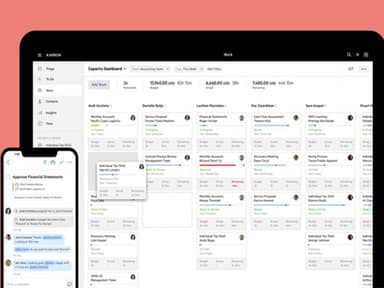
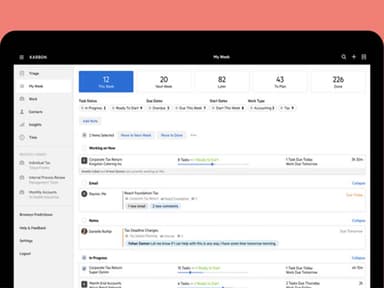
The software provides tools to organize your work, tasks, and email into a manageable action plan. It also allows you to standardize common processes and workflows in customizable templates. Karbon lets you design and manage workflows, improving the efficiency of your operations.
Team Collaboration
Karbon combines email, discussions, tasks, and powerful workflows to provide a single place for your team to communicate and collaborate. Karbon unites your firm with one place to collaborate on email, clients, jobs, and tasks. It facilitates more work done together, whether remotely or in the office.
Document Management
The secure document storage is built for accounting professionals. It allows you to share, save, and organize Dropbox, Microsoft OneDrive, and SharePoint files from Karbon. The platform provides a secure and easy way to engage with clients, share sensitive information, and collect data.
Centralized Knowledge
Karbon serves as a single source of truth where you can find the shared history of emails, notes, tasks, and activities relating to any job or client. It lets you know where every job stands across your entire team.
Pros And Cons of Karbon Software
Pros
Seamless communication and workflow
Automated tasks and processes
Ecosystem app integrations
Curated library of resources
Cons
Learning curve and training
Limited customization and personalization
Customer service and support can be improved, according to some Karbon user
Karbon Software Pricing
TeamFor smaller teams looking to consolidate workflows | BusinessPerfect for teams needing workflow automation to increase efficiency | EnterpriseFor enterprise teams who need customization and a premium platform |
|---|---|---|
$59per user per month | $79per user per month | Custom Pricing |
|
|
|
Disclaimer: The pricing details were last updated on Sep 14, 2026 from the vendor's website. Please contact us for a tailored pricing list.
Karbon Software Reviews
Total 1 reviews
5
All reviews are from verified customers
Rating Distribution
5
Stars100%
4
Stars0%
3
Stars0%
2
Stars0%
1
Stars0%
Share your experience
Construction, 500+ employees
Less than a year
“Karbon Has Been a Sensational Workflow Management System”
Pros
I find Karbon to be highly efficient in workflow management. It has greatly benefited our team.
Cons
I have no reasons to dislike Karbon. It is truly amazing.
Rating Distribution
Ease of use
10
Value for money
10
Customer Support
10
Functionality
10
Frequently Asked Questions
Does Karbon software offer an API?
Yes, Karbon project management software has an API available for use.
What language does Karbon software support?
Karbon supports multiple languages, including French, Dutch, English and Spanish.
What other apps does Karbon software integrate with?
Karbon integrates with applications like Liscio, Xama, Companies House, Dropbox, Xero, VXT, Microsoft Office 365, and QuickBooks Time.
Does Karbon software support mobile devices?
Yes, the software supports mobile devices.
What types of pricing plans does Karbon software offer?
Karbon offers Team ($59/user/month), Business ($79/user/month), and Enterprise (Custom pricing). Request a personalized Karbon price.
Who are the typical users of Karbon software?
Karbon is designed for all-sized accounting firms. The retail, healthcare, and manufacturing industries also use it.
What level of support does Karbon software offer?
Karbon is a platform for accounting firms that provides support through various channels, including email, a help desk, chat, a knowledge base, FAQs, forums, and a 24/7 customer representative.
How does Karbon significantly improve visibility for accounting firms?
Karbon helps with significantly improving visibility for accounting firms by providing a centralized platform for managing all aspects of client work, offering real-time project tracking, comprehensive data analytics, integrated communication tools, and customizable dashboards.