


Last Updated
Overview
Prodsmart addresses production challenges with its innovative software solution, incorporating visual workflows, real-time data, and proactive maintenance. This scalable platform boosts efficiency, fostering a responsive production ecosystem. Prodsmart's features are designed to tackle complex production processes, offering a solution to project management challenges. Explore the capabilities of Prodsmart to enhance your production operations.
Prodsmart Specifications
- Time Tracking
- Task Management
- Reporting
- Budget Management
Prodsmart Features
Scheduling
This feature optimizes the planning and management of production schedules, providing a comprehensive overview of timelines. It enhances resource allocation and ensures timely task completion, reducing waste and costs. Clear production schedules foster better coordination among teams and departments.
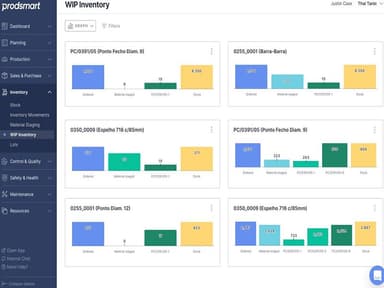
Inventory Management
Prodsmart project management maintains optimal inventory levels, ensuring the timely availability of raw materials to prevent production delays and reduce costs. The platform offers a detailed view of inventory, tracking material quantity and location. It also sends alerts for low inventory levels, facilitating timely replenishment.
Quality Assurance
The software enables real-time tracking of product quality throughout the production process, identifying and addressing issues early on to prevent costly problems. This systematic approach enhances product quality, ultimately increasing customer satisfaction.
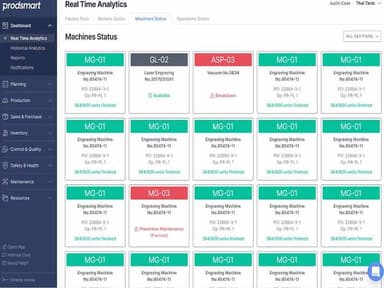
Machine Management
Efficient tracking of machine performance allows for anticipating maintenance needs, minimizing downtime, and ensuring optimal operation. Prodsmart provides detailed insights into machine performance, helping identify potential issues before significant downtime occurs. It also facilitates regular maintenance scheduling, extending machine lifespan.
Visual Workflows
The platform offers a graphical representation of the production process, helping identify complexities and inefficiencies for improved production flow. The visual map enhances understanding of task sequences and interdependencies, leading to more effective resource allocation.
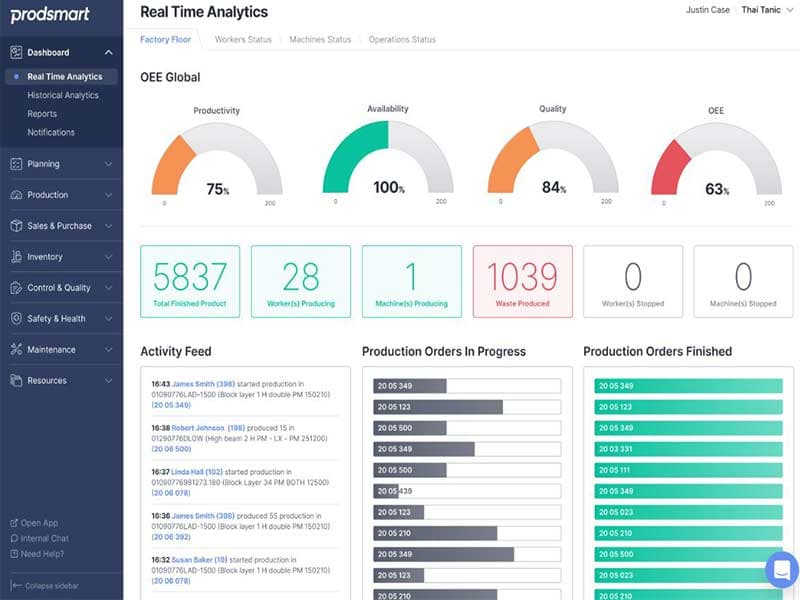
Real-Time Dashboards
The system offers a live view of your production process. It displays real-time data on the status of production lines, machines, and workers. By offering real-time production visibility, the software allows for proactive production process management, helping identify issues.
Pros And Cons of Prodsmart
Pros
An intuitive design, ensuring ease of use for all users, regardless of technical expertise
Instantaneous data from the shop floor, enabling timely adjustments and issue identification
Clear visual workflows, aiding in continuous improvement
Real-time dashboards provide a holistic view of the manufacturing process for informed decision-making
Optimizes resource utilization, maintaining a balance between supply and demand to streamline the production process
Cons
Advanced customization options may be limited, according to some Prodsmart reviews
The extensive features might be overwhelming for some users
Potential for information overload
Prodsmart Reviews
Total 1 reviews
4
All reviews are from verified customers
Rating Distribution
5
Stars0%
4
Stars100%
3
Stars0%
2
Stars0%
1
Stars0%
Share your experience
Anonymous
Not Specified, 1-10 employees
Less than 6 months
“Extremely simple and complete”
Pros
The technical support provided is perfect, and the software offers a comprehensive set of features. The intuitive menus make it easy to understand and manage my inventory in a simple and hassle-free manner.
Cons
So far, I haven't encountered any drawbacks, which is a positive sign.
Rating Distribution
Ease of use
8
Value for money
8
Customer Support
8
Functionality
10
Frequently Asked Questions
Does Prodsmart offer an API?
Yes, Prodsmart offers an API to its users.
What language does Prodsmart support?
Prodsmart supports English, Spanish, and Portuguese languages.
What other apps does Prodsmart integrate with?
Prodsmart integrates with several third-party systems, including Xero, SAGE, Fusion 360, and QuickBooks.
Does Prodsmart support mobile devices?
Yes, Prodsmart supports mobile devices and provides a mobile application to capture live data from your shop floor.
What types of pricing plans does Prodsmart offer?
The vendor offers flexible Prodsmart pricing plans. Get a personalized Prodsmart pricing quote per your company’s needs and size.
Who are the typical users of Prodsmart?
Prodsmart's typical users include the media, design, entertainment, architecture, manufacturing, engineering, and construction industries.
What level of support does Prodsmart offer?
Prodsmart offers support options, including a knowledge base, chat, email, a help desk, phone, FAQs, forums, and a 24/7 customer representative.
How does Prodsmart handle corrective maintenance orders?
Prodsmart’s machine management feature allows efficient machine performance tracking and anticipates maintenance needs. When a machine requires corrective maintenance, orders can be generated and tracked within the system, ensuring timely and efficient repairs.