


Tempo Timesheets software
Last Updated
Overview
Tempo Timesheets excels in tracking time, costs, projects, and progress, helping teams monitor work hours and allocate resources efficiently. Although it is complex for smaller teams, the software offers a simple way to drive productivity Overall, it's a solid choice for teams needing detailed time management.
Tempo Timesheets software Specifications
- Time Tracking
- Task Management
- Reporting
- Budget Management
Tempo Timesheets software Features
API
API programmatically transfers data to or from timesheets to integrate with other business components.
Activity Tracking
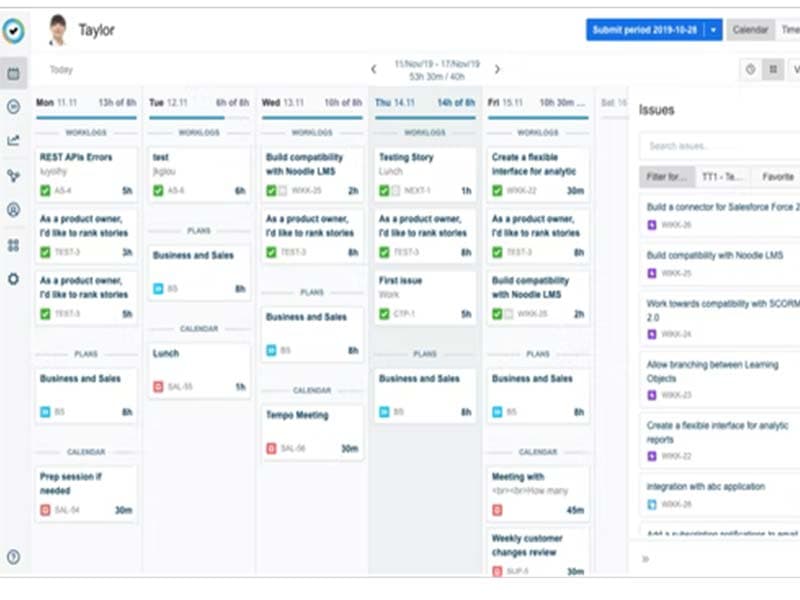
Save time with Tempo automation. Users never need to remember the meetings with Google and Microsoft calendar integrations. Instead, automated suggestions make it easy to fill users' timesheets.
Reports
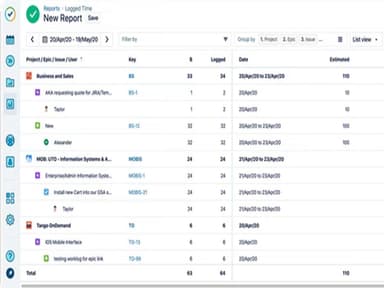
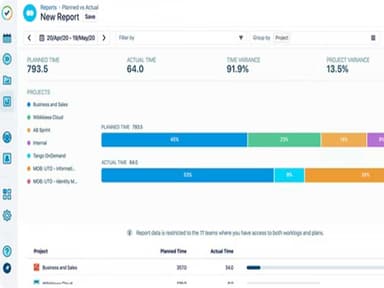
Tempo Timesheets allow users to generate granular reports in seconds and drill down on elements of choosing to get the detailed information users need. It enables managers to review and approve their team's timesheets, in bulk or individually.
Organize Finance
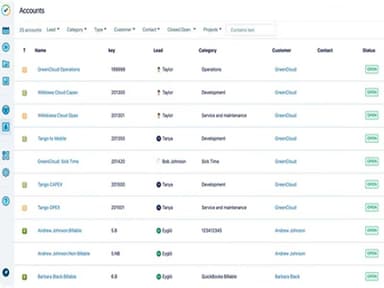
With Tempo Timesheets, users easily track all billable times for invoicing, Measure and report on CAPEX and OPEX with precision, and build custom reports to support operational needs such as R&D tax refunds.
Integrate with Jira
Log time directly in Jira with the #1-time tracking solution. Configure the language settings to English, French, or Russian.
Cost Tracker
Deliver projects on time and within budget. Report on capacity and capture actionable insights into user workforce operations.
Calendar Management
With the use of Tempo Timesheets, users never need to remember the meetings. Instead, automated suggestions make it easy to fill users' timesheets.
Pros And Cons of Tempo Timesheets software
Pros
Offers a variety of dashboard gadgets
Easy and simple report generation
Responsive support team
Offers multiple work log methods
Effective export options
Cons
Limited functionality in mobile app
Lacks automation in project addition
Tempo Timesheets software Reviews
Total 15 reviews
4.5
All reviews are from verified customers
Rating Distribution
5
Stars60%
4
Stars33%
3
Stars7%
2
Stars0%
1
Stars0%
Share your experience
Anonymous, 500+ employees
“Daily monitoring”
Pros
Our experience with this tool has greatly improved our daily ticket management. It efficiently tracks the progress, actions, and completion times of our tickets, leading to more consistent and effective daily operations. It also provides valuable statistics on a daily, weekly, and monthly basis.
Cons
Occasionally, it experiences rare crashes, but these are infrequent and doNot significantly impact its overall functionality.
Rating Distribution
Ease of use
10
Value for money
10
Customer Support
10
Functionality
10
Information Technology and Services, 500+ employees
“Tempo timesheets - One of the most efficient tool for time tracking”
Pros
Tempo Timesheets stands out as an excellent tool for tracking time. Its seamless integration with JIRA simplifies time tracking, and the user interface is user-friendly. It also offers convenient overtime calculation.
Cons
Remarkably, there areNoNotable drawbacks, as the tool provides a plethora of features that streamline time tracking.
Rating Distribution
Ease of use
9
Value for money
9
Customer Support
9
Functionality
9
Computer Software, 51-100 employees
“A helpful addition to Jira to track time spent in tasks”
Pros
Tempo has been a valuable addition to our Jira usage, enabling us to effortlessly monitor time spent on tasks. Its user-friendly interface and intuitive table layout make tracking and managing tasks a breeze. Additionally, the integration with Google Calendar proves useful.
Cons
There have been occasional issues with automatic time tracking, suggesting hours for closed or unused tasks. Furthermore, the service experienced occasional slowness in logging hours, causing delays in displaying changes.
Rating Distribution
Ease of use
9
Value for money
9
Customer Support
9
Functionality
8