


Visionflow
Last Updated
Overview
Managing intricate workflows is a challenge, but VisionFlow offers a cloud-based, modular solution tailored to your needs. Connect teams, departments, customers, and partners seamlessly. Benefit from customizable knowledge management, accessible information, and streamlined processes, redefining simplicity in project management. Explore VisionFlow features to overcome complex project management workflows.
Overall Rating
Based on 10 users reviews
4.4
Rating Distribution
Positive
90%
Neutral
10%
Negative
0%
Starting Price
€22
per month
Visionflow Specifications
- Time Tracking
- Task Management
- Reporting
- Budget Management
What Is VisionFlow?
Overview
VisionFlow is a cloud-based unified platform that can be used by your whole organization or just a team. It offers several solutions for complex projects and streamlining workflows in service-oriented sectors. The software is designed to be modular and responsive to your needs, providing the required setup.
Furthermore, VisionFlow helps build bridges between teams, departments, customers, and partners through efficient knowledge management. All information is easily accessible and searchable, and workflows are customizable.
What Is VisionFlow Best For?
VisionFlow is a cloud-based unified platform suitable for both entire organizations and individual teams. It offers multiple solutions for managing complex projects and optimizing workflows in service-oriented sectors. The software's modular and responsive design makes it adaptable to each company's specific work processes, ensuring a tailored setup.
Renowned for its modular and responsive design, VisionFlow facilitates easy adaptation to the distinctive work methods of each company. It fosters collaboration by providing a centralized space for different teams and departments to share knowledge and information related to customers, quotes, and service agreements.
VisionFlow Pricing
The vendor offers the following four VisionFlow pricing plans:
- Small – €22/month
- Medium – €41/month
- Large – €57/month
- Pick ‘n Choose – Starting from €22/month
Disclaimer: The pricing is subject to change.
VisionFlow Integrations
The following third-party applications integrate with VisionFlow software:
- Git
- Jenkins
- Fortnox
- Microsoft Office 365
- Twilio
- Microsoft Outlook
- Google Calendar
How Does VisionFlow Work?
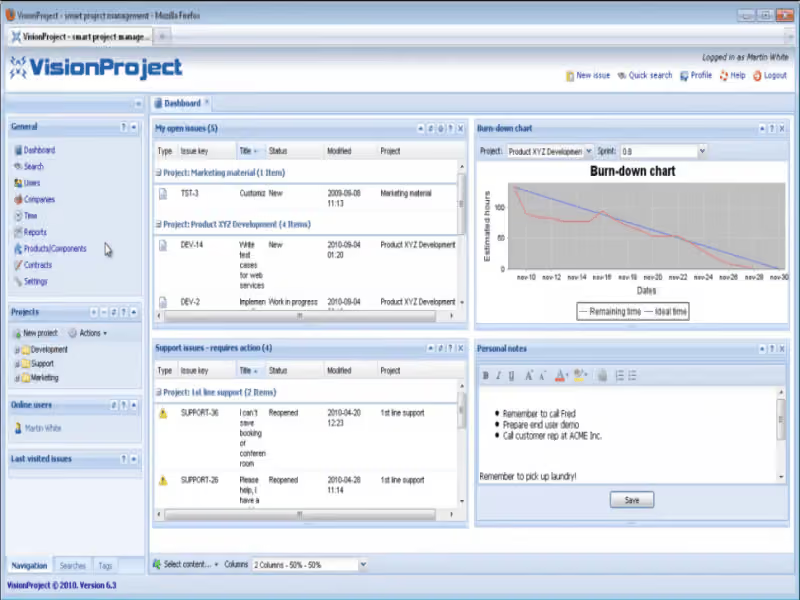
Here's how you can navigate the dashboard and make use of the software's features:
- Log in to VisionFlow software to access its dashboard
- Collect, assign, and respond to support cases easily and seamlessly
- Have internal conversations and separate conversations with customers on a single case
- Plan, run, and scale up your optimal workflow on a unified platform
- Track cases and issues together, and see all your cases/projects as Gantt charts
- Create valuable reports with the data contained
- Make it easy for your support and users to find already documented information
- Get an overview of all cases and your support process through the dashboard
Who Is VisionFlow For?
The following industries use VisionFlow project management:
- Energy and recycling
- Healthcare
- Retail
- Information technology
Is VisionFlow Right For You?
Seeking a powerful unified platform to streamline your organization's workflow? VisionFlow could be the perfect solution, offering various partner programs such as the Referral Partner Program, Value Added Reseller Program, and OEM Partner Program. These programs enable partners to offer and implement VisionFlow, earning a percentage of subsequent revenue. The platform is highly scalable and adaptable to your organization's needs.
Still unsure? Contact our customer support team at (661) 384-7070; they'll assist you in making an informed decision.
Visionflow Features
Document Management
Centralize all your contracts securely with this functionality. It provides an overview and lets you select vital information for inclusion. The software ensures organized and easily accessible contractual documents, boosting efficiency and reducing the risk of misplacement.
Surveys And Feedback
Collect valuable customer feedback effortlessly. Understand customer needs and enhance services based on their insights. VisionFlow offers a platform for customers to voice opinions, providing valuable insights into their expectations and needs.
Service Management
Ensure smooth workflows within your organization for enhanced efficiency and productivity. This functionality provides a centralized platform for managing services, making processes and resources easily accessible. Better collaboration and communication among teams, departments, customers, and partners are facilitated.
Project Management
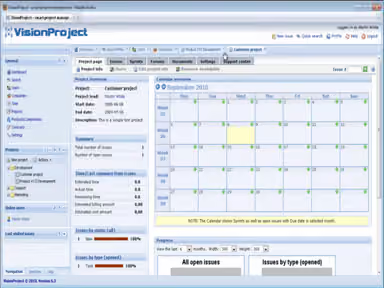
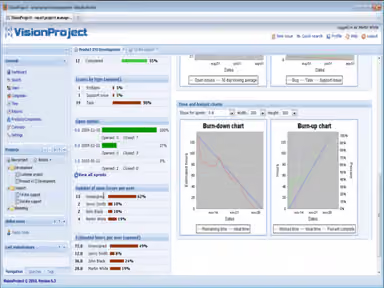
Plan, run, and scale up your optimal workflow on a unified platform. VisionFlow project management handles all cases efficiently, collecting hours worked with timers or timesheets. It offers clear organization and accessibility to data, documents, activities, and team members, promoting better project planning and execution.
Issue Tracking
Efficiently manage, organize, and communicate issues. Ensure smooth workflows within your organization as VisionFlow centralizes information flow, providing a location for tracking and managing issues promptly.
Pros And Cons of Visionflow
Pros
Efficient knowledge sharing among teams, departments, and customers
Empowers users to tailor workflows, ensuring alignment with business processes
All-encompassing dashboard provides a unified overview
Clear visualization of tasks and timelines in Gantt charts
Cons
The abundance of features might be overwhelming for smaller teams
The extensive capabilities may lead to information overload
Initial learning curve, according to some VisionFlow reviews
Visionflow Pricing
Small | Medium | Large | Pick ‘n Choose |
|---|---|---|---|
€22per month | €41per month | €57per month | €22per month |
|
|
|
|
Disclaimer: The pricing details were last updated on Sep 25, 2026 from the vendor's website. Please contact us for a tailored pricing list.
Visionflow Reviews
Total 10 reviews
4.4
All reviews are from verified customers
Rating Distribution
5
Stars50%
4
Stars40%
3
Stars10%
2
Stars0%
1
Stars0%
Share your experience
Marketing, 51-100 employees
Less than a year
“VisionFlow - really fit for purpose”
Pros
It works as I expected, the functions I need are already in the system.
Cons
The UI/UX feels antiquated.
Rating Distribution
Ease of use
9
Value for money
10
Customer Support
10
Functionality
10
Not Specified, N/A employees
Free Trial
“Excellent customer support”
Pros
I have only experienced very professional feedback on both ordinary support and feature/defect handling. The software is very user-friendly.
Cons
From my perspective, the design/frontend has remained unchanged for years and feels outdated. I reckon this might pose a hurdle for some users.
Rating Distribution
Ease of use
8
Value for money
6
Customer Support
8
Functionality
6
Marketing, 51-100 employees
More than a year
“Very flexible, robust toolset, many application possibilities, out-of-the date UX”
Pros
I like its flexibility, E-Mail integration, and stability.
Cons
I found the UX and Document Management quite efficient.
Rating Distribution
Ease of use
8
Value for money
8
Customer Support
8
Functionality
10
Frequently Asked Questions
Does VisionFlow offer an API?
Yes, VisionFlow does offer an API.
What language does VisionFlow support?
VisionFlow supports multiple languages, including English, Swedish, German, French, Spanish, Norwegian, Czech, Russian, Polish, Danish, and Dutch.
What other apps does VisionFlow integrate with?
VisionFlow integrates with several third-party systems, including Fortnox, Microsoft Outlook, Google Calendar, Jenkins, Microsoft Office 365, Twilio, and Git.
Does VisionFlow support mobile devices?
Yes, VisionFlow supports mobile devices, including Android, iPad, and iPhone.
What types of pricing plans does VisionFlow offer?
The software has four VisionFlow pricing plans: Small (€22/month), Medium (€41/month), Large (€57/month), and Pick ‘n Choose (€22/month). Get a personalized VisionFlow pricing plan based on user needs and company size.
Who are the typical users of VisionFlow?
VisionFlow is used in healthcare, information technology, energy and recycling, and retail industries.
What level of support does VisionFlow offer?
VisionFlow offers various support options, including FAQs, forums, a 24/7 representative, email, a help desk, a phone, a knowledge base, and chat.