


Workday Financial Management
Last Updated
Overview
Workday Financial Management helps organizations streamline accounting, procurement, reporting, and financial planning through a unified cloud-based platform. While some users feel the customization options could better align with company branding needs, its real-time insights, automation capabilities, and centralized financial tools make it a strong choice for improving efficiency and decision-making.
Workday Financial Management Specifications
- Time Tracking
- Task Management
- Reporting
- Budget Management
What Is Workday Financial Management?
Workday is a cloud-based software that provides organizations with core financial management capabilities. The platform offers a unified accounting, consolidation, procurement, projects, reporting, and analytics system. It uses intelligent automation and machine learning to streamline processes, enabling the finance team to focus on strategic tasks.
The software helps businesses streamline their financial processes, providing real-time business insights, improving efficiency, and enhancing control. Workday Financial Management aids in planning cost strategies, managing expenditure variability, tracking departmental spending, and automating invoices. It also integrates with Workday Illuminate, Workday’s AI and automation framework for anomaly detection, financial recommendations, and accelerated review processes, helping teams improve efficiency and focus on higher-value work.
What Is Workday Financial Management Best For?
Workday Financial Management is best known for its multidimensional reporting capabilities. The platform enables finance teams to analyze financial and operational data across multiple dimensions in real time without relying heavily on manual spreadsheets or separate reporting tools.
How Much Does Workday Financial Management Cost?
Workday Financial Management pricing is generally estimated to range from approximately $10,000 to over $500,000 annually, based on industry benchmarks for similar enterprise ERP and financial management solutions.
Large-scale enterprise implementations can often exceed $100,000 to $500,000+ per year. Pricing typically varies according to factors such as employee count, selected modules, integrations, and overall deployment complexity.
In addition to the base subscription costs, organizations should account for the following estimated expenses:
- Implementation: Typically ranges from $50,000–$500,000+ for enterprise financial system deployments requiring configuration, project management, and process redesign
- Data Migration: Generally ranges from $10,000–$100,000, depending on the volume, quality, and complexity of migrating historical ERP and financial records
- Training And Onboarding: Usually estimated between $5,000–$50,000 for administrator enablement, finance team onboarding, and enterprise-wide user adoption programs
- Customization And Configuration: Typically ranges from $15,000–$150,000 for workflow customization, reporting structures, compliance configurations, and tailored financial processes
- Advanced Modules And Add-Ons: Additional costs may apply for products such as Workday Adaptive Planning, AI-powered analytics, automation tools, payroll, HCM, procurement, and industry-specific modules
- Ongoing Support And Administration: Generally estimated at $10,000–$75,000+ annually for premium support services, dedicated Workday administrators, system optimization, and continuous maintenance
Disclaimer: Pricing references are based on publicly available third-party information and industry benchmarks. Actual costs may vary.
Workday Financial Management Integrations
Workday has not publicly disclosed a dedicated integration list specifically for Workday Financial Management. However, the broader Workday platform supports integrations with various third-party applications and enterprise tools across finance, analytics, CRM, and workforce management through its unified cloud ecosystem.
How Does Workday Financial Management Work?
Here is how you can proceed with the software:
- Log in with your credentials to access the dashboard
- Navigate the intuitive user interface
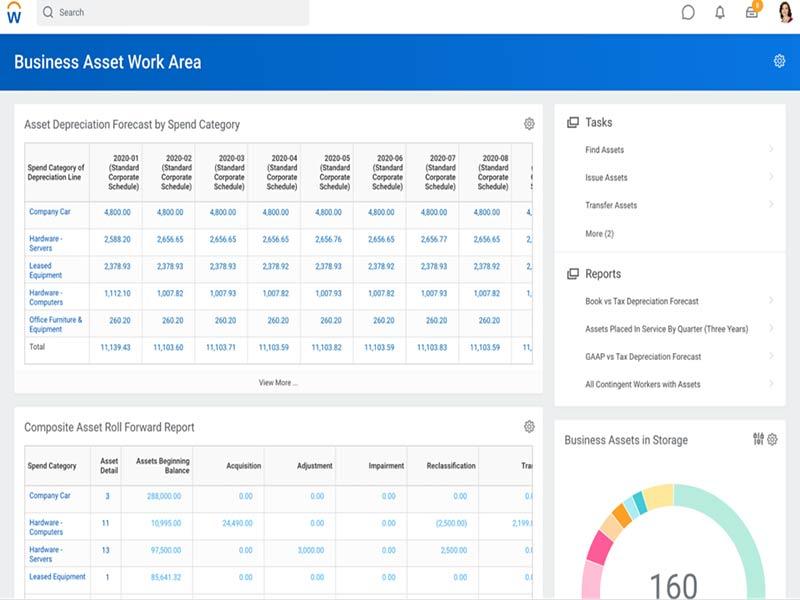
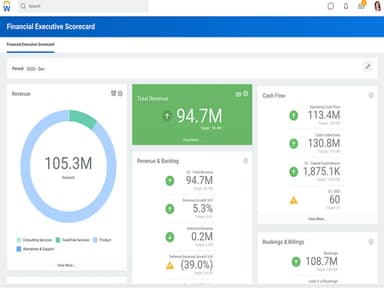
- Access the dashboard to instantly see critical information
- Monitor financial spending versus the budget
- Track progress toward monthly and quarterly cash collection goals
- Use the portal to streamline and optimize financial operations
- Utilize real-time financial analytics software for decision-making
- Drill down into data across multiple dimensions in real time
- Manage financial close and consolidation activities across multiple business entities
- Review automated accounting workflows, reconciliations, and compliance-related audit trails from a centralized system
Who Is Workday Financial Management For?
Workday Financial Management is designed for businesses of varying sizes, including medium-sized to large enterprises. It caters to several industries, such as:
- Finance
- Healthcare
- Education
- Retail
- Information technology
- Professional services
- Banking and financial services
Workday Financial Management Use Cases
Based on our analysis of user feedback and Workday Financial Management’s current functionality, we identified several scenarios where the platform is especially effective for mid-sized to large enterprises handling complex financial operations:
Organizations Managing Global Financial Operations
Workday Financial Management is particularly well-suited for enterprises operating across multiple countries, subsidiaries, or legal entities that require standardized financial oversight without sacrificing regional flexibility. The platform supports global consolidations, currency translation, intercompany accounting, and real-time financial close processes within a unified system, helping finance teams reduce delays caused by disconnected regional ERP environments.
Organizations Standardizing Compliance And Internal Controls
Enterprises with complex approval structures or strict regulatory requirements often use Workday Financial Management to centralize audit tracking, approval workflows, and internal control processes. This is particularly beneficial for companies operating across multiple jurisdictions or within heavily regulated industries.
Centralized Financial Governance For Complex Enterprise Operations
Enterprises managing large finance teams, multi-entity approval structures, or industry-specific compliance obligations often use Workday Financial Management to centralize governance and financial oversight processes. The platform provides financial audit agents, configurable workflows, and real-time monitoring capabilities that help organizations maintain consistency across departments and regional operations.
Companies Seeking Long-Term Financial Scalability
Workday Financial Management is commonly selected by organizations planning for long-term growth and operational expansion. Businesses entering new markets, growing their workforce, or expanding services often require scalable financial infrastructure capable of supporting evolving reporting, planning, and governance needs.
Is Workday Financial Management Right For You?
Are you looking for a cloud-based financial management solution that goes beyond managing financial processes to achieve greater insight and improve financial consolidation? If so, Workday Financial Management might be the perfect choice for your organization.
The software is built on an adaptive, global foundation that provides organizations with the core financial management capabilities expected from an agile cloud solution. Workday also supports global compliance standards and provides tools for audit tracking, access controls, risk monitoring, and policy management within a centralized system, helping businesses meet evolving operational and reporting requirements.
Still unsure if Workday Financial Management is right for you? Contact our customer support team at 661-384-7070, who will help you make the best decision.
Workday Financial Management Features
Financial Planning
Workday Financial Management application offers data-driven insights to help users make informed decisions. Professionals can also leverage these insights to create strategic plans for budgeting expenses while responding quickly to changes. Moreover, the software provides a 360-degree view of an organization’s financial data through a shared platform.
Reporting And Analytics
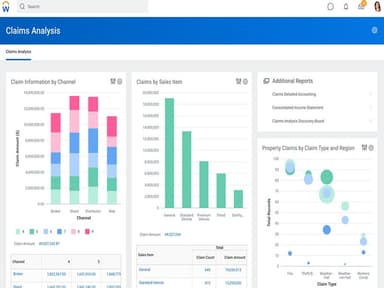
The digital finance system has a robust suite of analytical tools that enable users to create internal reports and external regulatory statements. Executives and managers can also use the program to view monetary, management, and operational visualizations for monitoring business performance.
Audits And Internal Control
Workday Financial Management system provides flexible audit tools to help businesses identify risks, ensure data security, and document information with audit and internal controls. Professionals can also set thresholds, adjust controls, prevent unauthorized transactions, and evaluate workflow using a centralized interface.
Instant Business Insights
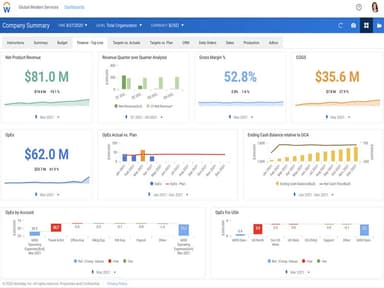
The software offers immediate access to your financial performance and operational data. It lets you view live data, delve into specifics, and generate personalized reports and dashboards. This feature empowers you to make data-driven decisions.
Unified System And Consolidation Hub
The platform centralizes various financial processes like accounting, consolidation, procurement, projects, reporting, and analytics into a single system. It simplifies the management of all your financial operations. Additionally, it includes financial close and consolidation capabilities that support multicurrency reporting, intercompany eliminations, retained earnings calculations, and real-time account reconciliations, improving enterprise-wide financial visibility across multiple entities and systems.
General Ledger And Accounting
Workday Financial Management offers a centralized general ledger and accounting system designed to provide real-time financial visibility. It supports multidimensional reporting, enabling users to analyze budgets versus actuals, drill into transactions, and combine operational and financial data within a unified reporting environment.
Spend And Revenue Management
Workday helps organizations manage spending and revenue processes through connected financial workflows. Its revenue management functionality brings together contracts, billing, collections, and revenue recognition within a single AI-powered system, giving finance teams greater visibility into the full revenue lifecycle.
Pros And Cons of Workday Financial Management
Pros
Simplifies payroll processing through centralized automation
Provides a full financial picture and an accurate picture of business events to help companies stay ahead
Generates real-time reports with smooth navigation
Offers key capabilities, like tailored reports and flexible foundation, for effective human capital management
Cons
Limited customization on existing pages
The absence request process can be improved
Inbox or archive section can be confusing
Workday Financial Management Reviews
Total 11 reviews
4.4
All reviews are from verified customers
Rating Distribution
5
Stars55%
4
Stars27%
3
Stars18%
2
Stars0%
1
Stars0%
Share your experience
Not Specified, N/A employees
“powerful automation and insights”
Pros
Right away, the clean and simple interface made the software pleasant to use and the automation tools do a lot to cut down on manual work. The real-time reporting and analytics are especially useful when quick decisions need to be made. Another big plus is the cloud-based access which makes it possible to work from anywhere, along with strong integration options that connect well with other business systems.
Cons
Getting everything set up and implemented takes time and in some cases expert help may be needed. New users can also face a bit of a learning curve especially when it comes to the more advanced features. On top of that, the pricing may feel a little expensive for smaller businesses.
Rating Distribution
Ease of use
10
Value for money
9
Customer Support
10
Functionality
10
Not Specified, N/A employees
“all invoices in one place”
Pros
Handling received invoices and submitting payments through this has been really convenient. Everything lives in one place and it's helpful to be able to go back and review previous invoices and payments whenever needed.
Cons
It isn't the most easy system to navigate. I'm pretty comfortable with technology so I was able to pick it up quickly but others on our team had a harder time with it. Another frustration is when I'm submitting payments with multiple entries under different categories, I have to re-enter the same information again and again. It would be much better if that data could carry over automatically.
Rating Distribution
Ease of use
10
Value for money
10
Customer Support
10
Functionality
10
Not Specified, N/A employees
“Platform feels incomplete”
Pros
Being able to drill all the way down to the transaction level from within reports is my favorite part of the system. That level of detail is a really valuable feature.
Cons
One frustration is that, over the years, it seems like functionality has been released into production before it was fully ready. A lot of features feel only about 80-90% finished. Recurring journals are a perfect example. The concept is excellent but the lack of a BP for recurring journal templates kind of undermines the whole point of letting those journals post without approvals which I assume is what most customers want, including me. Another case is prepaid schedule amortization installments, customers have been asking for years to be able to schedule installments through a specific date rather than relying on 'Accounting Date Days Ahead.'
Rating Distribution
Ease of use
6
Value for money
6
Customer Support
6
Functionality
6
Frequently Asked Questions
Does Workday Financial Management offer an API?
Yes, Workday has an API available for use.
What language does Workday Financial Management support?
Workday Financial Management supports English, French, German, Italian, and Spanish.
What other apps does Workday Financial Management integrate with?
Workday has not publicly disclosed a dedicated integration list for Workday Financial Management specifically. However, the broader Workday platform supports integrations with various third-party applications across finance, CRM, analytics, and workforce management.
Does Workday Financial Management support mobile devices?
Yes, the software supports mobile devices.
What types of pricing plans does Workday Financial Management offer?
Workday Financial Management pricing is commonly estimated to range from around $10,000 to more than $500,000/year, based on industry benchmarks for enterprise ERP and financial management platforms. Request a custom Workday Financial Management price quote.
Who are the typical users of Workday Financial Management?
Workday Financial Management is designed for medium to large enterprises across industries like education, finance, healthcare, information technology, and retail.
What level of support does Workday Financial Management offer?
Workday provides several support options, including a knowledge base, email, a help desk, and phone assistance.
What is the financial impact of using Workday Financial Management software?
Workday Financial Management, a leader in the magic quadrant for cloud, positively impacts finances by providing an accurate picture of the company's financial health.