gusto vs quickbooks

Managing payroll and HR functions can often feel overwhelming, especially for growing businesses striving to balance efficiency with compliance. Both Gusto and QuickBooks have positioned themselves as reliable solutions to these challenges, offering specialized features that simplify payroll processing, tax management, and employee benefits.

Gusto stands out with its user-friendly platform that integrates HR tools, payroll, and benefits, catering to businesses aiming for comprehensive workforce management. On the other hand, QuickBooks, a leader in accounting software, extends its expertise to payroll services, providing tools tailored to meet financial and operational needs.

This blog will compare Gusto and QuickBooks, focusing on their unique features, advantages, and how they cater to the needs of HR professionals and businesses. Let's dive into the details.

TL;DR: If you are a small business looking for a simple, dedicated payroll and HR platform, Gusto is the easier and more intuitive choice. However, if you already use QuickBooks for accounting, or need deep financial reporting and advanced time tracking, QuickBooks is the stronger fit.  

Gusto Vs. QuickBooks – At A Glance

Features Gusto QuickBooks 
Payroll Management Comprehensive payroll solution with automated tax filing, direct deposit, Same-Day Pay, multi-state filing across all 50 states, post-submission edits, and benefits integration Strong payroll features with automated tax calculations, same-day deposits, HR support via Mineral, and tax penalty protection up to $25,000 
HR Services Natively built HR suite with hiring, onboarding, offboarding, performance reviews, engagement surveys, and HR Partners add-on Full employee lifecycle management via QuickBooks Workforce with onboarding, offboarding, self-updating handbook, and SHRM/HRCI-certified advisors  
Time Tracking Integrated clock-in/out via web, mobile, or Time Kiosk, GPS tracking, PTO management, and automatic payroll sync Advanced time tracking with GPS tracking, geofencing, offline tracking, job costing reports, and mobile accessibility  
AI And Automation Gus AI assistant for HR and payroll tasks, AutoPilot payroll, and AI-powered scheduling Full agentic AI ecosystem with dedicated Payroll, Accounting, Finance, Payments, and Sales Tax agents 
Ease-of-Use Simplifies HR tasks with an intuitive interface and step-by-step guidance User-friendly for existing QuickBooks users, guided setup with live support, steeper learning curve for non-accountants 
Integrations 180+ integrations including Xero, FreshBooks, Expensify, and provisioning apps for Slack, Zoom, and Google Workspace 800+ integrations including Shopify, Amazon, Etsy, Jibble, Deel, and Connecteam 
Price Starts at $49/month + $6/person Payroll plans start at $88/month +$6.50/person 

What Is Gusto?

gusto hr

Gusto HR software stands out with its user-friendly platform, catering to businesses aiming for comprehensive workforce management.  It is a comprehensive cloud-based platform that simplifies payroll, benefits administration, and human resource (HR) management for businesses.

Designed to streamline HR processes, Gusto offers features such as automated payroll processing, employee onboarding, benefits management, and compliance assistance. Its user-friendly interface and integrated tools make it a preferred choice for businesses aiming to efficiently manage their workforce.

Who Is It For? 

Gusto serves a diverse range of businesses, from startups to mid-sized companies, across various industries, including technology, retail, healthcare, and professional services. Its scalable solutions cater to organizations seeking to enhance their HR operations and employee experience. The platform works best for companies with 2 to 50 employees, though it can comfortably support teams of up to 150. 

Unique Features Of Gusto
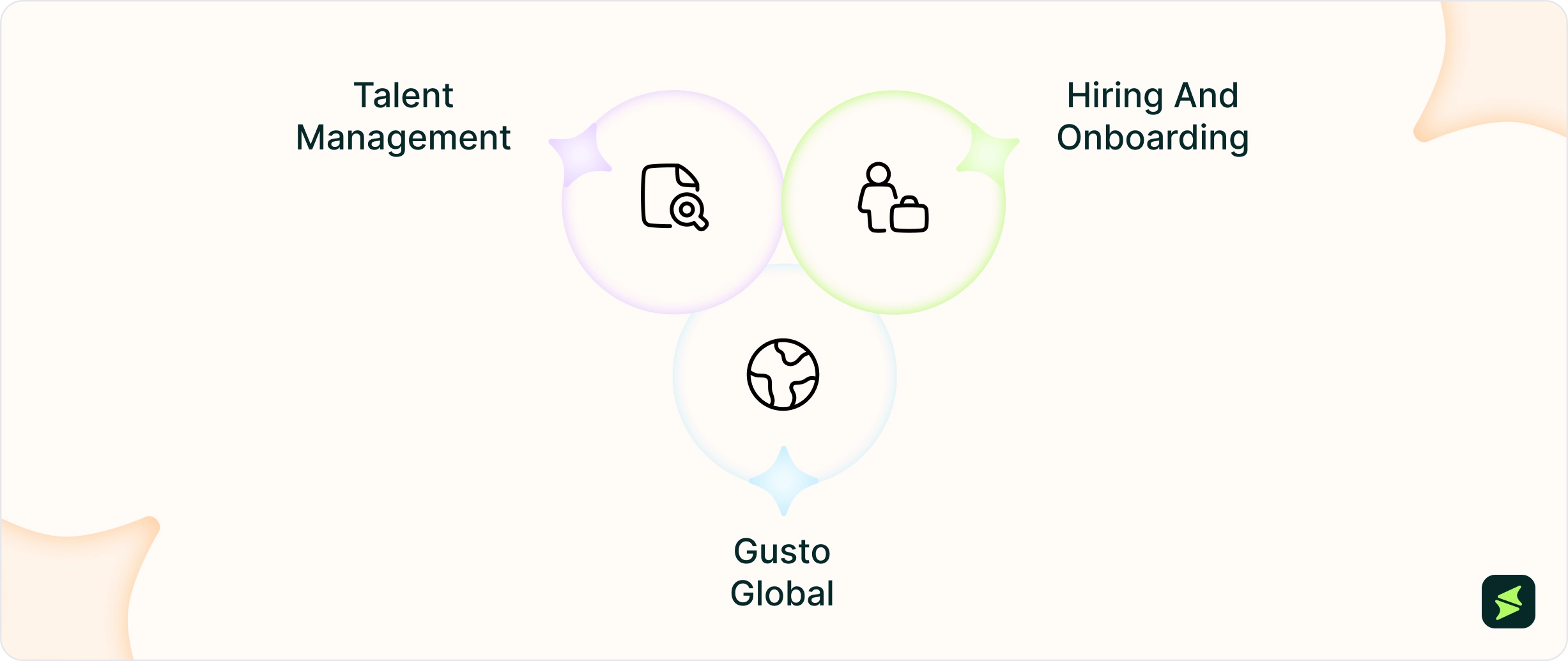
  • Talent Management: Gusto's talent management suite offers functionalities such as performance reviews, progress tracking, and employee development tools, all designed to foster a positive workplace culture
  • Hiring And Onboarding: Gusto's hiring and onboarding tools streamline the recruitment process with features like public job postings, personalized offer letters, customizable onboarding checklists, and software provisioning, ensuring a smooth experience for new hires
  • Gusto Global: Gusto Global enables remote or international businesses to hire, pay, and manage international contractors and employees, unifying U.S. and global teams within a single system

Gusto Pros And Cons

Pros: 

  • Users appreciate its versatility as Gusto consolidates multiple HR functions into a single platform 
  • Exemplary customer support through chat, phone, and a help center 
  • Top-notch payroll processing with automated tax calculations, unlimited payroll runs, multi-state compliance 
  • Strong employee self-service features for payslips, tax forms, and personal data access  
  • Mobile-friendly platform allowing employees to access HR and payroll tasks on the go 

Cons: 

  • The FSA platform can be improved 
  • Quick session timeouts limit access 
  • Reporting and customization options are relatively restricted 
What Is QuickBooks?

quickbooks

QuickBooks is an all-in-one accounting software suite developed by Intuit. It extends its expertise to payroll services, providing tools tailored to meet financial and operational needs. The software is designed to assist businesses in managing their financial operations smoothly. It offers a range of specialized solutions, including accounting, payroll, payments, and time tracking, tailored to meet the diverse needs of small to mid-sized businesses. 

Most recently, Intuit expanded QuickBooks into a full human capital management (HCM) platform with the launch of QuickBooks Workforce (an AI-powered solution that brings hiring, onboarding, payroll, and employee management in one place). This is directly embedded within the QuickBooks ecosystem. 

Who Is It For?

Serving a broad spectrum of industries—including retail, construction, professional services, and nonprofits—QuickBooks provides scalable solutions that adapt to the changing requirements of growing businesses. Its user-friendly interface and integration capabilities make it a preferred choice for organizations seeking to augment their financial management processes. QuickBooks is also a trusted choice for accountants, bookkeepers, and financial professionals who need payroll tightly integrated with accounting workflows. 

Unique Features Of QuickBooks
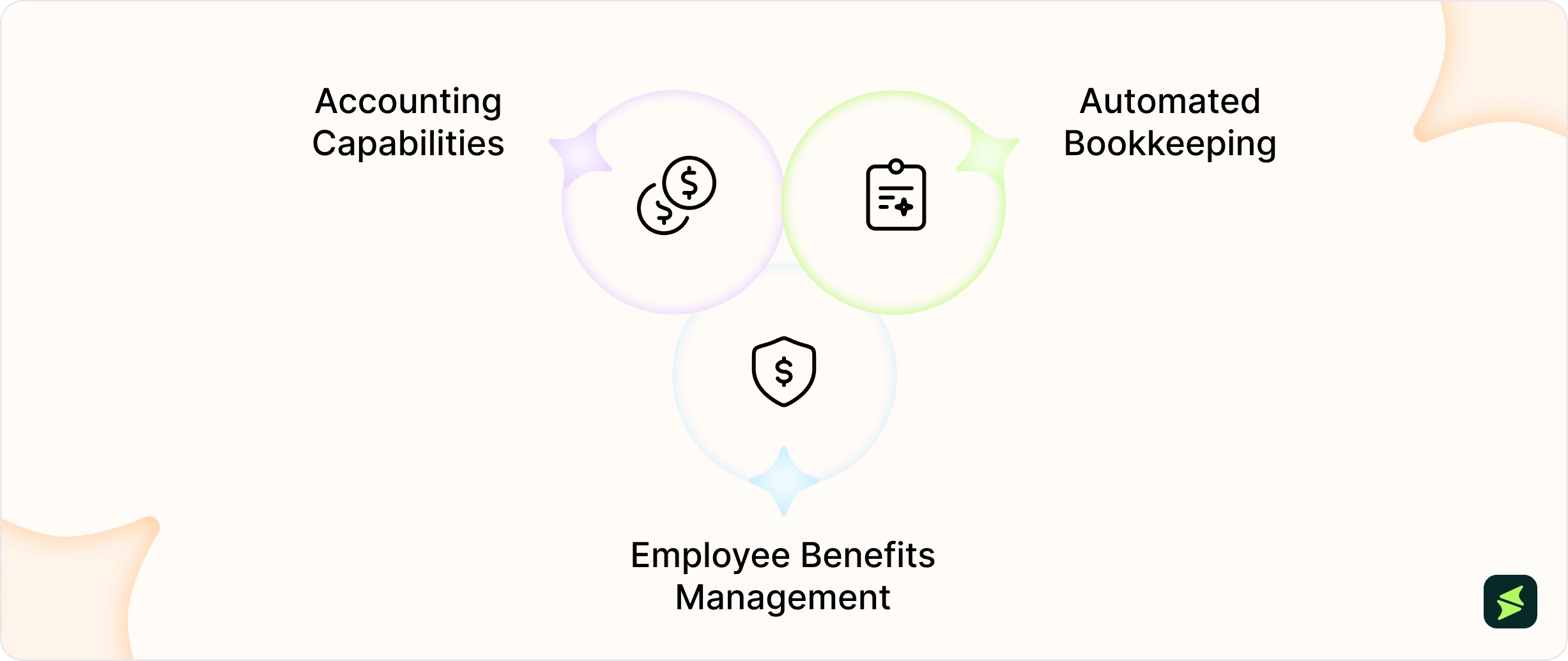
  • Accounting Capabilities: QuickBooks simplifies HR financial tasks with tools for tracking payroll expenses, managing cash flow, and generating workforce-related financial reports
  • Automated Bookkeeping: QuickBooks streamlines HR finances by automating payroll expense tracking, categorizing transactions, and managing recurring employee payments through connections with over 24,000 financial institutions
  • Employee Benefits Management: QuickBooks supports HR teams by offering benefits management tools, such as health insurance and retirement plans. These features are integrated into the payroll system, ensuring deductions and contributions are processed correctly

QuickBooks Pros And Cons

Pros: 

  • Reports are easy to produce 
  • Classifying transactions is simple 
  • Strong integration with QuickBooks accounting allows payroll, bookkeeping, and tax data to stay synced 
  • The software is accessible anywhere via cloud 
  • Automated tax filings and payroll calculations reduce manual work 

Cons: 

  • Requires a stable internet connection 
  • Occasional syncing issues  
  • Payroll setup and configuration can be complex for first-time users 

Gusto Vs. QuickBooks – Key Features Comparison

Payroll

Gusto offers a dedicated payroll solution designed to simplify the payroll process for businesses. Its platform provides features such as automated payroll runs, tax filings across all 50 states, and direct deposit options, including Instant Pay (within minutes, 24/7/365) and Same-Day Pay, ensuring timely and accurate employee payments.

Gusto also integrates with various benefits and HR tools, allowing businesses to manage health insurance, 401(k) plans, and workers’ compensation within the same system. Additionally, Gusto allows edits to payroll even after submission. Staff can access pay stubs and store employee I-9s and W-2s online, enhancing overall payroll management.

Although QuickBooks is primarily an accounting software, it also offers a strong HR and payroll service that integrates seamlessly with its accounting features, providing businesses with a unified financial management system. Key features include automated tax calculations, filings, and same-day direct deposits. QuickBooks Payroll also supports garnishment management and time tracking integration, allowing businesses to monitor employee hours and manage timesheets efficiently. A standout feature of this software is tax penalty protection that covers payroll tax penalties up to $25,000, regardless of who caused the error.

Furthermore, the platform provides access to HR support via Mineral, including resources on compliance and hiring best practices, assisting businesses in managing their workforce effectively.

Winner: Gusto takes the lead with its dedicated payroll solution that seamlessly integrates HR and benefits management, providing a more holistic approach for businesses.

HR Services

Gusto approaches HR as a core function rather than an add-on. Using the hiring tools it offers, users can easily post jobs directly to major job boards like LinkedIn and Indeed. They can also use the platform to track the applicants’ status and send personalized digital offer letters. New hires can self-onboard by completing e-signed W-4s, I-9s, and custom documents. When employees leave, Gusto's offboarding workflows automate final tasks as well, whether it’s PTO payouts or benefits transitions and exit interviews.

On the people development side, Gusto includes performance review templates, goal tracking, real-time feedback loops, and employee engagement surveys. Businesses also get access to certified HR professionals by phone or email, an HR resource center with policy templates, job description templates, and a custom employee handbook builder.

QuickBooks has significantly expanded its HR capabilities with the launch of QuickBooks Workforce, built on GoCo's HCM technology. The platform now manages the full employee lifecycle (covering job postings and applicant tracking to onboarding, and automated offboarding workflows). New hire documents including I-9s, W-4s, and offer letters can be completed and e-signed digitally. In addition to that, a custom workflow builder lets businesses assign and track HR tasks automatically, while a centralized document management system handles e-signatures, acknowledgements, and custom templates in one place.

Winner: Gusto takes this round. While QuickBooks now matches Gusto across many core HR workflows, Gusto still offers a slightly more HR-focused experience with built-in performance management, engagement tools, and HR support.

Time-Tracking

Gusto's time-tracking feature is designed to smoothen the management of employee hours and attendance. Integrated directly into the Gusto platform, it allows employees to clock in and out via web browser, mobile app, or the Time Kiosk (which turns any tablet into a physical time clock). Employees can also request time off and view their schedules through a user-friendly interface.

Managers can review and approve timesheets on the go, with GPS location recording available for remote and field-based teams. This fluid integration ensures that tracked hours are automatically synced with payroll, thereby reducing manual data entry and payroll errors. Additionally, Gusto's time-tracking tools support compliance by maintaining accurate records and providing real-time reporting capabilities, aiding businesses in efficient workforce management.

QuickBooks offers an extensive time-tracking solution through QuickBooks Time that caters to businesses of various sizes. Accessible via mobile devices and desktops, it enables employees to log their hours, track project time, and submit timesheets from anywhere, even without an internet connection, with data syncing automatically once connectivity is restored.

The platform includes features such as GPS tracking, which allows employers to monitor the location of their mobile workforce, and geofencing, which sends reminders to employees to clock in or out when they enter or leave a job site. QuickBooks Time also offers detailed job costing reports, comparing estimated versus actual hours per project, which makes it especially valuable for businesses managing multiple job sites. It integrates seamlessly with QuickBooks Payroll, facilitating payroll processing and accurate invoicing.

Winner: QuickBooks edges ahead with its mobile capabilities and advanced project time tracking features, making it ideal for businesses requiring detailed time management across various locations.

Ease Of Use

Gusto is designed with simplicity in mind, offering an intuitive interface that allows HR professionals and business owners to navigate payroll, benefits, and compliance tasks with ease. Its clean layout and step-by-step guidance simplify complex HR processes, making it accessible even for those without extensive technical knowledge.

Payroll setup with Gusto is designed to be fast and streamlined that allows businesses to get started in a short time depending on configuration complexity. Once set up, customers process payroll in an average of just 8 minutes. In addition, Gusto’s employee self-service portal enables staff to independently access pay stubs, update personal details, and manage PTO requests without requiring HR involvement.

QuickBooks also offers a user-friendly experience, especially for businesses already familiar with Intuit's suite of tools. Its integration of accounting and payroll functions provides a seamless workflow for financial management, and the guided setup process walks new users through configuration with step-by-step prompts and access to live expert support. However, the depth of its features may require a learning curve for those new to accounting systems, particularly when managing advanced functionalities.

Winner: Gusto emerges as the winner with its straightforward, intuitive interface, making it more accessible for users without technical expertise.

Integrations

Gusto integrates with over 180 apps across different categories, including accounting, time tracking, expense management, and more. Notable integrations include accounting platforms like Xero and FreshBooks, time-tracking tools such as AttendanceBot and Homebase, and expense management solutions like Expensify. Beyond standard integrations, Gusto also offers provisioning apps that automatically create or remove employee accounts in tools like Slack, Zoom, Google Workspace, and Microsoft 365. These integrations allow businesses to synchronize payroll data seamlessly, streamline HR processes, and reduce manual data entry.

QuickBooks integrates over 800 popular business apps, spanning a broad range of categories including time tracking, e-commerce, inventory management, CRM, payroll, and HR. It connects with Jibble and MinuteDock for time tracking, Maestro for contractor management, and SaasAnt for bulk data imports. It also connects with tools like Connecteam and Timesheets.com for scheduling and HR, while Deel and PaySpace support global payroll and HR tasks. For e-commerce businesses, QuickBooks connects natively with platforms like Shopify, Amazon, Etsy, and eBay.

Winner: QuickBooks takes the lead with its extensive range of over 800 integrations, catering to a broader spectrum of business needs beyond payroll and HR.

AI And Automation

Gusto's AI centers around Gus, which is a built-in AI assistant available to all customers. Gus answers HR, payroll, and compliance questions in plain English, generates custom reports, and executes various tasks. This may include approving PTO requests, updating salaries, and assigning teams, all with user confirmation before any action is taken.

It also proactively surfaces reminders like upcoming payroll deadlines and pending approvals based on the user's current activity. Gusto additionally offers AutoPilot payroll, which runs payroll automatically on a set schedule, and AI-powered scheduling that can generate compliant shift plans based on employee availability and labor regulations.

QuickBooks has built an entire ecosystem of agentic AI tools embedded across its platform. Its Payroll Agent proactively contacts employees via SMS to collect hours, flags inconsistencies, and delivers a ready-to-approve payroll draft.

Beyond payroll, QuickBooks deploys specialized AI agents for accounting, finance, payments, sales tax, and customer management, with each agent operating in the background and taking action while keeping the user in control.

Winner: QuickBooks takes this round. While Gus is an impressive and genuinely useful HR-focused assistant, QuickBooks' multi-agent ecosystem covers a significantly broader scope.

Gusto Pricing 

Gusto provides four primary plans. The Simple plan is priced at $49/month plus $6/person, covering single-state payroll and core HR tools. The Plus plan costs $80/month plus $12/person, and the Premium plan is priced at $180/month plus $22/person. A Contractor Only plan is also available at $35/month plus $6/contractor. 

The vendor also offers a Solo plan for individuals at $49/month + $6/person/month 

Disclaimer: The pricing is subject to change. 

QuickBooks Pricing 

QuickBooks offers three distinct payroll-focused plans: the Payroll Core + Simple Start plan at $88/month plus $6.50/employee, the Payroll Core + Essentials plan at $125/month plus $6.50/ employee and includes up to three users, and the Payroll Premium + Plus plan at $203/month plus $10/employee and includes up to five users. 

Disclaimer: The pricing is subject to change. 

Feature 

Gusto Simple 

Gusto Plus 

Gusto Premium 

QB Payroll Core + Simple Start 

QB Payroll Core + Essentials 

QB Payroll Premium + Plus 

Base Price/Month 

$49 

$80 

$180 

$88 

$125 

$203 

Per Employee/Month 

$6 

$12 

$22 

$6.50 

$6.50 

$10 

Free Trial 

No 

No 

No 

30 days 

30 days 

30 days 

Automated Tax Filing 

Yes 

Yes 

Yes 

Yes 

Yes 

Yes 

HR Support 

No 

Basic 

Full 

Via Mineral 

Via Mineral 

Via Mineral 

Our Take: Gusto offers simpler and more transparent pricing for businesses primarily focused on payroll and HR, while QuickBooks may provide better overall value for companies already using the QuickBooks accounting ecosystem.

What Users Say About Gusto Vs QuickBooks?

Gusto is seen to come as a relief for small business owners doing payroll for the first time. On Reddit, one user summed it up simply: "Also a huge fan of Gusto. We spent a lot of time overthinking payroll/HR before landing on Gusto, and in hindsight that was a mistake. It just quietly does what it’s supposed to do. "

That said, not every experience is smooth sailing. The platform doesn’t seemt to work well for international teams.  

A user on Reddit said: 

" Gusto is great for some teams, but when it comes to international setups, things can get a bit tricky like extra fees, delays, & not much local support" 

QuickBooks tells a more divided story. Some users vouch for it, like one Reddit commenter noted it makes tax time effortless: "My accountant has a link to it and can pull all the data for business expenses, making everything easy." However, some believe the platform requires expertise to use it 

According to a Reddit user: 

"You need to be an accountant at some level to use QuickBooks without making a complete dumpster fire of it," adding that it can feel like "overkill" for smaller operations. 

The takeaway from real users is pretty consistent, and we can easily conclude that Gusto feels simpler to use, but QuickBooks takes the lead on accounting depth. 

Choose Gusto If... 

Choose QuickBooks If... 

You are a small business with 2–50 employees focused primarily on payroll and HR 

You already use QuickBooks for accounting and want payroll built into the same system 

You want a platform that is easy to set up without any accounting or technical background 

You have an accountant or bookkeeper who manages your finances and needs deep reporting tools 

You manage employee benefits like health insurance, 401(k), and workers' comp in one place 

You need advanced financial management beyond payroll, like invoicing, cash flow, P&L reports 

You hire international employees or pay contractors across 120+ countries 

You manage a field or mobile workforce that needs GPS tracking and geofencing for time tracking 

You want HR tools like performance reviews, engagement surveys, and onboarding built natively 

You want tax penalty protection of up to $25,000 as a financial safety net 

You want payroll that runs automatically with minimal admin involvement 

You run an e-commerce business and need payroll connected to Shopify, Amazon, or Etsy 

You are a startup or growing team that wants HR and payroll to scale together 

You need access to over 800 app integrations across your entire business operation 

Here's The Bottom Line

gusto vs quickbooks conclusion

Choosing the right software for your business depends on your specific needs. Gusto excels as a dedicated payroll and employee onboarding solution, offering an intuitive interface, solid integrations, and tools designed for workforce management. Its straightforward pricing structure further simplifies decision-making for businesses focusing on HR and payroll efficiency.

On the other hand, QuickBooks is a versatile platform that combines strong accounting capabilities with payroll services, making it an excellent choice for businesses that prioritize financial management. Its extensive integrations and advanced time-tracking features cater to diverse operational requirements, especially for businesses managing e-commerce or remote teams.

Ultimately, both platforms bring unique strengths to the table. Businesses seeking a payroll-centric solution may lean toward Gusto, while those requiring comprehensive financial management might find QuickBooks a better fit.

FAQs

It depends on what you need. Gusto is better suited for businesses that want a dedicated payroll and HR platform with a simple interface, international contractor payments, and built-in people management tools. QuickBooks Payroll is the stronger choice for businesses already using QuickBooks for accounting, as it keeps payroll and financials tightly integrated in one system.

Yes. Gusto integrates directly with QuickBooks Online, thereby allowing payroll data from Gusto to sync automatically into QuickBooks for bookkeeping and accounting.

No. Gusto is not an accounting platform. It focuses exclusively on payroll, HR, and benefits management. For accounting needs, Gusto integrates with platforms like QuickBooks, Xero, and FreshBooks.

Yes. Gusto supports data migration from QuickBooks Payroll. However, it is advisable to plan the switch at the start of a new quarter or calendar year to simplify tax record management during the transition.