


Last Updated
Overview
PandaDoc software simplifies document creation with seamless automation and collaboration tools. It streamlines workflows, improves accuracy, and enhances team communication. While the mobile app needs some work, the efficiency gains make PandaDoc a valuable asset for managing documents effectively.
PandaDoc Software Specifications
- Lead Management
- Sales Pipeline Management
- Contact Management
- Sales Automation
PandaDoc Software Features
Document Generation
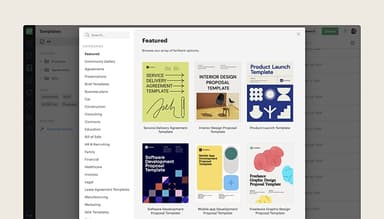
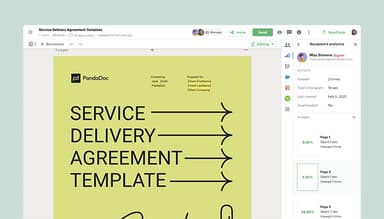
PandaDoc streamlines document creation through customizable templates filled with dynamic data. This saves time, reduces manual entry errors, and ensures brand consistency, leading to faster document turnaround and improved overall workflow efficiency.
Workflow Automations
The software enhances collaboration by embedding approval processes directly within documents. This significantly shortens document review times, enabling teams to manage approvals seamlessly. Organizations can expedite their workflows, increasing productivity and reducing bottlenecks.
Deal Rooms
PandaDoc's deal rooms offer a centralized space for managing negotiations and document sharing. Teams can collaborate in real-time, track interactions, and store all relevant documents securely. This organized approach streamlines communication, leading to quicker deal closures and improved customer satisfaction.
Smart Content
This feature enables users to incorporate variable data and pre-approved text into documents easily. It personalizes content based on recipient information, enhancing engagement and relevance while saving time on repetitive tasks, ultimately improving the quality of client interactions.
CPQ (Configure, Price, Quote)
PandaDoc enables sales teams to quickly create accurate quotes based on customer specifications. By automating pricing calculations and document creation, this tool ensures fast, precise quotes that enhance the sales process, driving revenue growth and customer satisfaction.
Pros And Cons of PandaDoc Software
Pros
Customizable templates enhance branding
Supports real-time collaboration among teams
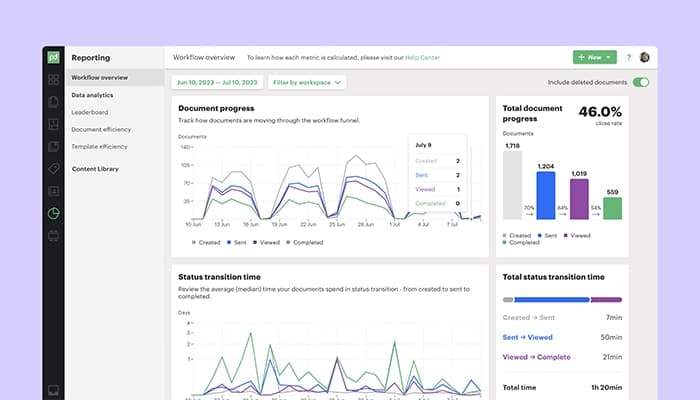
Effective document tracking and analytics
Cons
Limited lead and sales management features
There is limited offline functionality
PandaDoc Software Reviews
Total 25 reviews
4.7
All reviews are from verified customers
Rating Distribution
5
Stars72%
4
Stars24%
3
Stars4%
2
Stars0%
1
Stars0%
Share your experience
Brian
Finance, 51-100 employees
Less than a year
“Simple and cost-efficient”
Pros
It's a simple, easy-to-use e-sign platform available at a reasonable price.
Cons
Setting up templates can be a bit tricky at times, but overall it is a solid platform for our needs.
Rating Distribution
Ease of use
9
Value for money
10
Customer Support
10
Functionality
10
Ian
Hospitality, 11-50 employees
Less than a year
“Excellent for contract creation and signatures”
Pros
Pandadoc's integration with HubSpot is incredibly useful and its features are impressive.
Cons
I think the amount of data that can be transferred from it to HubSpot is somewhat limited.
Rating Distribution
Ease of use
10
Value for money
8
Customer Support
10
Functionality
9
Grace
Media, 11-50 employees
More than a year
“It's the best software!”
Pros
I appreciate how easy the forms are to complete and the sleek, clean look is a bonus!
Cons
I really can't think of any downsides, it's a great system!
Rating Distribution
Ease of use
10
Value for money
10
Customer Support
10
Functionality
10
Frequently Asked Questions
Does PandaDoc software offer an API?
Yes, PandaDoc offers an API.
What language does PandaDoc software support?
PandaDoc supports several languages, including English, Spanish, Polish, and Dutch.
What other apps does PandaDoc software integrate with?
PandaDoc integrates with Salesforce, HubSpot and Zoho and more.
Does PandaDoc software have a mobile app?
Yes, PandaDoc has a mobile app.
What type of pricing plans does PandaDoc software offer?
PandaDoc software price starts at 35/seat/month for the Starter plan and $65/seat/month for the Business plan. Users can get pricing for a tailormade plan.
Who are the typical users of PandaDoc software?
The typical users of PandaDoc are those in healthcare, education, and construction.
What level of support does PandaDoc software offer?
PandaDoc offers email and phone support, a Knowledge Base, and FAQs.