


Last Updated
Overview
Tomba is a sales intelligence platform that helps teams discover professional emails and verify domains quickly. While some users note that advanced API integration requires setup knowledge, the platform provides reliable email pattern detection, bulk domain processing, and strong data security for GDPR-compliant outreach campaigns.
Tomba Specifications
- Lead Management
- Lead Scoring
- Contact Management
- Activity Tracking
Tomba Features
Bulk Domain Processing
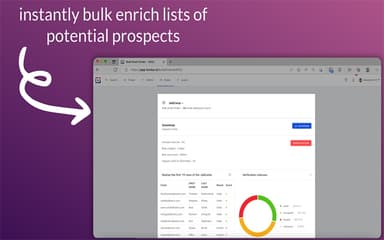
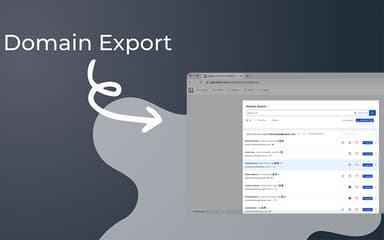
Tomba allows users to process multiple domains in bulk, verifying all associated emails efficiently. This feature is particularly useful for sales and marketing teams who need to validate large contact lists quickly, ensuring accurate outreach without manually checking each domain. It saves time and reduces data entry errors, improving workflow efficiency.
Email Pattern Detection
Tomba features ‘Email Pattern Detection’ that detects standard email patterns used by companies, allowing users to predict professional email addresses with high accuracy. By analyzing formats like “first.last@company.com,” it reduces guesswork and ensures outreach emails reach the intended recipients. This feature strengthens lead quality and enhances engagement success.
Quality Confidence Scoring
The platform assigns confidence scores to each discovered email based on validity and likelihood of deliverability. Teams can prioritize high-confidence contacts to reduce bounce rates and improve campaign efficiency. This scoring system supports informed outreach planning and ensures better resource allocation for sales efforts.
Multiple Format Output
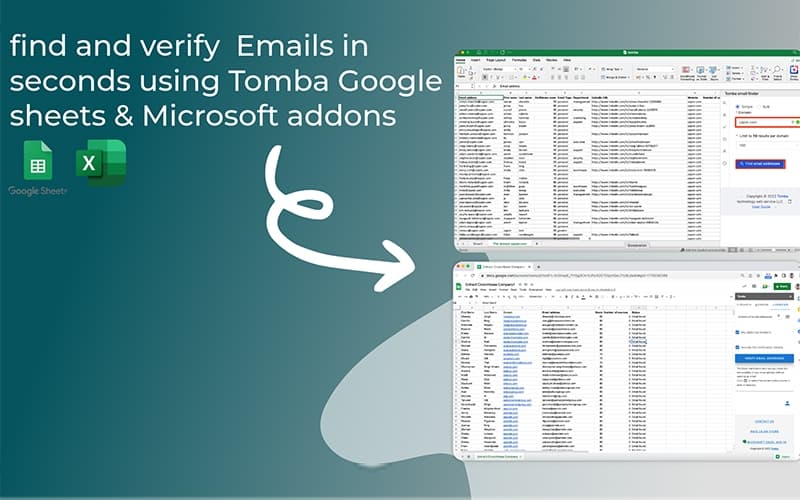
Tomba provides email outputs in multiple formats, including CSV, JSON, and XLSX. This flexibility allows teams to easily integrate email lists with CRM systems, marketing automation tools, or analytics platforms. The feature supports seamless workflow management, ensuring compatibility with diverse business processes.
Pros And Cons of Tomba
Pros
Accurate email pattern detection for higher deliverability
Bulk domain processing saves time for large contact lists
Supports multiple output formats for flexible workflow integration
Cons
The database does not scrape email addresses directly from websites
UI and UX could be more streamlined, between modules like finder and management views
Tomba Reviews
Total 11 reviews
4.5
All reviews are from verified customers
Rating Distribution
5
Stars55%
4
Stars45%
3
Stars0%
2
Stars0%
1
Stars0%
Share your experience
Shaikat R.
Marketing and Advertising, 1-10 employees
Less than 6 months
“Top pick for outreach teams”
Pros
Tomba has been excellent for email discovery in outreach campaigns. If you're working on SEO link building or running cold email outreach, it can easily be a first choice option compared with other tools out there. They also offer a free plan with a limited amount of email finder and verification credits each month which is still pretty decent when you're just starting out. The interface and overall workflow is well put together. All in all it's a really decent marketing tool and one I'd definitely recommend.
Cons
The only thing I'd like to see is a bit more included in the free plan but even as it is, it's still not bad at all.
Rating Distribution
Ease of use
9
Value for money
9
Customer Support
10
Functionality
10
Ritch C.
Computer Hardware, 1-10 employees
Less than 6 months
“easy to set up”
Pros
It is pretty easy to use and having the API available makes the platform really useful overall. It covers a lot of the basics well but it still doesn't let you search using the kind of criteria I was expecting.
Cons
Well the biggest thing missing is search functionality. I'd really like the option to look up real estate agents globally instead of being limited without a proper search feature.
Rating Distribution
Ease of use
9
Value for money
9
Customer Support
9
Functionality
7
Francesco D.
Arts and Crafts, 1-10 employees
Less than 6 months
“Fast contact search and enrichment”
Pros
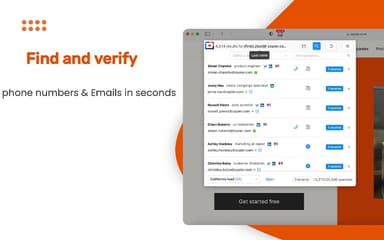
Getting around the interface is very easy which makes the whole workflow really quick. I can sign in and immediately start looking for the right contact using all kinds of filters like name, job title, industry or domain. The enrichment feature is also handy when I need extra details on someone and the bulk option helps a lot when I am working through dozens of contacts at once. The newer Chrome extension is useful too especially for pulling email addresses directly from LinkedIn.
Cons
With this type of SaaS it's never realistic to expect every single contact you need to be there especially when you're targeting a smaller niche. That said they do seem to have one of the largest databases out there and from what I have tested that claim appears to be mostly accurate.
Rating Distribution
Ease of use
9
Value for money
8
Customer Support
9
Functionality
9
Frequently Asked Questions
Does Tomba have a mobile app?
No, Tomba does not currently offer a dedicated mobile application.
What types of pricing plans does Tomba offer?
Tomba offers tiered pricing plans based on the number of searches and verifications needed. The Growth plan costs $89/month, Pro is $189/month, and Enterprise is $389/month. Custom Tomba cost estimates can be requested based on sales operation's needs.
Does Tomba offer an API?
Yes, Tomba provides a REST API for integrating email discovery and domain verification directly into business workflows.
What languages does Tomba support?
Tomba software offers support in multiple languages, including English, French, German, Spanish, Italian, and Arabic.
What level of support does Tomba provide?
Customer support is available via live chat.
What integrations does Tomba support?
Tomba integrates with platforms like Pipedrive, Airtable, HubSpot, Mailchimp, Apify, Pabbly, Pipedream, and Albato.