


Botpress
Last Updated
Key Takeaways
Generated from the text of customer reviews
Botpress, a cloud-based AI agent platform, provides customer care, finance, and IT services to startups, growing businesses, and enterprises. While the variety of parameters can be overwhelming for new users at first, most appreciate how easy the low-code interface makes agent building. Recent updates include the launch of Botpress Desk, an AI-native helpdesk built to resolve complex support tickets.
Our Verdict
Botpress is a strong choice for businesses looking for AI agents that automate support or internal procedures and take meaningful action. Botpress can be cost-effective for teams with varying support needs because it offers usage-based pricing based on conversation volume; but expenses may increase for higher-volume operations. We recommend Botpress for companies that prioritize flexibility over simple Q&A automation.
Botpress Specifications
- Natural Language Dialogue
- Self-Service Dashboards
- Text To Speech & Speech To Text
- Automation
What Is Botpress?
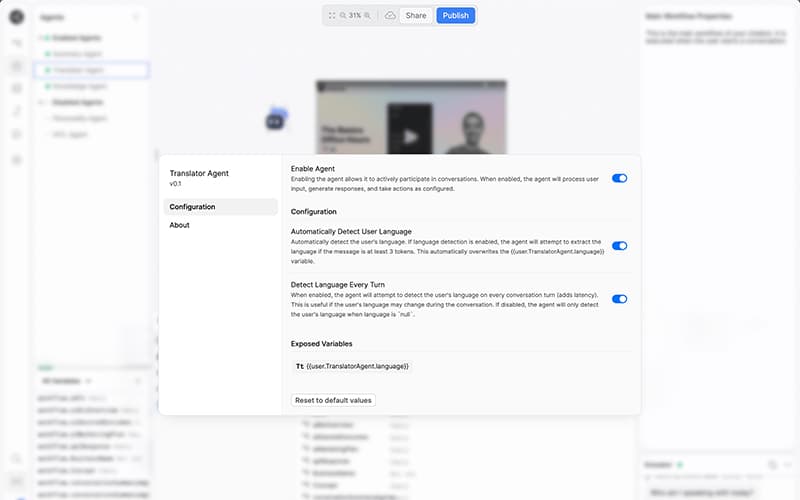
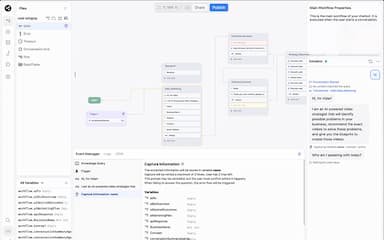
Botpress is a cloud-based platform that allows enterprises to create and implement AI agents without having to set up an entire conversational AI stack from scratch. Teams may use Botpress Studio to visually build an agent's logic, connect it to a Knowledge Base made up of existing documents and websites, and store live data in built-in Tables rather than maintaining a separate backend. The platform also allows autonomous agents, who select which tools to call and what steps to take throughout a discussion rather than following a script, and can be deployed across channels such as WhatsApp, Slack, and voice, allowing businesses to reach customers wherever they are.
What Is Botpress Best For?
The platform is notable for its AI helpdesk, Botpress Desk, which is designed to address critical support tickets rather than merely deflecting minor ones and escalating the rest. To handle the full range of customer support, the platform combines ticket routing and a knowledge base with multi-channel coverage via webchat, email, WhatsApp, and voice, allowing AI agents to complete real-world tasks such as issuing refunds or checking account status rather than simply answering basic questions.
How Much Does Botpress Cost?
Botpress pricing starts at $189/month under the Plus plan for 250 conversations. The platform offers two other plans that scale with the volume of conversations.
- Team: $939/month (1,500 conversations)
- Enterprise: custom pricing (custom conversation volume)
Apart from the base subscription cost, businesses should keep the following potential costs in mind:
- Additional Messages And Events: $20 per 5,000 additional incoming messages/events
- Additional Bots And Collaborators: $10/month per additional bot and $25/month per additional collaborator
- Implementation And Integration: $2,000–$15,000+
- Enterprise Customization And Support: $5,000–$25,000+ annually
Disclaimer: The pricing is subject to change.
Botpress Integrations
The vendor offers integration with multiple third-party apps, including:
How Does Botpress Work?
Sign up for a Botpress account and use the dashboard to create an AI agent, either by selecting a template or beginning from scratch with a blank bot. This applies to customer support agents, internal tools, and custom conversational apps.
- Log in and create a workspace and launch a new bot from the Botpress dashboard
- Choose a pre-built template or start from scratch in Visual Studio
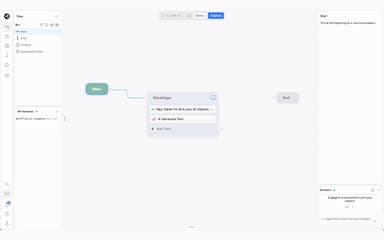
- Use the drag-and-drop flow builder to connect nodes that outline how the agent should respond and act
- Connect a knowledge base, so the agent can draw responses from your help documentation, FAQs, and other information
- Add custom actions and API calls with code when a task requires functionality beyond the visual builder
- Use the agent via email, voice, Slack, WhatsApp, web chat, and other methods
- Before the bot goes live, test it using the included emulator and debugger
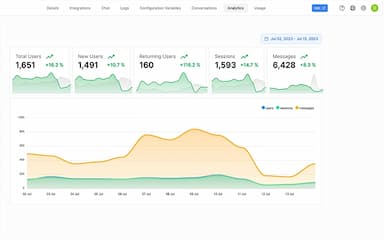
- Keep an eye on discussions by accessing the analytics dashboard, and allow Botpress Desk to handle any tickets that require human intervention
Who Is Botpress For?
The platform caters to a wide range of industries and sectors, including:
- Healthcare
- Education
- Retail
- SaaS
- Fintech
Botpress Use Cases
Based on our analysis of Botpress' features and where it fits in the market, here are the ways retail, finance, healthcare, and SaaS teams tend to use it:
Retail Brands Buried In Order Status And Return Requests During Peak Seasons
A torrent of ‘where's my order’ and ‘can I return this’ communications during sales events or holidays may bury a small support team overnight, and employing extra seasonal staff to address the same number of inquiries quickly becomes expensive. Botpress agents connect to order management systems to retrieve tracking information, perform exchanges, and initiate returns without having a person type the same response hundreds of times every day. Botpress charges per conversation rather than per seat, allowing retail teams to withstand seasonal jumps without increasing software expenses along with ticket traffic.
Fintech Firms That Can't Resolve Account Requests Without First Verifying Identity
Fintech assistance is slower to respond than other industries since most requests, such as a balance check or a card freeze, must be verified before proceeding. Botpress incorporates identity checks directly into the conversation flow, allowing an agent to confirm a user's information before carrying out the actual action, such as unlocking an account or flagging a suspicious charge, rather than simply detailing the procedures and passing the ticket along. This is especially important for fintech firms because trust is the product itself, and a support tool that merely chats rather than acting does not lessen the tedious work that compliance and security teams must still perform by hand.
Healthcare Front Desks Stretched Thin By Scheduling And Insurance Calls
A significant portion of the day is spent by front desk employees at clinics and medical offices on routine calls, such as scheduling appointments, verifying insurance coverage, and responding to simple billing inquiries. This leaves less time for patients who require actual care. While anything involving a clinical judgment is forwarded directly to staff, Botpress voice operators can answer these calls, verify coverage details, check availability, and plan or reschedule visits. This is important for healthcare providers in particular since it protects staff time for patient care without requiring the front desk to administer an additional system because it connects to pre-existing scheduling systems.
SaaS Companies Losing Users To Slow Answers On Setup And Integration Issues
New SaaS users frequently encounter a hurdle during onboarding, such as a faulty API connection or a perplexing configuration, and if an answer is not provided quickly, they either give up or churn before ever seeing the product's value. Botpress agents use product documentation and previous issues to lead a user through the fix step by step, and they can escalate the issue to an engineer with complete context if it turns out to be a bug. The greater impact here is on retention rather than cost savings, because SaaS companies lose significantly more income due to poor onboarding than they do on support tools, and speedier resolution within the first week directly influences whether a trial user converts.
Is Botpress Right For You?
Botpress is beneficial for organizations looking to move beyond basic chatbots and deploy AI agents that actually accomplish tasks without having to create the infrastructure from scratch. It is especially useful for teams whose support or workflow volume has surpassed what a small human team or a simple deflect-and-escalate bot can handle.
Botpress enables organizations to handle more requests without increasing manpower by connecting directly to current systems and allowing AI agents to take meaningful action, such as giving refunds or performing multi-step workflows. It also prioritizes data privacy, holding SOC II accreditation, adhering to GDPR compliance, and conducting regular penetration testing, ensuring that both a company's and its customers' data are safeguarded to the highest industry standards.
Enterprises are no longer only testing agentic AI; they are putting it to use. According to a recent survey, every single enterprise polled intends to increase its use of agentic AI by 2026. Botpress fits neatly into that change. Its visual Studio and SDKs allow teams to create production-ready agents rather than merely demos, and tool and API interfaces enable those agents to take meaningful action rather than simply respond to messages. Add support for additional channels, and organizations have all they need to transition agents from pilot mode to everyday use.
Still not sure if Botpress is right for you? Contact our customer support team at (661) 384-7070, who will help you make the best decision.
Botpress Features
AI Agent Studio
Botpress Studio allows companies to choose which LLM powers an agent, in addition to developing chats. Instead of being limited to a single supplier, teams can choose from a variety of leading models, plug in a model running on their own hardware, or configure several models for different workflows, utilizing a quicker model where speed is important and a stronger model where accuracy is critical. This transforms model selection into an option that teams may customize, rather than a decision baked into the platform.
Autonomous Agents
Botpress features ‘Autonomous Agents’ that can employ LLMs to decide what to do during a discussion, selecting tools and steps based on the user’s actual needs. A whole conversational flow can be derived from a single prompt or combined with structured logic for phases that must be performed in the same manner every time. These agents also manage several formats in a single interaction, switching between text, pictures, and speech as needed.
Knowledge Bases
Knowledge bases consolidate disparate information into a single location where agents can look when answering a question. Teams can import entire websites and FAQ pages, upload PDFs and documents directly, or manage anything via the API to keep material up to date. Instead of guessing, answers are based on authentic source material.
Tables
Tables provide agents with an integrated database for storing and retrieving data during conversations, eliminating the need for a separate backend. Built to contain millions of entries and stay in sync across sessions, they allow teams to query in plain English rather than manually coding filters, which is useful for data that changes frequently, such as inventory counts or appointment slots.
Pros And Cons of Botpress
Pros
Low-code interface makes building an agent approachable, even without a dedicated engineering background
Strong, active community makes troubleshooting and best practices easy to find
Highly customizable and extensible, letting teams build workflows tailored to their needs
Cons
Sheer number of options and settings can feel overwhelming for new users
Limited documentation on some features can mean relying on trial and error
Botpress Pricing
Free | Plus | Team | Enterprise |
|---|---|---|---|
$0 | $189 per month | $939 per month | Custom Pricing |
|
|
|
|
Disclaimer: The pricing details were last updated on Oct 06, 2026 from the vendor's website. Please contact us for a tailored pricing list.
Botpress Reviews
Total 37 reviews
4.5
All reviews are from verified customers
Rating Distribution
5
Stars49%
4
Stars49%
3
Stars3%
2
Stars0%
1
Stars0%
Share your experience
Logistics and Supply Chain, 1-10 employees
“Beginner-friendly interface”
Pros
The interface is set up in a way that even people who are completely new to vibe coding can get comfortable with it and it also supports ongoing improvement as you keep using it.
Cons
The free plan is too limited to be truly useful. It would be much better if it included more than 500 messages and events.
Rating Distribution
Ease of use
8
Value for money
8
Customer Support
9
Functionality
6
Logistics and Supply Chain, 1-10 employees
“flexible chatbot builder”
Pros
One thing that really stands out is how flexible and approachable the platform feels especially for non-technical users. The visual flow builder makes it simple to create chatbots without needing strong coding skills.
Cons
At times the interface takes a little while to get familiar with and configuring more advanced features can feel somewhat technical for beginners.
Rating Distribution
Ease of use
9
Value for money
8
Customer Support
8
Functionality
8
Computer Software, 11-50 employees
“free start with room to grow”
Pros
Getting started with it was simple and the free plan is generous enough to really explore the platform and test what it can do without much commitment.
Cons
More templates would make a big difference as a starting point. The software feels user-friendly overall but as a beginner it can still be difficult to sort through all the available options and figure out the best way to handle a specific task. Having a larger template library would also help with learning the platform's features and best practices.
Rating Distribution
Ease of use
7
Value for money
8
Customer Support
8
Functionality
8
Frequently Asked Questions
What level of support does Botpress offer?
Support is available via online booking sessions.
What language does Botpress support?
The vendor offers support in English, Turkish, Spanish, French, Italian, Portuguese, Arabic, Polish, Japanese, German, and Chinese.
Does Botpress have a mobile app?
The vendor does not offer a dedicated mobile app.
Does Botpress offer an API?
Yes, Botpress does provide API access.
What types of pricing plans does Botpress offer?
Botpress pricing starts at $189/month for the Plus plan. Other plans are Team at $939/month and Enterprise with custom pricing. Get a tailored Botpress price quotation today.
What other apps does Botpress integrate with?
Botpress’s integrates with many third-party apps such as, Zendesk, Intercom, Freshdesk, WhatsApp, Slack, Microsoft Teams, Telegram, Messenger, Viber, Zapier, Gmail, GitHub, and Salesforce Engage Software.
Who are the typical users of Botpress?
Common users of Botpress software include retail, healthcare, fintech, education, and SaaS.