


Last Updated

Overview
Safe Site Check In streamlines jobsite management with a touchless digital check-in process. While its mobile functionality is robust, the search functionality to track resources could be improved. Overall, it’s an ideal solution for construction firms of all sizes seeking to improve on-site safety and operational efficiency.

Safe Site Check In Specifications
- Budget Management
- Equipment Tracking
- Subcontractor Management
- Change Order Management
Make Jobsite Management Easy(tm)!
Saves jobsite superintendents, project, safety and facility managers hours a day for:
--Worker onboarding, badging & orientation,
--Safety and Security screening,
--Daily log creation and archival,
--Safety training, communications & documents,
--Project management integration,
--Remote site monitoring,
--Workforce skills and profiles,
--Hourly wage and invoice validation,
--Incident and claims processing
--Compliance reporting
Ideal for construction projects like education, municipal, industrial, labs, or any with a large workforce to track.
Beyond Construction: Safe Site Check In is now used by many safety-critical industries with a disparate workforce of employees, subcontractors, vendors and visitors: Infra, Industrial, Warehouses, Assisted Living, Event venues, Media production and Healthcare.
Easy to Buy: Affordable monthly or annual subscriptions by jobsite for an unlimited number of users. Free trials and volume discounts available.
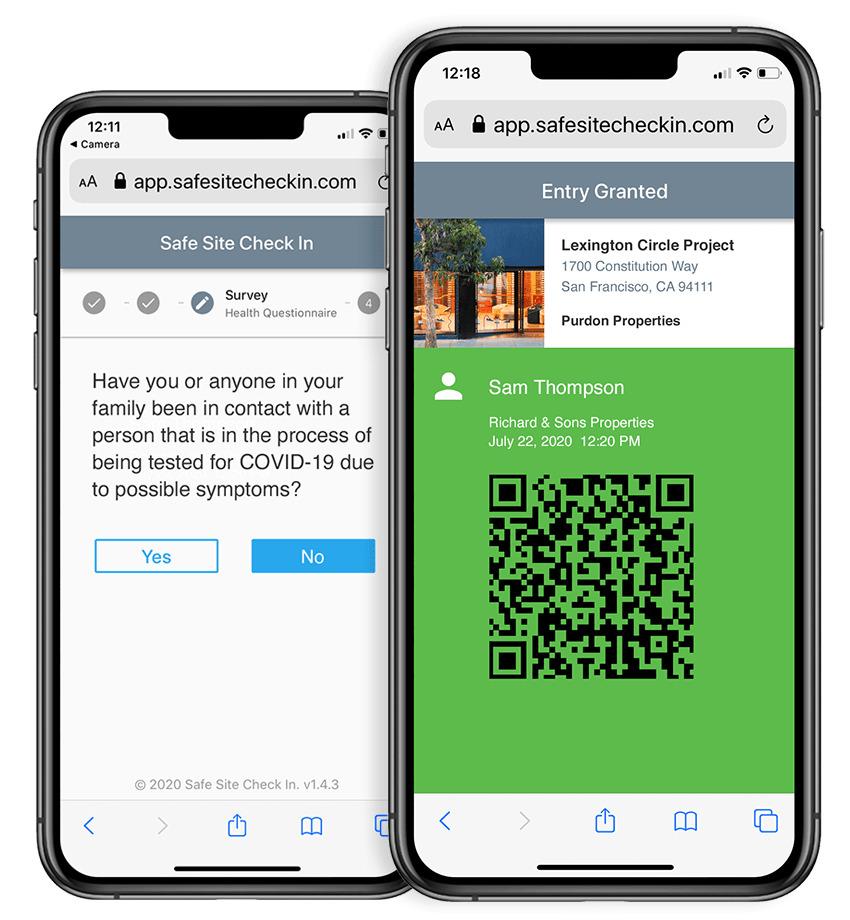
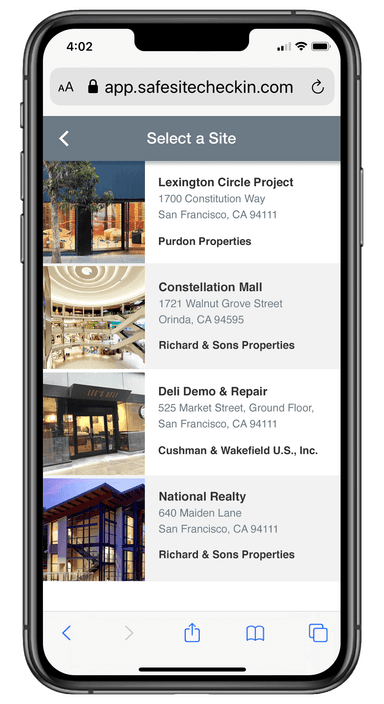
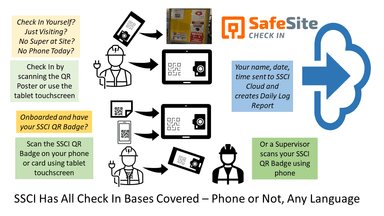
Easy to Deploy: Setup and manage new projects in minutes by creating a poster with a project QR code. Employees, subcontractors, vendors and visitors will scan the QR code poster or use a personal QR badge on a tablet or phone when entering or leaving. Daily log and project management updates are automatic.
Easy to Use: Safe Site Check In is intuitive to use, multi-lingual and accessed using any device, browser or network.
Easy to Support: 7x24 availability, instantly securely archives data, no downloads or security patches to manage, support included.
Safe Site Check In Features
Job Hazard Awareness and Pre Task Planning
Auditable proof that workers were advised of significant jobsite risks
Procore and ACC Integration
Automatically update manpower, visitor and observation data.
Safety Data Sheets
Everyone has access to hazardous material data.
Digital Badging
Create digital badges for check-in like boarding an airplane with a tablet or phone. Print jobsite specific badges for use with employee badges or attach to PPE.
Workforce Data
Field managers can access licenses, union status, W9, I9, certs, vaccination status -- any document -- when workforce data is needed.
Onboarding and Orientation
Create worker profiles, require document or video viewing.
Dashboard and Reports
Real time view of jobsite attendance, periodic and on-demand reports, pdf or csv files.
Customized Workflows
Simple check-in/out, or include additional screening questions. Alerts go to field managers when errors occur.
Emergency Action Plans Broadcast Communications
Contact everyone currently or formerly on site via text & email.
Safe Site Check In Reviews
Total 11 reviews
4.6
All reviews are from verified customers
Rating Distribution
5
Stars73%
4
Stars18%
3
Stars9%
2
Stars0%
1
Stars0%
Share your experience
Alyx
Construction, 1-10 employees
Less than 6 months
“Easy for non-techies”
Pros
In my opinion, it is remarkably easy to use even for team members who aren't very tech-savvy.
Cons
It would be helpful to have a few more options for customization.
Rating Distribution
Ease of use
9
Value for money
9
Customer Support
9
Functionality
8
Derek
Construction, 11-50 employees
Less than a year
“Simple setup and great service”
Pros
The product itself is very simple the setup was simple, and we received great customer service.
Cons
It still relied on people to input data correctly. We often had inaccurate records because crews on "open" sites wouldn't check in properly.
Rating Distribution
Ease of use
8
Value for money
8
Customer Support
8
Functionality
7
Pedro
Design, 1-10 employees
Less than a year
“game-changer for safety and paperwork”
Pros
What I like most is its simplicity. You can check workers and visitors in with just a phone, completely eliminating paperwork. The digital forms save a ton of time and having real-time visibility of who is on-site is a game-changer for safety and keeping projects on track.
Cons
Only drawback is that it really needs a strong internet connection to work well so remote sites with poor service can be challenging.
Rating Distribution
Ease of use
9
Value for money
9
Customer Support
9
Functionality
8
Frequently Asked Questions
Does Safe Site Check In offer an API?
Yes, Safe Site Check In does offer an API.
Does Safe Site Check In have a mobile app?
Yes, Safe Site Check In does offer a dedicated mobile app.
What language does Safe Site Check In support?
Safe Site Check In supports the English language.
What types of Safe Site Check In pricing plans are available?
Safe Site Check In offers three pricing plans: Basic 300 ($99/site/month), Standard 600 ($199/site/month), and Advanced 1000 ($299/site/month). Receive a tailor-made Safe Site Check In cost estimate specific to your needs.
What other apps does Safe Site Check In integrate with?
Safe Site Check In integrates with Autodesk Construction Cloud and Procore software.
Who are the typical users of Safe Site Check In?
Typical users include construction, education, energy and water, manufacturing, warehousing, healthcare, and media production industries.
What level of support does Safe Site Check In offer?
Safe Site Check In offers support via a dedicated help center. Users can also browse a detailed knowledge base and FAQs to quickly resolve their queries with the tool.