


SysAid
Last Updated
Overview
Experience next-gen IT service management with SysAid. All your IT processes unfold before your eyes seamlessly, from ticket closing to task completion to workflow orchestration. With SysAid, manage your business tasks with its automated and data-driven efficiency.
SysAid Specifications
- Contact Management
- Lead Management
- Opportunity Management
- Sales Forecasting
SysAid Features
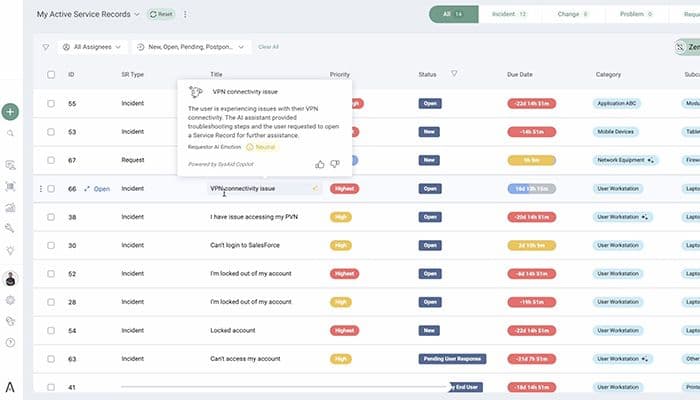
Ticket Automation
Streamline creating, assigning, and managing support tickets. Its ticket automation feature assists in routine tasks, such as ticket routing, prioritization, and escalation. It ensures smooth ticket handling and resolution.
Task Automation
With task automation features, SysAid software enables the automation of repetitive and manual tasks. It adds promptness and efficiency to task assignments, notifications, updates, etc. Several SysAid reviews laud this feature for its productive, time-saving outcomes.
Self-Service Automation
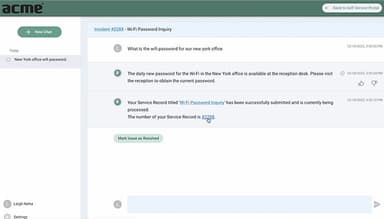
Customize the tools and resolve problems independently. It empowers end-users by providing a self-service portal where they can log and track their support requests. Further options, such as a knowledge base, FAQs, and automated solutions, are available.
Workflow Automation
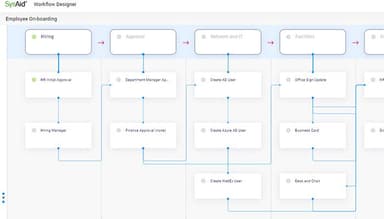
SysAid also supports the workflow automation feature. It helps organizations to automate complex business processes. By integrating a visual workflow designer, this feature offers flexibility to create custom workflows tailored to specific requirements.
Incident Management
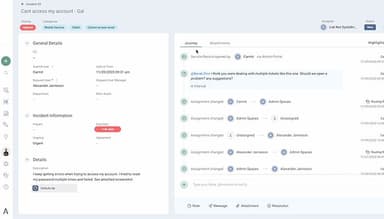
Its incident management feature efficiently handles and resolves organizational incidents and service disruptions. Its centralized system facilitates documenting, tracking, and managing incidents throughout their lifecycle. Benefit from its timely resolving and management capabilities.
Pros And Cons of SysAid
Pros
High-end technical support
User friendly
Prompt solutions for complex business processes
Easy implementation
Cons
The workflow management tool appears a bit outdated
The steep learning curve for its customization
SysAid Reviews
Total 550 reviews
4.7
All reviews are from verified customers
Rating Distribution
5
Stars76%
4
Stars21%
3
Stars2%
2
Stars1%
1
Stars0%
Share your experience
Banking, 500+ employees
More than a year
“Complete control from a single platform”
Pros
As a SysAid administrator, what I value most is having complete control from a single platform. Combining asset management, incident and request handling, device administration and automation lets me save time, reduce mistakes and improve the end-user experience. The strong security and customer support also make every operation more dependable.
Cons
While it is a very comprehensive tool, the overall setup can sometimes be confusing. Also I have had some trouble locating specific settings to make the changes I need.
Rating Distribution
Ease of use
7
Value for money
10
Customer Support
10
Functionality
10
Printing, 51-100 employees
More than a year
“helps track equipment with good security”
Pros
SysAid helps us track all our company's equipment and manage projects. It also includes live chat and keeps track of software versions. Its security features are also very good and make us feel safe.
Cons
One thing I noticed is that the support team can sometimes be slower to respond than I'd like and some features are difficult for new or non-technical staff to learn.
Rating Distribution
Ease of use
9
Value for money
9
Customer Support
6
Functionality
7
Hospitality, 500+ employees
Less than a year
“Best for service management”
Pros
I can create weekly reports from the service portal, sort support tickets into categories like applications and computers and set up maintenance schedules for our equipment. The other best thing is that the SysAid support team also responds very quickly.
Cons
The system for tracking our company's computers and equipment needs improvement. Plus the software installed on our devices should be able to collect more specific details about each one.
Rating Distribution
Ease of use
8
Value for money
10
Customer Support
10
Functionality
9
Frequently Asked Questions
Who are the potential users of SysAid Software?
Different industries like HR, finance, medical care, and computer services are its potential users.
Does SysAid software offer an API?
No, there is no API access available.
Does SysAid software offer a free trial?
Yes, SysAid offers a 30-day free trial.
What is the implementation process of SysAid Software?
The implementation process of SysAid software can vary depending on the specific requirements of the organization and the version of the software being implemented.
Is SysAid easy to use?
Yes, SysAid has been reviewed by its users as easy to use.