


Last Updated
Overview
Kareo Medical Billing software, also known as Tebra is an all-in-one practice management solution for independent practices. Despite some feedback about limited reporting options, users appreciate its robotic process automation, managed billing services, and dedicated billing partner program. Overall, the platform helps practices optimize billing efficiency and focus on delivering quality patient care.
Kareo Medical Billing Specifications
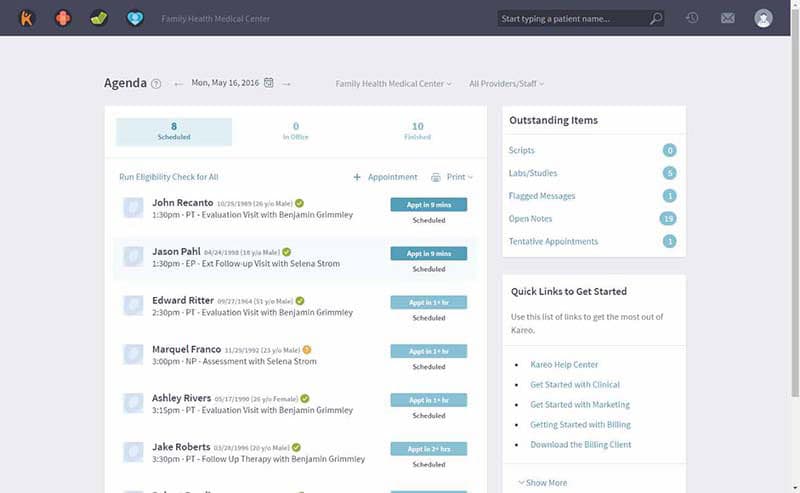
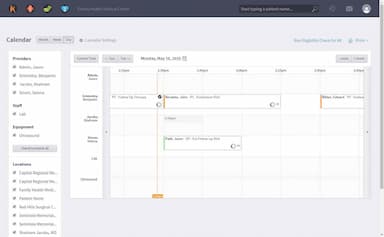
- Appointment Management/Scheduling
- e-Prescriptions
- Lab Integration
- Patient Portal
Kareo Medical Billing Features
Billing Operations
Medical staff can input patient visit details, procedure codes, diagnosis codes, and other relevant information directly into the system for efficient billing. The software intelligently validates the codes to ensure compliance with billing regulations and minimizes the risk of errors.
Patient Portal
This interactive, user-friendly platform allows patients to access their health information, view appointments, make payments, and securely communicate with their healthcare providers. It promotes patient engagement and empowers them to actively manage their health journey, all while adhering to data privacy standards.
Analytics
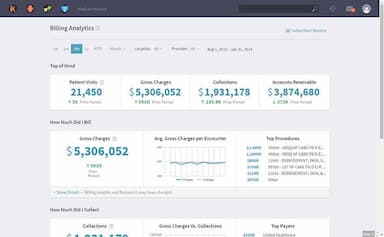
Through intuitive visualizations and data-driven metrics, medical providers can monitor key indicators, identify trends, and make informed decisions. This feature aids in optimizing operational efficiency, identifying revenue opportunities, and strategizing for future growth.
Claims And Denial Management
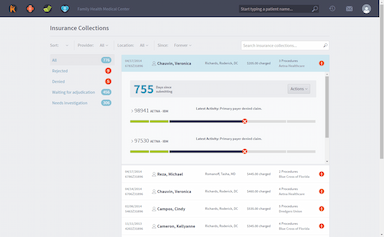
This feature streamlines and helps track claims, ensuring accurate and timely submission to insurance carriers. Moreover, the system intelligently detects errors or discrepancies, minimizing denied claims and rejections. This proactive approach helps practices optimize reimbursements, improve cash flow, and strengthen overall financial health.
Insurance Enrollments
This feature aids practices in enrolling with new insurance carriers efficiently. Kareo centralizes the required information and automates documentation submission, ensuring practices can quickly become credentialed with various payers. This streamlines the revenue cycle by minimizing delays caused by insurance credentialing.
Robotic Process Automation
Robotic process automation enhances efficiency by automating routine tasks and streamlining the entire medical billing process. This intelligent feature can handle eligibility checks, claims status inquiries, and appointment reminders. By reducing manual labor, practices can allocate resources strategically and focus on delivering quality patient care.
Pros And Cons of Kareo Medical Billing
Pros
Responsive and knowledgeable customer support
Optimized iPad app for documentation
Easy patient registration helps reduce administrative burdens
User-friendly interface and navigation
Cons
Bulk patient file editing unavailable
Direct access to the clearing house can improve processes
Customer support can be better trained for even quicker responses
Kareo Medical Billing Reviews
Total 37 reviews
4.3
All reviews are from verified customers
Rating Distribution
5
Stars43%
4
Stars41%
3
Stars16%
2
Stars0%
1
Stars0%
Share your experience
Nancy
Heartland Plastic Surgery, 1-10 employees
“Excellent software”
Pros
Kareo Medical Billing Software is so great. The chart updating, file reviewing and payment posting options make it especially great. I am happy with the level of customer support I have received from their end.
Cons
No issues so far. It is amazing and gets the job done.
Rating Distribution
Ease of use
10
Value for money
9
Customer Support
9
Functionality
9
Paula
Elite Oculoplastic Surgery PC, 1-10 employees
“An incredible product”
Pros
The system is super user-friendly. It's really simple to learn and navigate and finding and accessing records is a breeze. They offer extra tools that make troubleshooting a lot easier. The customer support team is also great. They’re knowledgeable, responsive and always quick to help with any questions.
Cons
I have no complaints about this system. Everything is incredibly amazing.
Rating Distribution
Ease of use
8
Value for money
10
Customer Support
8
Functionality
9
Teegan F.
Hospital & Health Care, 1-10 employees
“Excellent EHR that will be even better with support for natural healthcare providers”
Pros
Love the layout, love the clean and professional look. Their iPad app is fully optimized and shows all sections of the note on one page.
Cons
A bit more support for natural products/supplements will be appreciated. You have to manually enter every single product you wish to recommend.
Rating Distribution
Ease of use
9
Value for money
10
Customer Support
9
Functionality
10
Frequently Asked Questions
What level of support does Kareo Medical Billing software offer?
Kareo Medical Billing software offers support via email, phone, FAQs, live chat and form submission.
What languages does Kareo medical billing support?
The software supports the English language.
Does Kareo Medical Billing support mobile devices?
Yes, Kareo Medical Billing software supports iPads and iPhones.
Does Kareo Medical Billing have an app?
Yes, Kareo Medical Billing software has a mobile app.
What other apps does Kareo Medical Billing integrate with?
Kareo Medical Billing software integrates with various third-party apps, including WebPT, Modernizing Medicine, WebChartNow, etc.
Does Kareo Medical Billing offer an API?
Yes, Kareo Medical Billing software provides an API.
What type of pricing plans does Kareo Medical Billing offer?
Kareo Medical Billing software integrates with various third-party apps. However, more information regarding its specific integrations has not been disclosed.
How long does it take to implement Kareo Medical Billing software?
Kareo Medical Billing software does not take a long time to implement. You can simply create an account and get started. For more information, click Watch Demo.