


Office Practicum
Last Updated
Overview
Revolutionize pediatric practice management through Office Practicum EMR. Renowned for its user-friendly design and comprehensive features, it optimizes patient care and practice workflows. Office Practicum is a tailored choice for paediatric professionals seeking efficiency and excellence. Unlock its potential.
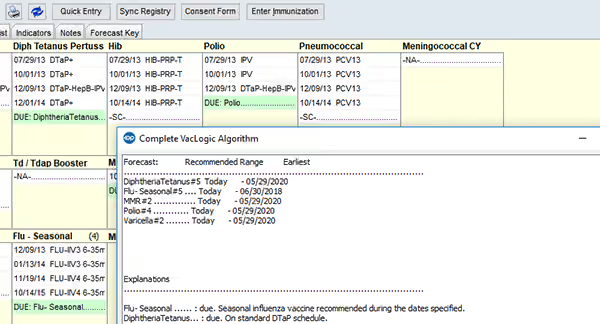
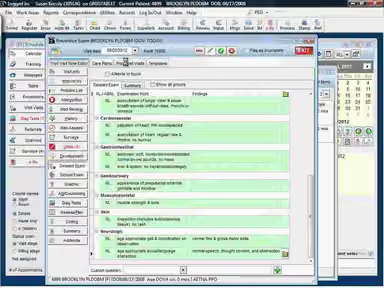
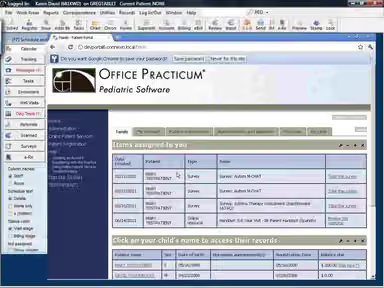
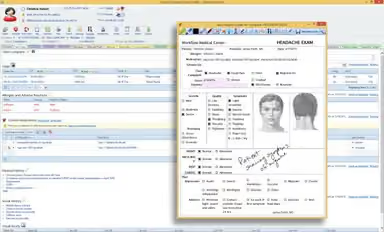
Office Practicum Specifications
- Appointment Management/Scheduling
- e-Prescriptions
- Lab Integration
- Patient Portal
Office Practicum Features
Medical Billing
Office Practicum provides a powerful billing module. The software adjusts charges, submits insurance claims electronically, tracks denials, and uses pediatric-specific codes.
Telehealth
Office Practicum allows remote check-ups, diagnoses, and treatments for common issues such as allergies, flu, rashes, and behavioral concerns without needing an in-person visit. This feature especially benefits those living far away or with mobility issues.
Patient Portal
The platform allows patients to easily navigate healthcare commitments and empowers them to proactively manage their care. Patients can access their medical records and lab results, request prescription refills, schedule appointments, and communicate directly with their healthcare provider through secure messaging.
e-Prescription
Office Practicum e-prescription feature enables medical practitioners to transmit prescriptions electronically to pharmacies. It leads to enhanced accuracy and quality while reducing errors and delays. Additionally, Office Practicum allows providers to verify drug-drug interactions, drug-allergy interactions, and potential duplicate therapies before submitting the prescription. Moreover, the feature is certified for the Electronic Prescribing of Controlled Substances (EPCS). This certification provides the capability to securely transmit prescriptions for controlled substances straight to the pharmacy.
Growth Charts
Office Practicum provides pediatricians with a suite of growth chart features to help track the development of their patients. Through customizable growth charts, practitioners can monitor vital measurements such as weight, height, head circumference, and BMI for children. In addition, Office Practicum also offers specialized growth charts for down syndrome and preemie patients tailored according to WHO/CDC guidelines. By utilizing these comprehensive and specialized growth charts, practitioners can ensure the best care for children.
Pros And Cons of Office Practicum
Pros
Active customer support
User-friendly interface
Telehealth feature
Cons
May not be suitable for specialties other than pediatrics
Limited customization options
Reviews show that users have experienced bugs and glitches
Office Practicum Reviews
Total 28 reviews
4.2
All reviews are from verified customers
Rating Distribution
5
Stars43%
4
Stars43%
3
Stars7%
2
Stars4%
1
Stars4%
Share your experience
Kids Health Partners, LLC, 11-50 employees
“We are happy with our choice of choosing OP”
Pros
Office Practicum software is built in consideration with a pediatric specialty with specialized features. It is super easy to learn how to use and train the staff with minimum effort. You do not need a separate screen to access pediatric features. Customer support has been more than helpful with any issues weve had.
Cons
The messages feature within the system is not as functional as we would want, but the company has been reassuring that it will be improved in the upcoming upgrades. The customer service is not easily accessible. Call hold times are very long sometimes, although the support staff is always helpful.
Rating Distribution
Ease of use
8
Value for money
8
Customer Support
9
Functionality
7
Pediatric Associates of Fairfield , 51-100 employees
“Highly flexible”
Pros
The software is highly flexible which is definitely one of its best features and among its main selling points. Also it is super user-friendly. No learning curve so training our staff to operate is quite simple. So far, everyone including providers and staff members loves working with this service.
Cons
Making a report isn’t the easiest like it takes a lot of time of ours. Printing is the same story as it takes up time because you have to send documents to a webpage first before you can actually print them.
Rating Distribution
Ease of use
8
Value for money
10
Customer Support
9
Functionality
9
MSI, 1-10 employees
“Support team is nonexistent”
Pros
The tool is pediatric friendly which is good for us. And it is not very hard to learn especially for doctors.
Cons
The support is nowhere to be found here. I’ve put in requests for support but all I get are emails that the issue has been closed, although I’ve never even received a single call from them.
Rating Distribution
Ease of use
6
Value for money
7
Customer Support
6
Functionality
8
Frequently Asked Questions
Does Office Practicum provide a telemedicine solution?
Yes, Office Practicum has partnered with a HIPAA compliant pediatric-specific telemedicine solution.
Can we access Office Practicum through our mobile phones?
Yes, Office Practicum can be accessed by anyone, anywhere through their iPhone, Android, iPad, or computer.
How much does Office Practicum cost?
Office Practicum does not provide their pricing information on their website, to get pricing information kindly fill in the “Get Pricing” form.
Can Office Practicum be integrated with third-party services?
Yes, it maintains third-party services such as labs, e-prescriptions, etc.
Is Office Practicum suitable for small sized practices?
Yes, Office Practicum suits small, medium and large-sized practices.