


Last Updated
Key Takeaways
Generated from the text of customer reviews
Our Verdict
Overall Rating
Based on 75 users reviews
4.7
Rating Distribution
Positive
95%
Neutral
5%
Negative
0%
Starting Price
$35
per month
Practice Better Specifications
- Appointment Management/Scheduling
- Patient Portal
- Mobile App
- Telemedicine
Practice Better Features
Branding
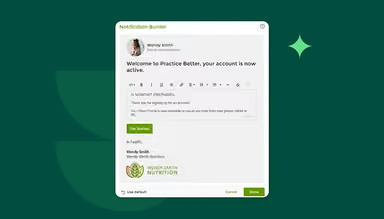
The branding feature lets practitioners add their logo, brand colors, and a custom URL to the client portal, then extend that same branding to emails, appointment reminders, invoices, and PDF documents like forms and protocols. Practitioners can also customize the layout and messaging of emails and reminders to match their brand.
Templates
Practice Better's template library holds prebuilt intake forms, session note formats, and program templates that practitioners can duplicate and edit rather than build from scratch. Note templates come in SOAP, ADIME, DAP, BIRP, and custom formats, and conditional logic lets a single intake form show or hide sections depending on the service type a client selects.
Journaling
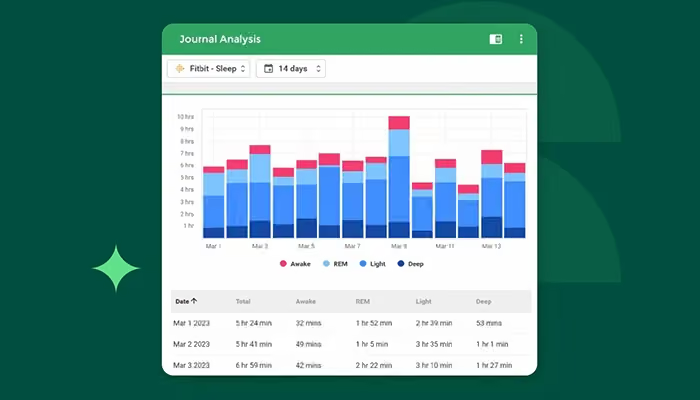
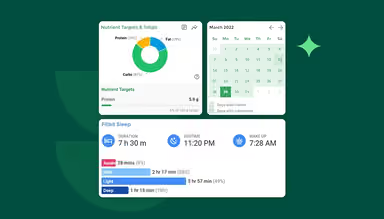
This feature lets practitioners create and monitor food and lifestyle journals for clients, with options to track nutrients, meals, mood, measurements, sleep, exercise, and other health data. Clients can also connect Garmin, Oura, Apple Health, and Fitbit to automatically sync activity, sleep, heart rate, and related data. Practitioners can review journal entries by food, meal, or day and use built-in analysis tools to compare data and identify trends over time.
Charting
The software supports structured session notes with SOAP, ADIME, DAP, BIRP, and custom templates. Practitioners can attach protocols, labs, and tasks directly to notes, save reusable snippets, and keep documentation connected to the client record. Its optional AI Charting Assistant add-on adds AI Summary for recording, transcribing, and summarizing telehealth, Zoom, and in-person sessions, along with AI Dictation for speech-to-text note capture.
Programs
Practice Better programs and courses feature lets practitioners create, manage, and sell structured online health and wellness programs beyond traditional one-on-one sessions. Practitioners can build challenges, memberships, group programs, and courses, allowing them to package their expertise into repeatable learning experiences and work with clients over a longer period.
Pros And Cons of Practice Better
Pros
Helps manage group programs, coaching, billing, and invoicing from one platform
Simplifies creating forms, tasks, and protocols for streamlined client management
Offers convenient appointment booking and scheduling flexibility
Cons
Some client-facing features lack intuitive user experiences
Messaging lacks templates for repetitive client communications
Practice Better Pricing
Sprout | Starter | Professional | Plus | Team |
|---|---|---|---|---|
$0 per month | $35 per month | $69 per month | $99 per month | $155 per month |
|
|
|
|
|
Disclaimer: The pricing details were last updated on Sep 08, 2026 from the vendor's website. Please contact us for a tailored pricing list.
Practice Better Reviews
Total 75 reviews
4.7
All reviews are from verified customers
Rating Distribution
5
Stars76%
4
Stars19%
3
Stars4%
2
Stars1%
1
Stars0%
Share your experience
Ilona N.
Mental Health Care, 1-10 employees
Free Trial
“easy daily lessons”
Pros
Using this tool has been really easy for me especially because the platform includes short lessons that they provide every day so users can get the most out of the product. Also when I run into an issue with the site, I book an appointment with their team for the very next day to get it sorted out so between their responsive customer support and the affordable pricing I've been very satisfied overall.
Cons
Initially I found the system somewhat tricky and a little overwhelming yet after seeking out the readily available guidance and following a few clear instructions I discovered that the issues I faced were easy to address and quickly resolved.
Rating Distribution
Ease of use
10
Value for money
10
Customer Support
10
Functionality
10
Maria D.
Alternative Medicine, 1-10 employees
More than a year
“Customizable templates and reports but priceyy”
Pros
One thing I appreciate is the ability to customize templates to match our workflow and I can run reports for billing and to check outstanding balances. It also sends appointment reminders and offers built-in telehealth.
Cons
Sometimes I notice that at least once every month there's some kind of glitch notification which really shakes my confidence in the system and for small practices with under 200 active clients the pricing just doesn't feel worth it.
Rating Distribution
Ease of use
8
Value for money
8
Customer Support
8
Functionality
9
Emmanuel C.
Alternative Medicine, 1-10 employees
More than a year
“aligned client onboarding”
Pros
Taking the time to set up this tool has absolutely paid off for me because it aligns client onboarding and puts most of the everyday tools I rely on for my practice right at my fingertips eliminating the need to juggle a separate booking app or invoicing software. I can also handle appointments, reminders and billing all from one dashboard and their ready-made templates save me a lot of time too.
Cons
It bothers me that the platform still doesn't offer capture pages or landing pages so I'm stuck using other tools whenever I need them.
Rating Distribution
Ease of use
10
Value for money
10
Customer Support
10
Functionality
10
Frequently Asked Questions
Is Practice Better free?
Yes, Practice Better offers a free-forever Sprout plan for students and recent graduates. The plan supports up to three clients.
Does Practice Better have a desktop app?
No. Practice Better does not offer a native desktop app for Windows or macOS. Practitioners access the platform through its web-based portal, while the vendor separately offers a mobile app for clients.
Who uses Practice Better?
Practice Better is used by more than 50,000 health and wellness professionals. Its clients include Living Proof Institute, Novis Health, The Wellness Business Podcast, and Primal Health Coach Institute.
Is Practice Better a CRM?
No, Practice Better is primarily a practice management and EHR platform rather than a traditional CRM. However, it includes tools that can cover basic CRM needs, including client profiles and records, contact information, client tagging, secure messaging, activity tracking, appointment management, forms, billing, and client communication.
Can Practice Better help migrate existing charts and client files?
Yes, Practice Better offers a migration service that can help import patient and client files from current software into the platform.