


StoriiCare
Last Updated
Overview
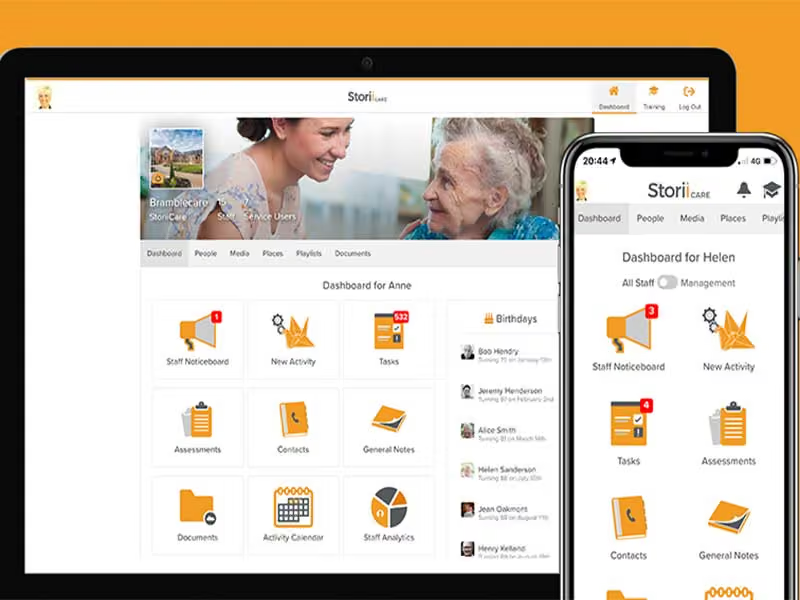
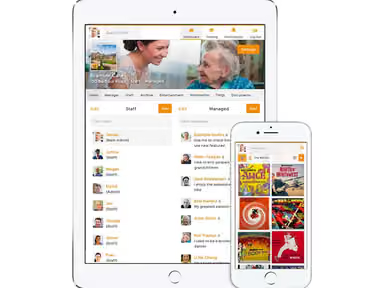
Curious about how to enhance the connection between residents and their families in the midst of daily demands? Explore the transformative capabilities of StoriiCare's centralized solution in our hero section. Uncover the power of intuitive planning tools that streamline operations, coupled with features like a family portal and digital signage for transparent and seamless care. Discover the future of care today!
Overall Rating
Based on 36 users reviews
4.7
Rating Distribution
Positive
94%
Neutral
6%
Negative
0%
Starting Price
$425
per month

StoriiCare Specifications
- Appointment Management/Scheduling
- e-Prescriptions
- Lab Integration
- Patient Portal
StoriiCare Features
Scheduling
Utilize the scheduling feature to effortlessly create and manage daily, weekly, or monthly schedules for residents or clients. Caregivers can assign tasks, fostering clear responsibilities among team members. The system provides administrators with an overview of the facility's schedule, enabling monitoring of staff availability, tracking occupancy, and ensuring adequate coverage.
Activity Calendar
Simplify activity planning with the calendar function. Caregivers input details such as date, time, location, description, and associated costs for each activity. This calendar is easily shared with residents, families, and staff, ensuring everyone remains informed about upcoming events.
Progress Notes
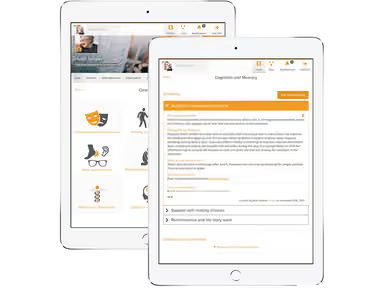
Empower caregivers to create detailed progress notes for individuals, capturing vital information about physical and mental health, behavior, medication, and significant events. The structured template or form facilitates consistent and comprehensive record-keeping.
Incident Reports
Efficiently report and document incidents or accidents within the care facility. Caregivers can promptly log falls, injuries, medication errors, or critical incidents, ensuring swift and accurate actions are taken to address and prevent similar occurrences in the future.
Digital Signage
Enhance communication with real-time updates on news, event reminders, activity schedules, meal menus, safety protocols, and other pertinent information through digital signage. This feature ensures residents and families are well-connected and informed. Caregivers can effortlessly review and update the digital signage system, maintaining current and accurate information.
Pros And Cons of StoriiCare
Pros
Offers a user-friendly family portal and advanced reporting
The users enjoy efficient scheduling through the mobile application
Cons
The admission process takes more time than usual, according to some StoriiCare reviews
Not economical for small practices
StoriiCare Pricing
Activity Pro($350 per center + $5 per participant) | Care Pro($500 per center + $10 per participant) | Enterprise(Care Pro features, plus) |
|---|---|---|
$425per month | $650per month | Custom pricing |
|
|
|
Disclaimer: The pricing details were last updated on Sep 14, 2026 from the vendor's website. Please contact us for a tailored pricing list.
StoriiCare Reviews
Total 36 reviews
4.7
All reviews are from verified customers
Rating Distribution
5
Stars78%
4
Stars17%
3
Stars6%
2
Stars0%
1
Stars0%
Share your experience
IT, 51-100 employees
Less than a year
“Easy Tracking and reporting system”
Pros
Having the calendar option with all my activities makes things convenient. The app works well on my mobile phone too.
Cons
The only problem I've faced so far is that it freezes sometimes during the admission process.
Rating Distribution
Ease of use
8
Value for money
8
Customer Support
8
Functionality
8
IT, 500+ employees
Less than 6 months
“Best tool for record management”
Pros
This application is very good for my record management needs, with an easy user interface that is simple to use.
Cons
Based on my use, I have not found any cons so far.
Rating Distribution
Ease of use
10
Value for money
9
Customer Support
10
Functionality
10
IT, 500+ employees
Less than 6 months
“Review”
Pros
It's a great platform for HIPAA-compliant record management with an active dashboard.
Cons
When I access it over the phone, it sometimes becomes slower.
Rating Distribution
Ease of use
10
Value for money
9
Customer Support
10
Functionality
10
Frequently Asked Questions
Does StoriiCare have an app?
The software offers an app called the Storii Family App.
Does StoriiCare support mobile devices?
StoriiCare supports both Android and iOS devices.
How much does StoriiCare cost?
StoriiCare offers flexible pricing plans depending on the needs and size of an organization. The three subscription models available are Activity Pro, Care Pro and Enterprise. Click Get Pricing for more information.
What languages does StoriiCare support?
The software supports English and Spanish.
What level of support does StoriiCare offer?
StoriiCare offers e-mail, form submission, video tutorials, phone and live chat support.StoriiCare offers e-mail, form submission, video tutorials, phone, and live chat support.
What other apps does StoriiCare integrate with?
StoriiCare integrates with RotaCloud, Acute and Payer. PointClickCare, and Med e-care.
Who are the typical users of StoriiCare?
The software has been specifically designed for adult day care centers, housing associations, home care agencies, assisted living facilities, and nursing homes.