


Intergy EHR
Last Updated
Key Takeaways
Generated from the text of customer reviews
Intergy EHR supports multi-site coordination, customized workflows, and population health tracking. However, some users find its interface dated and support inconsistent, indicating a learning curve before achieving smooth operational efficiency. Recent updates are expanding Intergy’s interoperability through HL7, FHIR, C-CDA, and CommonWell connectivity.
Our Verdict
Intergy EHR fits established ambulatory groups and community health centers that want one vendor across clinical and administrative work and have staff to own system configuration. Its pricing generally places Intergy toward the higher end of the EHR market, particularly compared with simpler ambulatory systems. We recommend it for mid-sized organizations that value depth over a quick setup.
Intergy EHR Specifications
- Appointment Management/Scheduling
- e-Prescriptions
- Lab Integration
- Patient Portal
What Is Greenway Health Intergy EHR?
Intergy EHR by Greenway Health is a comprehensive Electronic Health Record (EHR) and Practice Management (PM) system designed for ambulatory healthcare practices. It provides clinicians with access to patient information, clinical documentation, and practice-management tools to support patient care and day-to-day operations. Beyond Intergy’s integration with the CommonWell Health Alliance for data exchange, it also offers medical practices with tools such as patient records and financial management, billing services, and more.
What Is Intergy EHR Best For?
Intergy EHR is best used for ambulatory practices managing chronic conditions, coordinating patient care, and monitoring population health data. Problem-oriented flowsheets show how a patient's readings and results change over time, and point-of-care clinical decision support prompts providers during the visit. It supports practices with population health analytics, health reminders, and clinical reporting. These capabilities can be used to identify care gaps, monitor patient information, and support chronic care management.
How Much Does Intergy EHR Cost?
Intergy EHR pricing is generally estimated to be from $799/provider/month to $941/provider/month, based on industry benchmarks. Actual pricing is customized and may vary depending on practice size, deployment model (hosted vs. on-premise), selected modules, and implementation complexity.
Other than the base subscription cost, organizations should account for the following estimated additional expenses:
- Implementation And Setup: $5,000–$25,000 one-time, depending on practice size, data migration needs, interfaces, and deployment model
- Patient Portal And Direct Secure Messaging: $500–$2,500 one-time setup, plus $20–$50/provider/month for ongoing access and licensing
- Electronic Prescribing (eRx): $40–$50/provider/month in ongoing licensing fees
- Interfaces And Integrations (Registries, HIEs, Lab Connections): $1,000–$5,000/interface one-time, plus $100–$500/month/interface for ongoing connectivity and maintenance
- Clearinghouse Services: $93/provider/month when enabled
- Training And Onboarding: $1,000–$10,000 one-time, depending on the number of users and depth of training required
- Support, Maintenance, And Hosting: $100/provider/month – $300/provider/month, varying by support tier, service-level agreements, and whether the system is hosted by Greenway or deployed on-premise
Intergy is generally positioned toward the higher-cost end of the EHR market. Smaller practices typically face low overall costs by using core Intergy EHR features, whereas larger organizations face higher expenses for integrations, compliance, training, support, and optional modules.
Disclaimer: Pricing references are based on publicly available third-party information and industry benchmarks. Actual costs may vary.
Intergy EHR Integrations
Intergy EHR integrates with numerous third-party applications to streamline patient care. Some of these include:
- CareTrack
- Artera
- Breg Vision
- HybridChart
- Zocdoc
How Does Intergy EHR Work?
Clinicians can use the following steps to get started with Intergy EHR:
- Log in to Intergy using your practice credentials
- Set up user accounts and access levels by creating staff user and assigning the appropriate user permission for their roles
- Complete system configuration to enable modules for scheduling, charting, billing, and analytics
- Configure documentation templates, encounter forms, and order sets tailored to your clinical workflows
- Integrate Intergy with supported external applications and healthcare systems, including labs, pharmacies, imaging applications, and other connected services
- Begin using Intergy for patient scheduling, e-prescribing, charting, billing, and reporting through its intuitive interface
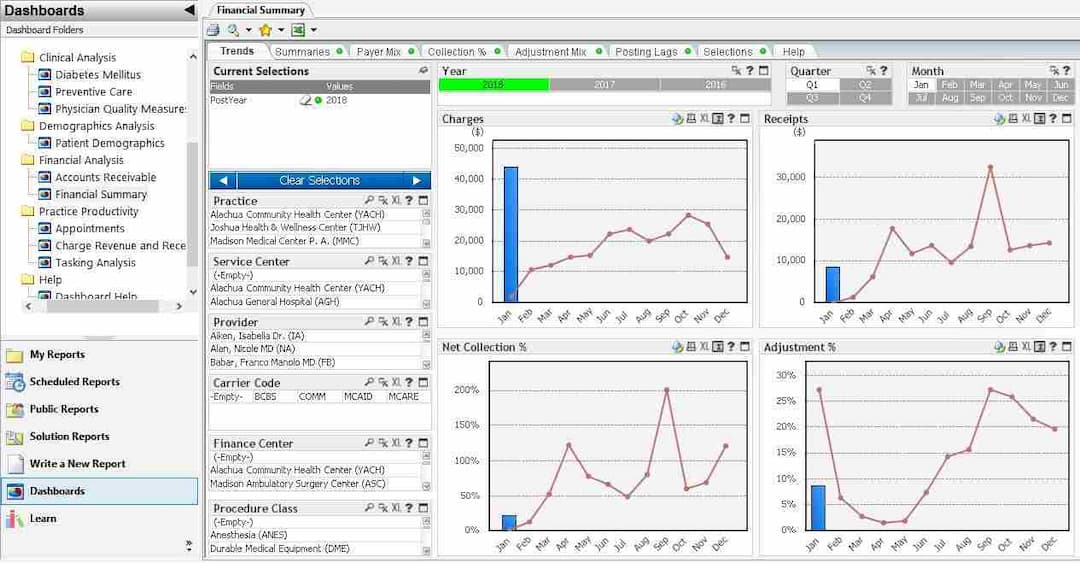
- Track performance using Practice Analytics to monitor financial performance and clinical quality measures
Who Is Intergy For?
Greenway Intergy’s primary users include:
- Medical practitioners
- Administrative staff
- Billing specialists
- Healthcare IT professionals
- Ambulatory practices
- Family practices
- Value based care arrangements
Intergy EHR Use Cases
Based on our analysis of user reviews and the platform’s functional capabilities, we’ve identified several real-world settings where Intergy EHR delivers strong value to healthcare providers:
Multi-Provider Practices Managing Centralized Patient Data
Multi-provider practices may struggle with fragmented patient information across departments and providers. Intergy’s integrated charting and scheduling tools allow providers to maintain synchronized data, reducing duplication and improving continuity of care across specialties.
Organizations Needing Customizable Templates And Workflow Flexibility
Intergy’s configurable templates and workflows make it a good choice for practices with unique documentation styles or multi-specialty needs. Clinics can adapt visit templates, encounter notes, and data fields to match provider preferences, improving speed and compliance in daily charting.
Mid-Sized Practices Expanding Across Multiple Locations
For growing healthcare groups with more than one site, Intergy’s cloud-enabled coordination and centralized scheduling ensure consistent workflows across locations. Administrators can manage multiple calendars, provider schedules, and reporting dashboards from one system, minimizing fragmentation during expansion.
Clinics Prioritizing Billing Accuracy And Financial Oversight
In-house billing teams may face challenges with inconsistent charge posting, payer rejections, and limited visibility into reimbursement. Intergy’s billing and claims management modules help reduce posting errors, improve reimbursement tracking, and support financial reporting, making it relevant for revenue-driven practices with in-house billing teams.
Clinics Requiring Population Health And Quality Reporting
Intergy supports practices participating in value-based care and quality programs (such as MIPS). Its built-in analytics and reporting tools allow administrators to track performance metrics, patient outcomes, and compliance data - all from within the same EHR interface - helping practices meet regulatory requirements efficiently.
Intergy EHR User Sentiments
Most Positive Sentiments | Least Positive Sentiments |
|---|---|
| Effortless Patient Management | Workflow Complexity & Extra Clicks |
The ability to consolidate patient-related information is frequently praised. A user said: “Easy to schedule patients and access demographics.” |
Several users complain that certain workflows require extra steps or clicks, especially complex tasks or edits. This can slow down operation, particularly for less experienced staff. A user said, 'Had to click numerous times to get one single thing done.' |
| Customization & Configurable Forms / Templates | Support & Training / Onboarding Issues |
Reviewers value having editable forms and the ability to build custom documentation that fits their practice’s workflows. While some base templates are robust, others say it takes effort to tailor them properly. |
Users report mixed experiences with support; some feel that training resources are outdated, or that support is unresponsive at times. Implementation or go-live is often cited as rough. A user shared: “Training videos are almost all out of date.” |
| Billing / Financial Features & Reporting | Performance Lag & Document Management Issues |
Many users like that Intergy supports claims submission, AR tracking, charge posting, and financial activity reversal. The reporting tools are helpful for many basic finance operations. |
Users frequent mentioned slower system function following updates, trouble accessing or merging scanned charts/documents, and issues around document-merging or report pulling. These negatively impact workflow continuity. |
Is Intergy Right For You?
If you’re an ambulatory care provider looking for a comprehensive EHR and practice management solution, Intergy is worth considering. With its consolidated functionality and adaptable tools, Intergy helps practices manage clinical and administrative workflows. It also supports interoperability through FHIR R4 and GAPI APIs, as well as HL7, C-CDA, and CommonWell connectivity, allowing it to exchange data with other healthcare systems and applications. Additionally, Intergy is designed to scale with your practice and supports HIPAA-related security standards to protect patient data.
Need help deciding if Intergy EHR is right for you? Contact us at (661) 384-7070 for tailored assistance.
Intergy EHR Features
Electronic Health Records
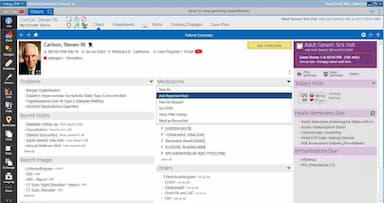
This provision makes it effortless for users to electronically capture and securely store patient data. Moreover, evidence-based clinical content such as medication lists, lab results, and more can be easily accessed. Intergy also provides access to medical history, test results, allergies, and medications, along with clinical documentation, electronic prescribing and ordering, health reminders, reporting, and analytics.
Chronic Condition Management
Intergy equips users with the ability to monitor chronic conditions and patient progress over time, creating reports that can be used for population health management. The EHR also includes health maintenance reminders and alerts, condition-specific orders, clinical flowsheets for viewing treatment progress, and structured clinical data that supports reporting.
Practice Management System/Intergy Practice Analytics
Intergy EHR offers an array of practice management tools to assist users in managing billing, scheduling appointments, and tracking payments. Plus, reports on financial performance are easily generated for a comprehensive understanding of how the business is performing. Intergy Practice Analytics provides customizable reporting and dashboards for tracking financial performance, value-based programs, and EHR-based clinical quality measures.
Custom Templates
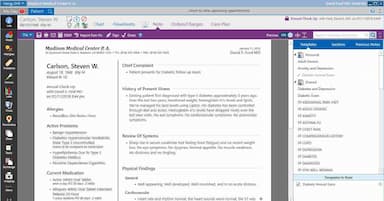
The program’s customizable templates make it a breeze to generate notes and other documents quickly with just one click. This eliminates the time-consuming chore of manual data entry, offering you significant savings. Intergy's clinical documentation templates and problem-oriented flowsheets can be customized by specialty and adapted to a practice's existing workflows, and providers can set up customized views around how they chart.
Greenway Clinical Assist
Greenway Clinical Assist is an ambient AI scribe that works with Intergy. It captures the conversation during a visit and generates a structured clinical note inside the EHR for the provider to review and edit. Providers can adjust note structure and style, and the tool supports in-person, telehealth, and multilingual visits. It also surfaces HCC indicators and ICD code suggestions based on the patient's documented health status.
Pros And Cons of Intergy EHR
Pros
Streamlines clinical and administrative workflows
Offers deeper analytics for informed decisions
Mobile access allows easy documentation
Cons
Requires stable internet for full functionality
May require training for some features
Intergy EHR Reviews
Total 91 reviews
4
All reviews are from verified customers
Rating Distribution
5
Stars40%
4
Stars41%
3
Stars8%
2
Stars3%
1
Stars9%
Share your experience
Allergy, 11-50 employees
More than a year
“Worse EHR I”
Pros
Somewhat user friendly
Cons
Extremely expensive, many glitches, the system goes down all the time, customer service is offshore, and at times, it's almost impossible to understand what they are saying (not very fluent in English). The wait on the line for support can be an hour (last time I was on hold for 58 minutes) before I got to talk to a support tech. I have been working with EHRs for 28 years, and this one is by far the worst experience I have had with an EHR.
Rating Distribution
Ease of use
5
Value for money
1
Customer Support
1
Functionality
1
Healthcare, 51-100 employees
More than a year
“User-friendly and frequent updates make it great”
Pros
The forms are detailed and simple to navigate. I also like that they are frequently updated to meet the essential needs of vendors.
Cons
I have to go through many steps to complete all sections in order to see them recorded.
Rating Distribution
Ease of use
9
Value for money
9
Customer Support
9
Functionality
8
Healthcare, 11-50 employees
More than a year
“If you are looking for perfection, then let me tell you it does not exist”
Pros
I have been using Greenway Intergy for about four years, having previously used another Greenway EHR system for a few years before switching to Intergy. The support team is generally knowledgeable about issues, and if they can't resolve a problem, they escalate it to a higher-level team. Over the past three to four years, Greenway has significantly improved their efforts to enhance the product. They created a program that allowed end users to contribute to feature enhancements within the system. We had the chance to provide feedback on what we liked, disliked, and how we thought the system could improve. This program was exceptionally well-planned and actively met several times a month for about two years. Its probably the best thing Greenway has done. Although forms are a part of the charting process, I am personally not a fan of most of the provided forms. However, the great thing about Intergy is that you can create your own forms to meet your practices specific needs. They also offer a wide variety of forms that would likely meet the needs of other practices. Intergy comes with many features.
Cons
Our implementation experience was one of the worst we have had. We were using Greenway’s Success EHS, but since Greenway discontinued it we had no choice but to switch to Intergy. On Go-Live day, things were such a mess that we had to go back to using paper chart notes for almost two weeks. I did say any practice using Intergy will need a "super user" because some workflows are tricky for the average user. Plus, we had to come up with our own training plan for new employees because most of the training videos are outdated. The billing process also needs a serious overhaul.
Rating Distribution
Ease of use
9
Value for money
9
Customer Support
10
Functionality
9
Frequently Asked Questions
How does Intergy handle A/R management and claim follow-up?
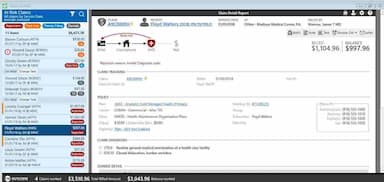
Intergy's Claim Control tracks each claim against expected lifecycle milestones and flags those at risk of late payment. Flagged claims are sorted into four worklists: rejections, past due, timely filing, and denials. From each worklist, billers can rebill, add notes, create tasks, generate letters, or write off balances. Practices running several locations can also centralize payment posting and financial operations in Intergy PM.
Which support options are provided by Greenway EHR software?
Greenway EHR offers these user help options: FAQs, chat, and phone support.
Is Intergy easy to learn for new staff?
Users report that Intergy is easy to use and teach to new staff, with some describing minimal onboarding time. However, practitioners also note that certain workflows can be difficult for new users and may require additional training or a designated super user.
Does Intergy EHR have a mobile app?
Yes, Intergy offers a mobile app that users can download from the App Store. It allows providers to manage schedules, view patient information, and document care on the go.
How well does Intergy support urgent-care workflows?
Intergy lists urgent care among the specialties it serves. For walk-in volume, Intergy Practice Management provides rules-based scheduling and patient flow tracking, along with automated insurance eligibility checks through Greenway Clearinghouse Services.
Does Intergy support task management?
Yes. Intergy shows urgent tasks and other priority items in customizable views, and billers can create tasks directly from claim worklists when following up on at-risk claims. Providers can also check their task lists on iPad through Intergy Mobile.
Can Intergy support different user permissions and access levels?
Yes. Administrators manage access under Setup > Users and Security, where they can create roles and assign them by selecting check boxes on each user's Roles page. Individual user security settings can also limit actions such as adding or editing lookup codes, which keeps users from making unwanted changes to system data.
Can Intergy EHR manage the entire practice?
Yes, Intergy EHR can help handle the entire practice workflow, including collections, instructions, and linking patient information. It supports specialties such as cardiology and pediatrics, allows marking favorites, checking problems, and offers customizable views on blue background or charcoal background screens.
Does Intergy EHR provide customizable links and instructions for staff?
Yes, Intergy EHR lets you create links for quick navigation, add instructions for clinical and administrative staff, manage collections efficiently, and track patient problems. You can also highlight favorites and use features optimized for blue background or charcoal background interfaces.