

Last Updated

Overview
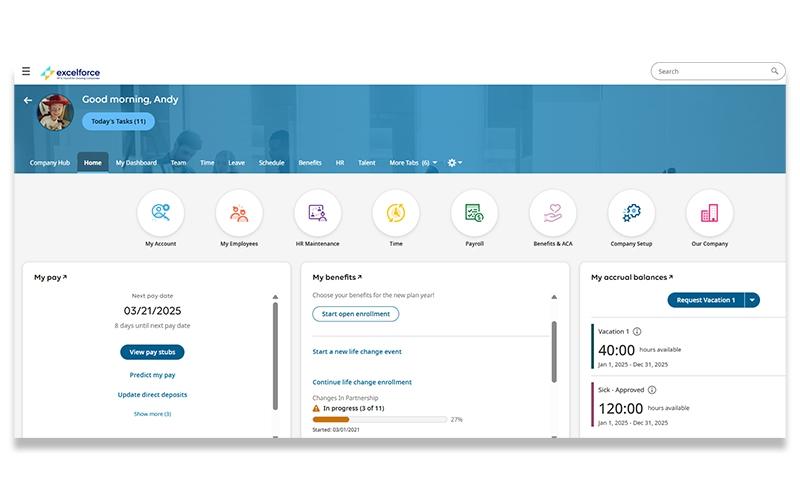
Excelforce provides comprehensive human capital management (HCM), aiding businesses in streamlining their entire employee lifecycle. While the interface may feel dated, it maintains strong compliance controls and dependable payroll accuracy. Overall, its personalized support and straightforward workflows make it a practical choice for managing core HR and payroll needs efficiently.
Excelforce Specifications
- Employee Information Management
- Recruitment and Applicant Tracking
- Performance Management
- Attendance and Time Tracking
What Is Excelforce?
Excelforce software is a comprehensive, cloud-based human resources (HR) platform designed to manage the full employee lifecycle, from initial recruitment to off-boarding. It offers a centralized database for all human capital needs, which helps growing and evolving companies streamline their operations. By unifying critical functions such as applicant tracking, onboarding, payroll, and performance management, the platform helps businesses reduce administrative bottlenecks, improve coordination between HR and leadership teams, and manage workforce operations more efficiently. This consolidation of HR processes into a single system saves time and resources.
What Is Excelforce Best For?
The ‘Advanced Scheduler’ is one of Excelforce’s most valuable features, especially for businesses that deal with complicated shift planning every day. Businesses can use it to automatically build schedules based on employee availability, skill sets, staffing demand, and compliance rules instead of relying on time-consuming manual planning. It also helps managers avoid common scheduling issues like overtime, understaffing, and last-minute shift gaps while giving employees more visibility and flexibility over their schedules
How Much Does Excelforce Cost?
Excelforce price is estimated to range between $6 and $20+/employee/month, according to the industry benchmarks for similar HR, payroll, and workforce management platforms. The final cost may vary depending on factors, such as organizational requirements and negotiated contracts.
In addition to the base subscription costs, organizations should account for the following potential expenses:
- Implementation, Payroll Configuration, And HR Workflow Setup: $3,000–$25,000+, depending on workforce complexity and approval structures
- Historical Employee Data Migration And Payroll Record Imports: $2,000–$15,000+, based on employee count and legacy system cleanup requirements
- Time Clock, Biometric Device, And Attendance Hardware Integration: $500–$10,000+, depending on office locations and hardware deployment needs
- ERP, Accounting, SSO, And Third-Party API Integrations: $2,000–$20,000+, depending on integration depth and external platform connectivity
- HR Staff, Payroll Team, And Administrator Training Programs: $1,000–$10,000+, depending on onboarding scope and organization size
- Dedicated Account Management, Premium Support, And SLA Services: $3,000–$25,000+/year for enterprise-grade support coverage
Disclaimer: Pricing references are based on publicly available third-party information and industry benchmarks. Actual costs may vary.
Excelforce Integrations
Information about integrations is currently unspecified by the vendor.
How Does Excelforce Work?
Follow the steps below to understand how the platform is typically used across HR and payroll workflows:
- Set up company policies, payroll structures, employee roles, and workforce preferences within the HCM system
- Create employee profiles to store personal records, tax documents, benefits information, and employment history
- Manage recruitment activities by posting openings, tracking applicants, and moving candidates through the hiring process
- Onboard new hires by assigning forms, collecting required documentation, and configuring payroll and benefits details
- Track employee attendance, schedules, PTO balances, and work hours through the time and labor management tools
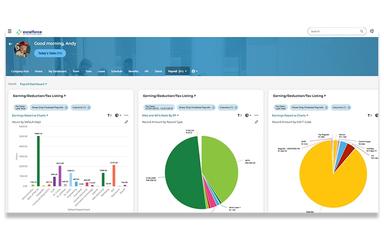
- Process payroll by reviewing employee hours, deductions, taxes, and payment information before payroll runs
- Monitor compliance requirements by maintaining employee records, tax filings, and workforce documentation in one system
- Generate workforce and payroll reports to review staffing data, labor costs, employee trends, and HR activities
Who Is Excelforce For?
Excelforce is ideal for a range of industries, including:
- Manufacturing
- Healthcare
- Hospitality
- Professional services
- Real estate
- Transportation
- Non-profits
Excelforce Use Cases
Based on our analysis of user feedback and Excelforce capabilities, we have identified several workforce management situations where the platform is commonly used by payroll and HR teams:
Manufacturing Companies Managing Rotating Shifts Across Multiple Facilities
Manufacturing teams working across multiple plants often deal with constant scheduling changes, overtime pressure, and the challenge of keeping every shift properly staffed. Excelforce helps by automating much of this process, assigning employees based on availability, qualifications, and labor demand instead of manual planning. This is especially useful in environments with rotating shifts or 24-hour production cycles where even small scheduling gaps can disrupt operations.
Healthcare Organizations Coordinating Compliance-Driven Scheduling
Healthcare providers operate in environments where scheduling must account for certifications, labor regulations, overtime limits, and continuous patient care. Excelforce supports these requirements by centralizing scheduling and giving managers clearer visibility into employee hours and shift coverage. It helps reduce the manual effort involved in organizing rotating rosters and filling critical shifts on short notice.
Multi-Location Employers Needing Centralized Workforce Visibility
Excelforce is also a good fit for organizations operating across multiple offices, warehouses, or job sites where workforce data is often fragmented. Managers can track scheduling, attendance, and overtime across all locations from a single system instead of reviewing each site separately. This helps improve consistency in staffing practices and makes it easier to identify coverage gaps early.
Organizations Prioritizing Employee Self-Service And Shift Flexibility
Excelforce is also well-suited for companies looking to give employees more control over how they manage their work schedules. Through self-service scheduling options, employees can view shifts, pick up open slots, and request changes without constant back-and-forth with managers. This is particularly useful in industries with high workforce turnover or flexible staffing models, where giving employees visibility and autonomy can reduce scheduling conflicts.
Is Excelforce Right For You?
Excelforce is a strong fit for businesses that need a more structured way to manage workforce operations across scheduling, payroll, and employee tracking in a single system. It is especially useful for organizations dealing with hourly staff, rotating shifts, or multiple locations where visibility and coordination can quickly become difficult to maintain.
The platform is designed to adapt as your business grows, with flexibility to support different workforce sizes and operational complexities. It is commonly used by companies that want better control over labor costs, improved scheduling accuracy, and clearer insight into employee activity without adding extra administrative overhead.
Still not sure about Excelforce? Contact our support team at (661) 384-7070 for further guidance.
Excelforce Features
Paperless Onboarding
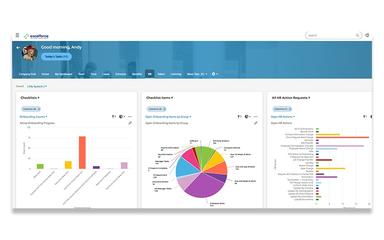
This feature helps prepare new hires more quickly by collecting employee forms, tax documents, policy acknowledgments, and onboarding records digitally. This helps HR teams reduce paperwork while keeping workforce records organized from the start of employment and boost new-hire retention.
Performance Reviews
Users can define key metrics and set specific targets for sales, productivity, or engagement. The system also allows for the automatic scheduling of performance reviews to ensure hat timely appraisals are never missed and that feedback is consistently delivered to employees.
Recruitment And Applicant Tracking
The software includes integrated applicant management features such as resume parsing, interview scheduling, hiring workflows, and job board connectivity that simplify the entire hiring process. Recruitment activity stays connected with onboarding and employee record management after hiring decisions are completed.
Compensation Management
This feature helps businesses manage compensation cycles, off-cycle pay increases, and workforce budgeting within the same HR environment. HR teams can allocate compensation budgets, review salary adjustments, and maintain compensation records alongside payroll and employee information to support more consistent compensation planning and financial oversight.
Time And Labor Management
The time and labor management feature captures employee attendance, schedules, overtime, leave balances, and workforce hours. The system supports multiple time collection methods, including biometric clocks, mobile entry, online timesheets, and badge-based tracking. Managers can monitor attendance trends and control overtime costs while applying company time and labor policies more consistently across the workforce.
Benefits Administration
This feature helps organizations manage the full employee benefits lifecycle from a single, centralized system. It simplifies complex processes like plan selection, enrollment, compliance tracking, and deductions. Employees can easily enroll and manage their benefits through a self-service portal, while HR teams gain better visibility into plan usage, costs, and eligibility data.
Employee Self-Service
The employee self-service portal allows employees to access paychecks, benefits information, PTO balances, schedules, W-2s, and timesheets directly from the platform. Managers and supervisors can also review workforce records and administrative information without relying entirely on manual HR coordination for routine requests. This helps businesses reduce repetitive paperwork and day-to-day record update requests.
ACA Compliance
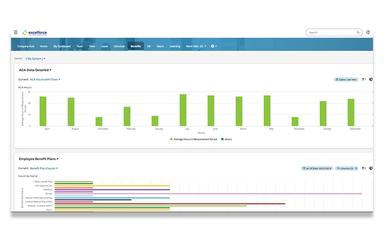
The system tracks and evaluates workforce eligibility data to determine which full-time employees are eligible for ‘Affordable Care Act’ coverage. It helps businesses file ACA reports accurately and on time, limiting exposure to government audits through its comprehensive reporting tools.
Pros And Cons of Excelforce
Pros
Connected payroll and HR workflows reduce manual coordination
Employee records, attendance, and benefits remain centralized
Covers end-to-end payroll management and control
Cons
Some advanced administrative actions may require additional navigation steps
Some features could be better organized
Excelforce Reviews
Total 5 reviews
3.6
All reviews are from verified customers
Rating Distribution
5
Stars20%
4
Stars60%
3
Stars0%
2
Stars0%
1
Stars20%
Share your experience
Tom Araya
Healthcare, 11-50 employees
Less than a year
“Junk”
Pros
None I can think of
Cons
Constant implementation issues. Abysmal customer support. Very clunky and unintuitive. Steer clear of this mess.
Rating Distribution
Ease of use
1
Value for money
1
Customer Support
1
Functionality
2
Ali Z.
Enterprise, 500+ employees
“Simple payroll with friendly support”
Pros
This tool makes running payroll absolutely smooth, it's so simple and stress-free. And I have to say, the team behind it is just wonderful. They're always so friendly and ready to help whenever we need them.
Cons
Honestly, I haven't found anything I dislike about this tool yet, everything works smoothly for me.
Rating Distribution
Ease of use
10
Value for money
10
Customer Support
10
Functionality
10
Anonymous
Mid-Market, N/A employees
“flexible for different industries”
Pros
What really blows me away is how flexible this is, it just seems to work perfectly no matter what industry you're in or how you need to use it. It's one of those rare tools that actually fits your workflow instead of forcing you to change how you work.
Cons
I couldn't really pinpoint any issues since it has fulfilled all our main requirements so far.
Rating Distribution
Ease of use
9
Value for money
9
Customer Support
9
Functionality
9
Frequently Asked Questions
Does Excelforce have a mobile app?
No, Excelforce does not have a mobile app.
What language does Excelforce support?
Excelforce is primarily available in English.
What other apps does Excelforce integrate with?
Information about integrations is currently unspecified by the vendor.
Does Excelforce offer an API?
Yes, Excelforce offers an API.
What level of support does Excelforce offer?
Excelforce offers support through a video library, phone, and a contact form.
Who are the typical users of Excelforce?
Typical users who benefit from Excelforce features include industries like manufacturing, healthcare, hospitality, professional services, real estate, transportation, and non-profits.
What types of pricing plans does Excelforce offer?
Excelforce estimated pricing typically ranges between $6 and $20+/employee/month based on industry benchmarks. Request a personalized Excelforce pricing quote for your business.