


Last Updated
Overview
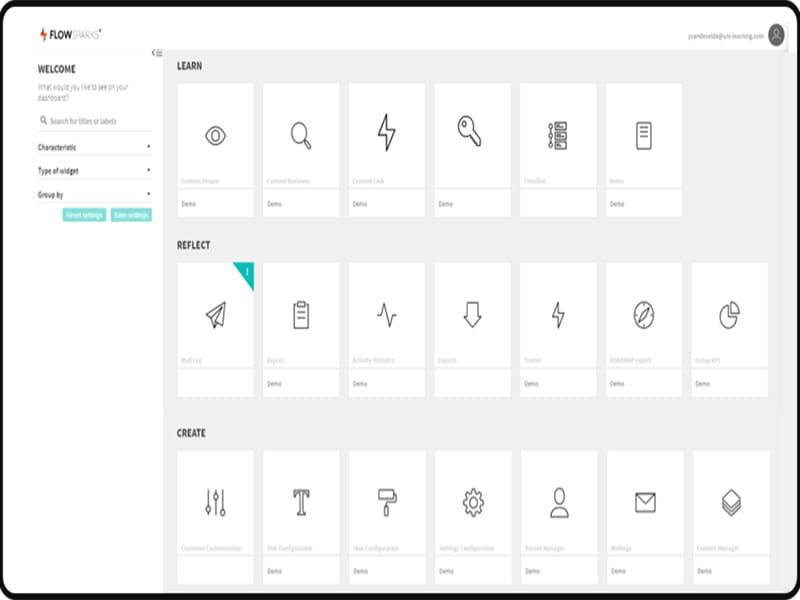
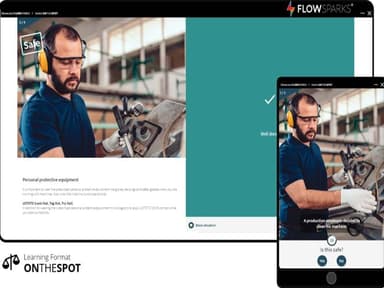
FLOWSPARKS is a robust LMS that streamlines corporate training with flexible course creation, interactive learning, and detailed reporting. Despite some integration challenges with other LMSs, its intuitive interface and multimedia support make it ideal for enhancing employee performance and engagement.
.jpg&w=384&q=75)
FLOWSPARKS Specifications
- Activity Dashboard
- Asynchronous Learning
- Activity Tracking
- Access Controls/Permissions
FLOWSPARKS Features
Gamification
With gamification, you can transform your online training courses into immersive experiences that captivate learners. Incorporate game elements such as points, badges, leaderboards, and rewards to make learning fun and interactive. By adding challenges, quizzes, and interactive scenarios, FLOWSPARKS enables you to create a competitive and rewarding learning environment.
Compliance Management
The software offers a variety of tools and functionalities to streamline compliance training processes. Easily create and assign compliance courses, track completion rates, and ensure employees stay updated with the latest regulations.
Reporting And Analytics
FLOWSPARKS provides in-depth reporting and analytics capabilities to track the progress and effectiveness of your training initiatives. The comprehensive reports offer insight, providing a clear overview of training outcomes. Analyze learner behavior, identify knowledge gaps, and make data-driven decisions to optimize training programs.
Progress Tracking
The progress tracking functionality allows you to identify areas where learners may be struggling and provide targeted support. The system also enables learners to track their progress, fostering a sense of accomplishment and motivating them to continue learning.
Collaborative Tools
Collaborative tools promote knowledge sharing, interaction, and engagement within the learning community. FLOWSPARKS offers discussion forums, social learning features, and real-time communication services to foster collaboration. Learners can engage in group discussions, share ideas, and provide feedback.
Pros And Cons of FLOWSPARKS
Pros
User-friendly interface
Customizable templates
Robust analytics and reporting features
Automates administrative tasks
Customer success coaches
Cons
No text selection for the students, according to some FLOWSPARKS
Limited pricing information
FLOWSPARKS Reviews
Total 3 reviews
5
All reviews are from verified customers
Rating Distribution
5
Stars100%
4
Stars0%
3
Stars0%
2
Stars0%
1
Stars0%
Share your experience
Jonas
IT, 500+ employees
Less than a year
“E-learnings for clients”
Pros
The e-learning templates are dynamic, and we have experienced significant efficiency gains thanks to the software's automation features.
Cons
It would be beneficial to have more interaction modules for blended learning. However, they recently introduced new features that include the required options, which is great!
Rating Distribution
Ease of use
9
Value for money
10
Customer Support
10
Functionality
10
Tina D.
Retail, N/A employees
“Practical tools for training success”
Pros
Templates are excellent and very simple to work with. There's also a wide range of practical, useful tools and methods for training, development, updating and assessing people.
Cons
Nothing specific comes to mind. It would be even better if it also included a communication tool feature.
Rating Distribution
Ease of use
10
Value for money
10
Customer Support
10
Functionality
10
Steven L.
Telecommunications, N/A employees
“interactive formats that keep attention”
Pros
It adds a ton of interactivity and the ready-made templates make it very simple to use. With so many different format options, it's much easier to keep things engaging and avoid people getting bored. Another big plus is how receptive the team is, they're genuinely open to client feedback, suggestions and ideas for improvement.
Cons
I don't have any complaints. It's an excellent piece of software.
Rating Distribution
Ease of use
10
Value for money
10
Customer Support
10
Functionality
10