


Sakai LMS
Last Updated
Overview
Introducing Sakai LMS, an open-source learning management system tailored for educators and learners alike. With its robust communication and collaboration features, Sakai fosters seamless interaction and social connections among users. Despite some users finding the platform resource-intensive, it remains a cost-effective choice for organizations across various domains.
Sakai LMS Specifications
- Activity Dashboard
- Asynchronous Learning
- Activity Tracking
- Access Controls/Permissions
Sakai LMS Features
System Administration
Sakai LMS allows administrators to manage courses and users effectively. Its highly configurable system of roles and permissions allows customization to match specific business processes.
Communications And Collaboration
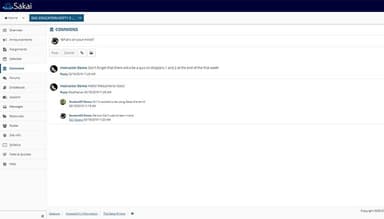
The software offers a variety of communication tools, both synchronous and asynchronous, to facilitate effective collaboration and learning. Users can engage in messaging, discussions, social connections, and collaborative work, making it easier to communicate, learn, and work in teams.
Grading And Assessment
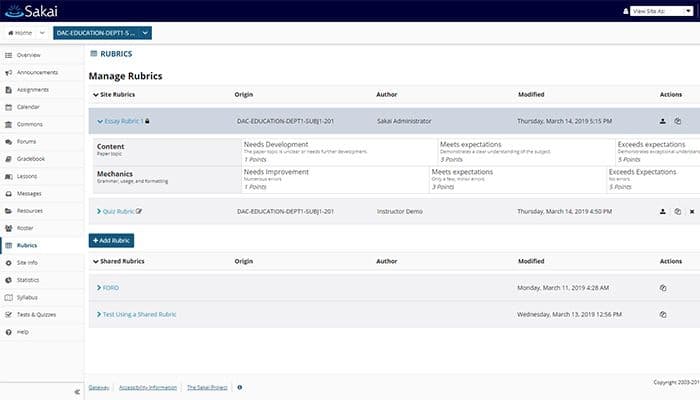
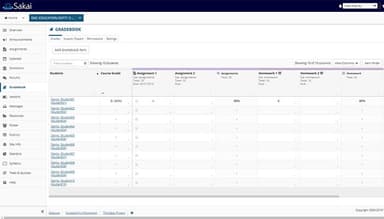
The platform provides extensive grading and assessment capabilities, making it easy to collect student submissions and provide rich feedback. It supports high-stakes testing, formative assessments, online assignments, rubric-based scoring, and easy grade-entry capabilities.
Course Development
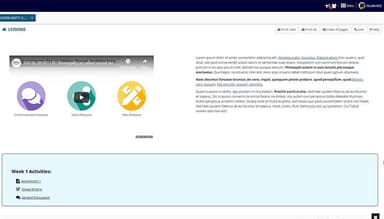
Sakai offers simple and efficient course development tools. Users can create and organize text, resources, quizzes, tests, assignments, links, videos, and other media into coherent lessons or modules without any hassle.
Community Contributed Tools
The platform allows users to take advantage of open-source and community-contributed tools developed by community members to provide additional functionality. Moreover, even professionals can build their own tools if desired.
Pros And Cons of Sakai LMS
Pros
Offers nominal incentive
Very user-friendly interface
Great customer support
Comprehensive functionalities
Efficient course development
Cons
Resource intensive
Customization complexity, as per some Sakai LMS reviews
Many users also face sharing and uploading issues
Sakai LMS Reviews
Total 25 reviews
4.1
All reviews are from verified customers
Rating Distribution
5
Stars32%
4
Stars48%
3
Stars16%
2
Stars4%
1
Stars0%
Share your experience
Primary/ Secondary Education, 1-10 employees
Less than 6 months
“Friendly tool”
Pros
As both a student and an instructor who has worked with the platform, I find that it provides a welcoming, user-centered environment that is simple to operate and its clear, uncluttered interface makes navigating tasks easy and approachable.
Cons
I find it difficult when attempting to customize the overall layout of the main screen since configuring a comprehensive, personalized view of the dashboard feels overly complex and lacks the simple controls I would expect.
Rating Distribution
Ease of use
9
Value for money
8
Customer Support
8
Functionality
8
Education, E-Learning, 51-100 employees
Less than 6 months
“Created by Educators for Educators”
Pros
The self-hosted option is available for free which allows us to install the software locally onsite, resulting in faster access times. Its easy integration and the availability of an API make integration a fairly simple. The software is deeply influenced by educators, ensuring its relevance in educational settings.
Cons
The Sakai Wiki and community are expanding, resulting in a wealth of available information. However, there is a need for more video resources.
Rating Distribution
Ease of use
8
Value for money
10
Customer Support
10
Functionality
8
Social Media, Advertising, Marketing, 500+ employees
Less than a year
“Sakai is functional but not efficient”
Pros
One of the things I really love the most about Sakai was how easily I could find assignments and access the syllabus, especially with its integration with Blackboard. The interface made it clear where to locate these important course materials.
Cons
One aspect I didn't like as much was the absence of a dedicated space for weekly modules and assignment submissions.
Rating Distribution
Ease of use
7
Value for money
10
Customer Support
10
Functionality
7
Frequently Asked Questions
Does Sakai LMS offer an API?
Yes, Sakai LMS offers an API.
What language does Sakai LMS support?
The software supports several languages, including English, French, Dutch, etc.
What other apps does Sakai LMS integrate with?
The platform integrates with several third-party applications; however, the vendor has not disclosed any information yet.
Does Sakai LMS support mobile devices?
Yes, Sakai LMS supports mobile devices.
What types of pricing plans does Sakai LMS offer?
There is no Sakai LMS cost, as the software is completely free to use.
Who are the typical users of Sakai LMS?
The software caters to several domains, including finance, architecture, planning, education, and healthcare.
What level of support does Sakai LMS offer?
Sakai LMS offers a help desk, knowledge base, chat, email, and mobile support, as per its most helpful reviews.
Are there any Sakai LMS alternatives?
MindTickle, BlueVolt, and Litmos are some of the Sakai LMS alternatives as per customers’ honest review.
Does the Sakai community offer tools to communicate resources effectively?
Yes, Sakai LMS offers comprehensive communication tools.