


Last Updated
Overview
Vedubox is a fully integrated Learning Management System (LMS) that brings all your online education and communication needs into a single platform. While it might take some time to add new users, the system is flexible, comprehensive, and offers an easy-to-use interface for managing courses, exams, and live training.
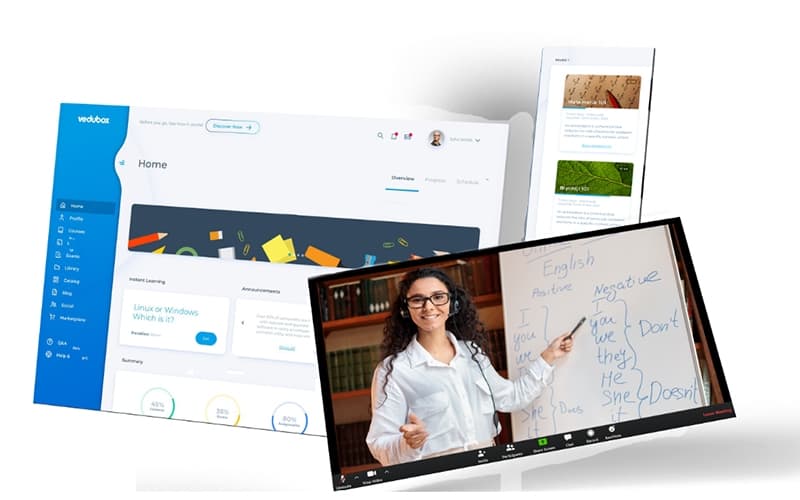
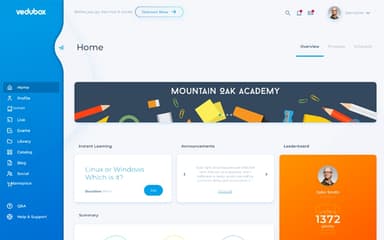

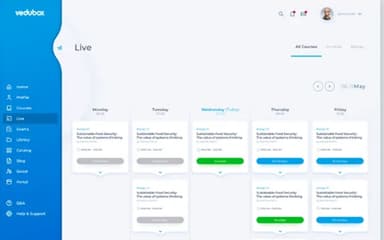
Vedubox Specifications
- Activity Dashboard
- Asynchronous Learning
- Activity Tracking
- Access Controls/Permissions
Vedubox Features
Learning Path In Online Education System
This feature allows instructors to design structured learning paths that guide students step by step through their courses. It ensures learners progress in the intended sequence, making training more organized and effective.
System-Wide Access And File Sharing
This feature enables all registered users to access content and share files directly within the LMS. It simplifies collaboration and ensures relevant materials are always available.
Test And Quiz In Online Learning
This feature allows educators to create interactive tests and quizzes within the system. It helps assess learner progress, reinforce knowledge, and provide instant feedback.
Evaluate, Get Feedback, Report And Motivate
This feature provides tools for evaluating learner performance, gathering feedback, and generating reports. It helps instructors motivate learners by tracking achievements and identifying areas for improvement.
Certificate In Distance Education
This feature automates certificate generation with ready-made templates or custom designs. Learners can download certificates, while the system sends email notifications upon achievement.
Pros And Cons of Vedubox
Pros
Provides integrated solutions for training, meetings, and exams
Simple interface with strong customer support and service
Reliable for distance education, even during the pandemic
Excellent support teams with special attention to institutions
Cons
Long-term users may face limited feature customization options
Transitioning large organizations might require extended setup time
Vedubox Reviews
Total 1 reviews
4
All reviews are from verified customers
Rating Distribution
5
Stars0%
4
Stars100%
3
Stars0%
2
Stars0%
1
Stars0%
Share your experience
Sabatino Q.
Small-Business, 1-10 employees
“Reliable platform for online learning”
Pros
It really deserves credit for how user-friendly it is especially when it comes to speeding up the registration process. The platform has also been extremely dependable and I haven't run into any noticeable bugs while using it.
Cons
the platform is focused only on online learning so it misses out on the value of face-to-face interaction and more hands-on learning experiences.
Rating Distribution
Ease of use
10
Value for money
9
Customer Support
9
Functionality
9
Frequently Asked Questions
What level of support does Vedubox offer?
Vedubox offers a high level of customer support through multiple channels, including telephone, email, and online chat, to assist with any queries or issues.
Does Vedubox software offer an API?
Yes, Vedubox offers a REST API that allows developers to connect the platform with external applications and extend its functionality.
What language does Vedubox software support?
The software is multilingual and supports multiple languages, including English, Turkish, German and Portuguese.
What types of pricing plans does Vedubox software offer?
Vedubox offers pricing based on users and modules. Starter plans include Premium – Starter 50 at $128.5/month and Starter 100 at $225/month. Corporate plans range from Premium – Corporate 200 at $363/month to Corporate 400 at $589/month. Enterprises with 500+ users can request the Corporate+ plan with custom pricing. Get customized Vedubox price quotes based on an organization's specific needs.
Does Vedubox have a mobile app?
Yes, Vedubox provides dedicated mobile applications for both iOS and Android devices, ensuring users can access training materials from anywhere at any time.
Who are the typical users of Vedubox software?
Vedubox software is ideal for professionals in diverse sectors. It serves educational institutions, corporations and businesses, the tourism industry, as well as sales and marketing teams.
What other apps does Vedubox software integrate with?
Vedubox integrates with a variety of applications, including Zoom, Vimeo, Google and Microsoft.