

Last Updated
Overview
Mailchimp software simplifies email marketing with intuitive tools for design, automation, and analytics. Despite varying pricing tiers, its user-friendly interface and comprehensive features empower businesses to create effective email campaigns and drive engagement. Mailchimp is a great asset for successful email marketing strategy execution and audience growth.
Mailchimp Software Specifications
- Campaign Management
- Lead Generation
- Customer Segmentation
- Email Marketing
What is Mailchimp Software?
Overview
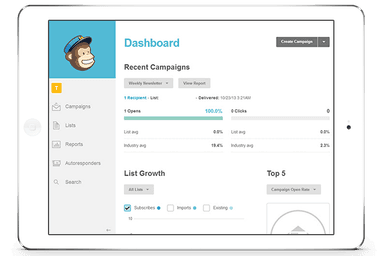
Mailchimp is perhaps one of the most popular software that helps users disseminate newsletters among other things. The company has diversified and added more features to the software which enables users to do much more than send newsletters. Now Mailchimp gives users the ability to run Facebook ad campaigns, create targeted emails, and keep track of their metrics to keep up with performance.
Mailchimp is a leader in the field of email marketing. The tool is used by millions of businesses both big and small the world over. There are dozens of features that make this software so coveted and popular.
Some great Mailchimp features in more detail.
Create Newsletters and Emails: Mailchimp allows users to create interactive and interesting targeted emails and newsletters for their audience.
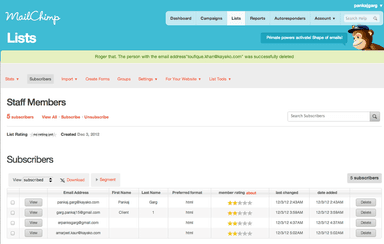
Emailing List: Mailchimp allows you to automatically send an email to a large group of people. There is also an unsubscribe button available in their emails if anyone wants to opt-out of the email.
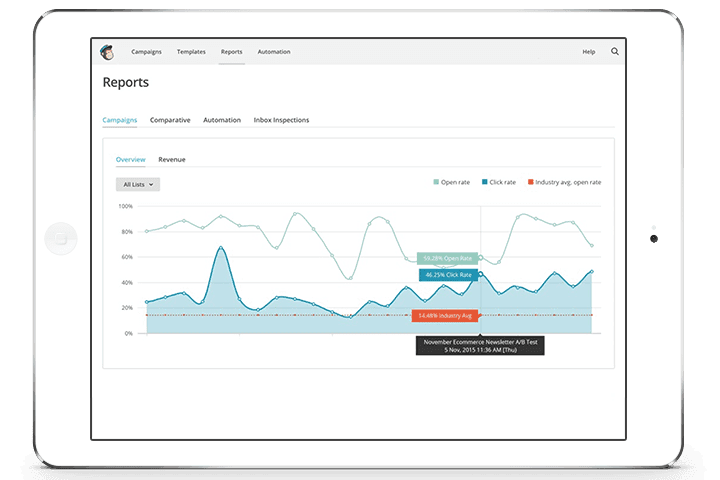
Analyze Data: Mailchimp makes data easy to read and makes numbers available to users which helps users understand how the emails users send are faring.
Mobile Apps: The software has both iOS and Android apps which help make the software easy to use on the go. Users can send emails and add users to their subscriber list from their phones.
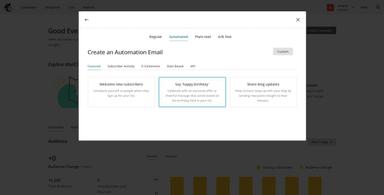
Automate Follow-Ups: Users can set automated responses if a recipient of your e-mail sends a reply.
Simpler User Interface: It is very easy to create emails and newsletters with the interactive click and drag options available on this software.
Mailchimp Pricing: Mailchimp has several pricing plans depending on your needs. The plans start from $20 a month for up to 2000 subscribers, then $25 a month for up to 2500 subscribers a month, $35 a month for up to 2600 subscribers a month, and it costs about $199 a month for a pro subscription that has no limitations.
Free Trial: Yes, Mailchimp allows users to get a free trial. In fact, the software also offers a free version.
Mailchimp Pros
- Easy to use user interface which is simple even for beginners.
- Monitor statistics for how well emails and newsletters are doing.
- A convenient phone app that enables you to update your emails or newsletters even on the go!
Mailchimp Cons
- Mailchimp pricing is a little steep and the software starts to cost a lot as your mailing list grows.
- You do not have access to customer support in the free trial or free version of the software in case you run into any issues.
- Mailchimp is a wonderful software that can enable users to create interactive and fun-to-read emails and newsletter campaigns for their readers.
Learn about some other great alternatives to Mailchimp down below!
Mailchimp Software Reviews
Total 4103 reviews
4.5
All reviews are from verified customers
Rating Distribution
5
Stars62%
4
Stars31%
3
Stars5%
2
Stars1%
1
Stars0%
Share your experience
Anonymous
Biotechnology, N/A employees
Less than 6 months
“clean setup for email campaigns”
Pros
Getting started with email marketing feels very approachable with this platform. The interface is clean and simple to move around even without much marketing experience. Building campaigns in the drag-and-drop editor is easy and the large template selection helps save a lot of time. The automation and audience segmentation tools were also really useful because they make it possible to personalize campaigns without doing everything manually. Overall, it works well as an all-in-one option for small businesses and marketing teams.
Cons
Costs can climb pretty fast once your contact list starts growing. A few of the more advanced automation and reporting tools are also only available on the higher-tier plans.
Rating Distribution
Ease of use
9
Value for money
7
Customer Support
8
Functionality
8
Tyra O.
Computer Software, N/A employees
More than a year
“Perfect design and quick support”
Pros
Right away, it's design felt polished and simple to work with and everyone across our organization has really enjoyed using it. Managing contacts is very easy and simple and it makes sending bulk emails fast and convenient. Customer support has also been responsive and friendly whenever we've needed help. Overall, it feels like we've gotten really great value for what this tool costs.
Cons
One small frustration is when I want to reuse it's formatting in another software platform to send the emails instead. That part can be a bit inconvenient although it's definitely not a major issue.
Rating Distribution
Ease of use
10
Value for money
10
Customer Support
10
Functionality
10
Philip B.
Marketing and Advertising, N/A employees
More than a year
“clean interface and useful templates”
Pros
The interface is clean and easy so it doesn't take much effort to get comfortable with it. It's simple to use, offers decent value for the money and the integrations work well. The templates and email designs are also a nice plus.
Cons
One thing that still holds it back is the pricing. As a small business owner, it feels pretty expensive and I think they should offer a more competitive pricing option.
Rating Distribution
Ease of use
9
Value for money
8
Customer Support
8
Functionality
8