



Last Updated
Key Takeaways
Generated from the text of customer reviews
Our Verdict
PracticeSuite Specifications
- Appointment Management/Scheduling
- e-Prescriptions
- Lab Integration
- Patient Portal
PracticeSuite Features
Patient Engagement
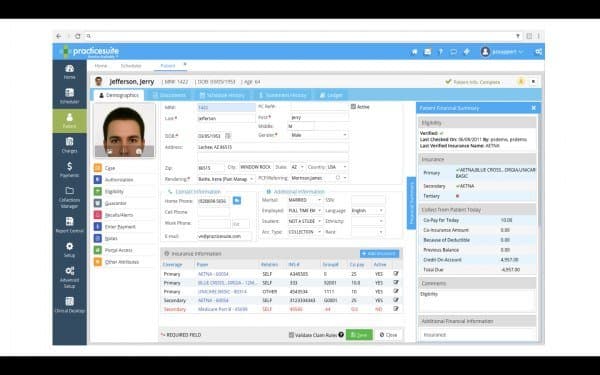
PracticeSuite’s patient engagement capabilities are powered by HelloHealth. With PracticeSuite’s advanced two-way texting feature, patients and staff can communicate effectively and quickly with one another. This feature allows patients to reach out to their providers anytime without playing phone tag or waiting for someone to pick up the line. On the other hand, office staff can respond immediately without fully dedicating their time and attention. This feature is enabled by the application’s patient management platform, providing effective contact services and quality patient care.
Appointment Scheduling And Reminders
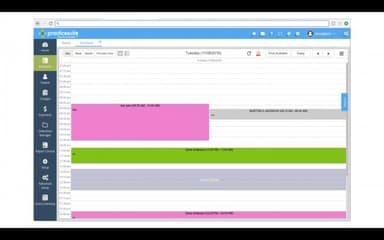
PracticeSuite includes an appointment scheduling and reminders feature, which is designed to help streamline patient flow. This feature assists with automated reminders and no-show reengagement notifications to provide patients with a modern digital communication experience. Moreover, the system allows configurable reminders based on the patient’s location, doctor, appointment type, or multiple appointments. It creates an efficient patient management platform. This feature allows clinics to swiftly remind patients of upcoming appointments and ensure their calendar is full.
Revenue Cycle Management (RCM)
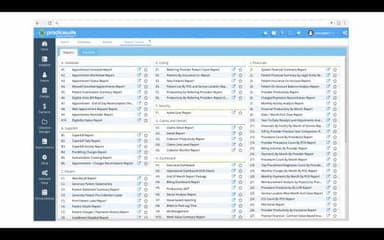
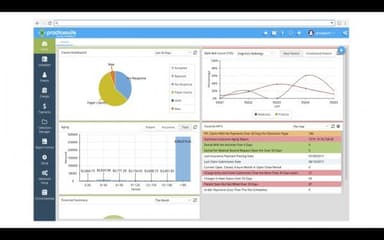
The RCM feature helps practices manage their services and scheduling and benchmark reimbursement rates against those of peers. The application can recoup lost revenue from unpaid claims by analyzing no-shows and canceled appointments. It can identify patient balances, leading to reduced revenues. The software can also devise strategies for increasing revenues derived from routine appointments and proactive patient outreach. Furthermore, it facilitates reviewing ways to increase patient satisfaction and referrals, driving up practice income. Additionally, PracticeSuite also incorporates AI-driven capabilities to help process claims faster and reduce claim denials within medical billing workflows.
Telehealth
PracticeSuite offers a telehealth feature for practitioners to conveniently manage all their communication with patients. With comprehensive practice management in the same application, healthcare practices can access patient data securely. Additionally, medical practices can stay connected with secure video conferencing and video chat tools. The software allows practices to not just offer complete care remotely but also ensure the security of private patient information.
Patient Portal
The patient portal feature allows patients to manage their health information with ease. Through secure portals, patient kiosks, and online portals integrated into the system, patients can access health care records, enter data on a secure platform, submit forms, and make payments. The tool increases clinicians’ productivity as they can handle more patients at a time without any stress. This further results in increased revenue by regulating medical billing.
Pros And Cons of PracticeSuite
Pros
Highly responsive customer support service
Improves patient satisfaction via patient engagement tools
Healthcare practices can efficiently deliver virtual care through the platform’s telehealth feature
Simplifies denial management and payment reporting workflows
Offers easy remote access
Cons
May have a steep learning curve, as per user feedback
Offers limited customization options
Users need a stable internet connection to access the software
Users may experience bugs and glitches at times
PracticeSuite Reviews
Total 18 reviews
3.8
All reviews are from verified customers
Rating Distribution
5
Stars39%
4
Stars33%
3
Stars11%
2
Stars6%
1
Stars11%
Share your experience
Lukas
TTC Inc, 1-10 employees
“outstanding product”
Pros
The practice management features are great because they have been fully developed which allow doctors to add detailed reports. Also customer service has our vote for sure.
Cons
I am not a fan of interface and its not very user-friendly. It took me a long time to completely learn this system.
Rating Distribution
Ease of use
8
Value for money
10
Customer Support
10
Functionality
10
Lee Ann
Lightworks Accupuncture, 1-10 employees
“a solid alternative for EHR software”
Pros
The customer support is great as always and they have been very helpful in managing the setup and answering questions. We can get our administrative processing done in a timely manner.
Cons
They keep improving the software so I don't have any complaints.
Rating Distribution
Ease of use
8
Value for money
8
Customer Support
9
Functionality
10
Corey
Medical Practice, 1-10 employees
“training sessions were well-organized”
Pros
This software helps me in running my practise by assisting in collection/billing and monitoring new and existing patients, the customer support is also outstanding. The software is relatively easy to use and to train new staff with.
Cons
I wish the customization was easier than it is right now, other than that there is nothing much to complain about and its overall a helpful tool.
Rating Distribution
Ease of use
9
Value for money
7
Customer Support
8
Functionality
9
Frequently Asked Questions
How much does PracticeSuite EHR Software cost?
PracticeSuite pricing start from $34.95/month for Secure Office – Practice Edition. The plans also include Secure Office – Facility Edition for $49.95/month and Platform for $299/month. Request a custom PracticeSuite cost estimation breakdown today.
Who are the main users of PracticeSuite EHR?
What are the main features of PracticeSuite EHR?
The main features of PracticeSuite EHR include patient engagement, appointment reminder, appointment scheduling, patient portal, telehealth, and revenue cycle management.
What level of support does PracticeSuite EHR Software have?
Is PracticeSuite EHR Software cloud-based?
Does PracticeSuite support mobile devices?
No, the software doesn’t support mobile devices.
What languages does PracticeSuite support?
The software supports English language.
Does PracticeSuite offer an API?
Yes, PracticeSuite offers an API.
What other apps does PracticeSuite EHR integrate with?
PracticeSuite integrates with several third-party healthcare applications and platforms, including Elation Health, athenaHealth, Claimocity, NextGen, WebPt, and Practice Fusion.