



Last Updated
Key Takeaways
Generated from the text of customer reviews
Our Verdict
Overall Rating
Based on 3013 users reviews
4.5
Rating Distribution
Positive
92%
Neutral
7%
Negative
1%
Starting Price
$17
per month
Wix Website Builder Specifications
- Campaign Management
- Lead Generation
- Customer Segmentation
- Email Marketing
Wix Website Builder Features
Website Templates
Wix software offers 2,000+ website templates covering areas such as online stores, services, restaurants, fitness, real estate, and events. Users can change colors, fonts, images, sections, and other elements through the editor. Some templates also include Wix business apps relevant to their intended use, giving businesses a ready-made structure suited to their industry.
Landing Page Builder
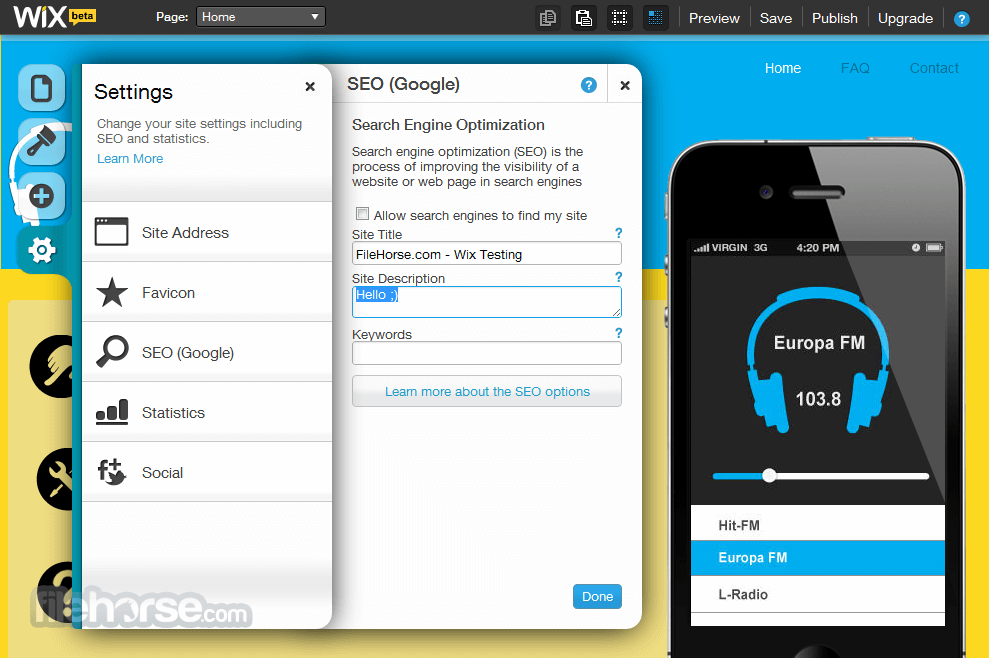
The landing page builder supports pages for product launches, promotions, signups, and other campaigns. Users can start with a template, build from scratch, or use AI for layout and content creation. Forms can capture visitor details, while Wix Analytics and connections with tools such as Google Analytics support performance tracking.
Website Design
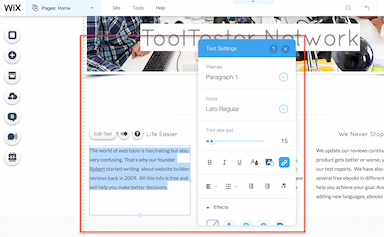
Wix provides a drag-and-drop editor for customizing layouts, text, images, colors, and other site elements without coding. Users can also add animations, galleries, visual effects, and custom interactions to refine the site’s appearance and behavior.
Wix AI Agents
The platform offers specialized AI agents for different business tasks. Aria assists with website management and performance; Kleo supports social posts, email campaigns, and SEO; Juno handles customer communication; and Omni can carry out multistep tasks based on broader business goals.
Wixel
Wixel is Wix’s AI-powered design platform for creating and editing visual content. Users can generate images, videos, logos, presentations, and documents through prompts, then refine them through chat or manual editing tools. It also supports campaign creation by turning one design into multiple branded assets with a consistent look across channels.
Pros And Cons of Wix Website Builder
Pros
Easy to build and manage websites
Responsive customer support
Flexible design options help users create sites suited to their needs
Cons
Site editing can become slow with complex designs
SEO customization can feel limited compared with developer platforms
Wix Website Builder Pricing
Free | Light | Core | Business | Business Elite |
|---|---|---|---|---|
$0 | $17 per month | $29 per month | $39 per month | $159 per month |
|
|
|
|
|
Disclaimer: The pricing details were last updated on Sep 14, 2026 from the vendor's website. Please contact us for a tailored pricing list.
Wix Website Builder Reviews
Total 3013 reviews
4.5
All reviews are from verified customers
Rating Distribution
5
Stars65%
4
Stars27%
3
Stars7%
2
Stars1%
1
Stars1%
Share your experience
Management Consulting, 51-100 employees
More than a year
“My review”
Pros
This software really nails the balance between being approachable for beginners and giving you a lot of design freedom. Without any web development or coding background I found the drag and drop editor very natural to use. Unlike platforms that lock everything into fixed rows or grid sections this one lets you place elements with pixel level precision. That means you can move text, images and buttons exactly where you want them and have full creative control over how the site looks.
Cons
One downside with this software is that even though it gives you a lot of freedom when building your site initially you can't change the template after the website is live. If (later on) your business needs a totally different layout or overall structure you can't just swap in a new template and keep your existing content in place. You end up having to rebuild the whole website manually under a new theme which adds a lot of friction and can take a huge amount of time as your brand grows.
Rating Distribution
Ease of use
10
Value for money
10
Customer Support
10
Functionality
9
Education Management, 11-10 employees
More than a year
“versatile website builder”
Pros
Building a professional looking website with this tool is very easy even without any technical background. The drag and drop editor, ready made templates and built in tools make it quick to design pages and publish content. It also brings together a solid range of features like hosting, integrations and basic marketing tools so a lot can be managed from one platform.
Cons
It starts to feel a bit limiting when you need deeper customization or plan to scale beyond basic needs. After choosing a template changing the overall structure can be restrictive. Its performance and flexibility also do not quite compare to more developer focused platforms especially for complex websites or ones with heavier traffic.
Rating Distribution
Ease of use
8
Value for money
7
Customer Support
8
Functionality
7
Health, Wellness and Fitness, 1-10 employees
More than a year
“Great platform”
Pros
My wife was able to build her own website with it and the final result looks great and performs really well. That's pretty impressive considering she's not technical at all.
Cons
The price is always a consideration although we still like the service overall. On the few occasions we needed help, support was a little difficult to reach at first but once we connected with them they handled things well.
Rating Distribution
Ease of use
9
Value for money
9
Customer Support
9
Functionality
10
Frequently Asked Questions
Does Wix offer an API?
Yes, Wix website builder software offers an API.
Does Wix offer a mobile app?
Yes, it offers a dedicated mobile app for Android and iOS.
What languages does Wix support?
Wix supports multiple languages, including English, Danish, Dutch, German, Italian, Spanish, and many more.
What type of pricing plan does Wix offer?
Wix pricing starts at $17/month for its Light plan. Further plans include Free ($0), Core ($29/month), Business ($39/month), Business Elite ($159/month), and Wix Enterprise (Custom pricing). Contact us for a personalized Wix website builder price quote.
What other apps does Wix integrate with?
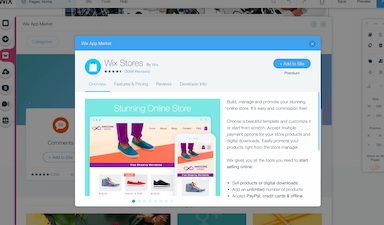
Wix integrates with MailChimp, Google Search Console, Speed Booster Pro, TikTok Ads, Hit Counter, Rabbit SEO Optimizer and Booster, and more.
Who are the typical users of Wix?
The tool is used by professionals working across fashion, home and decor, ecommerce, restaurants, beauty and wellness, and real estate.
What level of support does Wix offer?
Wix offers support through a help center.