

Tipalti
Last Updated
Key Takeaways
Generated from the text of customer reviews
Our Verdict
Tipalti Specifications
- Financial Reporting
- Invoice Management
- Expense Tracking
- Tax Management
Tipalti Features
Finance AI
Tiplati automates routine finance tasks in accounts payable using AI assistants and autonomous agents. It supports invoice capture, purchase request creation, approval recommendations, reporting, and purchase order matching. These capabilities cut down manual work and speeds up day-to-day financial operations.
Accounts Payable Automation
The software enables users to automate the complete accounts payable process including invoice capturing and payment execution. It uses configurable invoice matching, approval methods, and payment scheduling. This way, finance teams are better positioned to get visibility into outstanding payables.
Self-Billing Invoicing
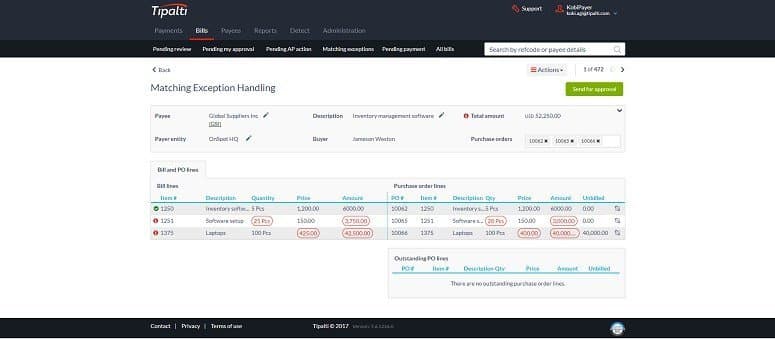
This feature helps capture invoices automatically and apply GL coding without manual entry, then runs two-way or three-way PO matching before an invoice reaches approval. Approvals route through configurable chains built around a team's existing structure. This keeps invoice processing consistent even if there are high transaction volumes.
Supplier Management
Suppliers and payees can use this feature to onboard themselves through a branded, self-service portal, supported in 27 languages. The portal collects W-9 and W-8 tax forms automatically. It also validates each supplier's tax status before payment. This shifts onboarding data entry away from the finance team and onto each supplier directly.
Multi-Entity Support
The platform applies separate approval chains, payment rules, and branded communications to each legal entity inside one account. Entity-level data stays visible individually, and finance leadership can still view activity across every entity at once. Organizations running several subsidiaries manage each one without duplicating their AP setup per entity.
Treasury Management
Tipalti centralizes cash management, liquidity monitoring, and cash flow forecasting. It provides real-time visibility into cash positions across accounts and entities. At the same time, the platform offers AI-powered insights to support forecasting and financial planning. This helps finance teams make better cash management decisions.
Pros And Cons of Tipalti
Pros
Helps minimize the manual tasks through OCR and duplicate invoice detection
Optimizes accounts payable workflows
Supports efficient supplier onboarding through self-service vendor portal
Cons
Customization of approval workflows can be limited
AI reporting may need improvement
Tipalti Reviews
Total 456 reviews
4.6
All reviews are from verified customers
Rating Distribution
5
Stars72%
4
Stars22%
3
Stars3%
2
Stars2%
1
Stars1%
Share your experience
Computer & Network Security, 1-10 employees
Less than a year
“Powerful platform for growing teams”
Pros
As someone managing payments across countries, I really appreciate their Global First architecture and the shift toward agentic AI, their touchless multi-entity management has been a real lifesaver. For mid-to-large companies it feels like a powerhouse although I and other users sometimes wrestle with a fairly steep initial setup and a noticeable learning curve.
Cons
I often grumble about what feels like an implementation tax and the maze of complex pricing with those small drip fees, it can hit like a financial sledgehammer and support occasionally throws up frustrating speed bumps.
Rating Distribution
Ease of use
10
Value for money
10
Customer Support
10
Functionality
8
Accounting, 11-50 employees
Less than a year
“Great for integrations and payments”
Pros
What I really like is that it connects with so many other tools and platforms, giving plenty of integration options. I am also pleased that it supports handling international payouts, whether via ACH or alternate payment methods. Another big plus for me is the built-in approval workflow, it's easy to use but still efficient which makes routing approvals up the chain easy and reliable.
Cons
Getting started can be a bit of a challenge because the interface takes time to learn and there are a lot of settings and features to get comfortable with. It took me some effort to feel confident navigating the site and its capabilities.
Rating Distribution
Ease of use
8
Value for money
8
Customer Support
9
Functionality
8
Computer Software, 11-50 employees
More than a year
“Confusing reporting and payments”
Pros
For our team, we find it a great centralized tool that connects reasonably well with our banking and accounting platforms, helping us manage accounts payable and handle bill payments efficiently.
Cons
I find the bill reporting and payment schedule within the system confusing and the payment flow isn't as dependable as some competing solutions, plus I feel there are numerous hoops to jump through to demonstrate compliance.
Rating Distribution
Ease of use
8
Value for money
10
Customer Support
10
Functionality
9
Frequently Asked Questions
Does Tipalti offer an API?
Yes, it offers an API.
What language does Tipalti support?
The software supports 26 languages such as English, German, Italian, Dutch, Portuguese (Brazil), Chinese, French, Arabic, Korean, Polish, Japanese, Swedish, Vietnamese, and Turkish.
What other apps does Tipalti integrate with?
The software supports integration with various third-party accounting and ERP tools, such as QuickBooks SAP Business One, Sage, and Microsoft Dynamics 365 Business Central.
Does Tipalti have a mobile app?
Yes, it provides a dedicated mobile app.
What types of pricing plans does Tipalti offer?
Its pricing starts at $99/month for its Accounts Payable Select plan, while Mass Payments plans start at $249/month. Users can also request a customized Tipalti cost quote tailored to their needs.
Who are the typical users of Tipalti?
Typical users include businesses across different industries such as adtech, e-commerce businesses, software companies, healthcare organizations, and nonprofits.
What level of support does Tipalti offer?
The platform offers various levels of support. These include email, live chat, phone, and knowledge base.