Last Updated

Key Takeaways

Generated from the text of customer reviews

Zoho Invoice is invoicing software for finance and accounting teams, plus small business owners who handle their own books. What users like most is how easy it is to use and set up, whereas customer service is the main complaint among users. Zoho recently added customizable PDF templates for expense records.

Our Verdict

Zoho Invoice suits freelancers, consultants, and small to mid-sized service businesses that want to send invoices without the hassle of learning unnecessary features. The free plan lets smaller teams start at no cost, but costs increase as the business grows. We recommend it for solo operators and small teams that need a simple and affordable invoicing option.

Zoho Invoice Specifications

  • Financial Reporting
  • Invoice Management
  • Expense Tracking
  • Tax Management
View All Specifications

What Is Zoho Invoice? 

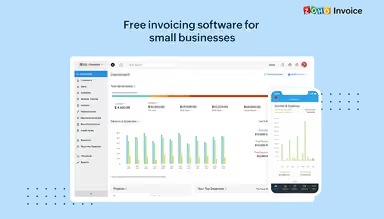
Zoho Invoice is invoicing software for small businesses. It sets up recurring invoices that go out automatically at intervals you choose, so bills do not need to be created by hand each time. Payment reminders are sent when a balance is still open. The software can also turn billable expenses into invoices directly, so a business doesn't need to track reimbursable costs in one place and bill for them in another. 

What Is Zoho Invoice Best For? 

Zoho Invoice is best known for its AI Insights for invoice payment follow-ups. It looks at a customer's payment history and flags invoices that are likely to be paid late. Users can then set up follow-up reminders and have Zia, Zoho’s native AI, write a draft email to send. That setup helps freelancers, consultants, and small businesses that send invoices regularly and want some help staying on top of unpaid ones. 

How Much Does Zoho Invoice Cost? 

Zoho Invoice itself is free, with no subscription cost, but organizations should account for the following potential expenses depending on their requirements: 

  • Implementation: Usually priced between $0–$300 (one-time), whether it's self-serve setup or a bookkeeper or consultant configuring invoice templates, tax rules, and account settings
  • Data Migration: Commonly priced in the range of $200–$1,500 (one-time), with the price scaling based on how many historical invoices, customer records, and payment records need to move over from systems
  • Training And Onboarding: Usually falls in the $0–$500 (one-time) range, for structured sessions when a multi-user team needs more hands-on guidance than Zoho's free webinars and documentation offer
  • Integrations: Often comes in between $300–$2,000/year, with the amount tied to whether tools need custom API work
  • Customization And Configuration: Generally set between $150–$1,000 (one-time), for branded templates, custom fields, and workflow setup, some of which may need outside help

Reviewers mostly describe Zoho's pricing as fair. The free plan gets positive feedback, and reviewers find the overall cost reasonable too. A few note that turning on extra features adds to the bill, so a growing business can expect to pay more over time. 

For accurate pricing based on your organization’s needs, it’s recommended to request a custom Zoho Invoice price estimate

Disclaimer: The pricing is subject to change. 

Zoho Invoice Integrations 

The software supports integration with platforms, such as: 

How Does Zoho Invoice Work? 

Log in to your Zoho Invoice account then follow the steps below to use its features: 

  • Add contact details to build customer profiles and record their transactions
  • Pick a template, add your products or services, set payment terms, and send the invoice
  • Prepare estimates for customers, then convert approved quotes into invoices
  • Keep an eye on unpaid invoices, log payments as they arrive, and set reminders to follow up when someone is late
  • Schedule recurring invoices to generate and go out automatically on the intervals you set
  • Log project costs and hours so you can bill them to customers later
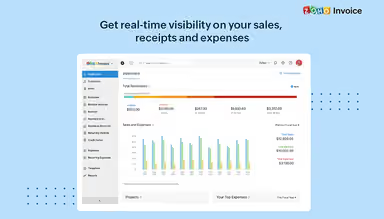
  • Run reports on payments, expenses, taxes, customers, and outstanding balances
You can also schedule a free Zoho Invoice demo to explore its full functionalities. 

Who Is Zoho Invoice For? 

Zoho Invoice is suitable for the following: 

  • Freelancers
  • Small businesses
  • Consultants
  • Contractors
  • Agencies
  • Startups
  • Entrepreneurs

Zoho Invoice Use Cases 

Based on our analysis of user reviews and Zoho Invoice’s current capabilities, we have identified key scenarios where this software is a good fit for businesses and professionals: 

  1. Consultants Billing Based On Hours Or Project Milestones 

Billing for time worked, or for a completed milestone, only holds up if the invoice matches what actually happened. That gets harder as client count grows. Hours pile up quietly on several engagements, and by billing time, you are reconstructing a timesheet from memory. Logged hours in Zoho Invoice convert straight into an itemized invoice, which cuts down on the guesswork. 

  1. Agencies Managing Fixed-Schedule Retainer Billing 

Retainer work means charging a fixed amount on a set schedule, regardless of how many hours went into that period. Rebuilding the same invoice by hand every month, for every account, eats into time that could go toward client work. Zoho Invoice automates that recurring cycle and can charge a saved card automatically, which matters once you're managing more than a handful of retainer clients. 

  1. Businesses Formalizing Pre-Sale Negotiations Through Quotes 

Before a project is confirmed, someone needs a written record of what was proposed. A verbal understanding tends to be remembered differently by each side later on. Contractors and other project-based providers can send a quote through Zoho Invoice with a built-in expiration date, collect a signature, and convert it into an invoice only after it is approved. 

  1. Organizations Rebilling Clients For Incurred Costs 

Materials, mileage, third-party charges spent on a client's behalf need to get back to that client eventually, and they don't if they're tracked in a separate spreadsheet no one checks before sending the invoice. Zoho Invoice lets you tag an expense to a customer the moment it happens and pull it straight into their next bill instead of trying to remember it later. 

  1. Businesses Reconciling Payments Collected Through Different Methods 

Money comes in from a lot of directions. Online gateways, bank transfers, cash, and checks handed to you in person. Some of that money never touches a payment processor at all, and that's what makes tracking it genuinely difficult. Zoho Invoice handles this by letting you log offline payments by hand. You enter them right alongside the ones collected online, so your records show what was actually paid, not just what the gateway happened to catch. 

Is Zoho Invoice Right For You? 

If you are a freelancer, consultant, contractor, or small business managing invoices, payments, expenses, and customer transactions, Zoho Invoice may be worth a look. Tax setup is configurable rather than fixed. You add the tax authorities, exemptions, and rates that apply to you, which matters if you deal with more than one region. 

Security features include two-factor authentication, 256-bit SSL encryption, PCI-DSS compliance, and ongoing scans for intrusions and viruses. Customers using the client portal can also secure their access with TOTP-based authenticator apps. Companies like Black Moth Media, Prolore Digital, SAC, Bright Language, and Student Tutors already use it. Accounting teams are using AI more in their day to day work. Zoho Invoice added MCP integration so its invoicing features can connect to AI assistants like ChatGPT and Claude. 

Still unsure about Zoho Invoice? Connect with us at (661) 384-7070 for further guidance.

Zoho Invoice Features

Invoicing

Templates are customizable, so invoices can match how the business wants to present itself. They go out on a set date, or on a repeating schedule if the account is billed regularly. The software supports more than 10 languages, which helps when a customer expects an invoice in their own language.

See How It Works
Quotes

A quote can list prices, discounts, terms, and custom fields, with an expiration date so the customer knows when to respond. Customers approve them through the customer portal. From there a quote turns into an invoice, starts a new project, or just stays on record.

See How It Works
Contacts

Customer profiles hold contact and billing information. Transactions run through the customer portal, where unpaid invoices get attached to statements and summaries of past transactions go out to customers. Billing and shipping addresses can use separate formats. Card details are stored for recurring charges, and the system asks customers for feedback directly.

See How It Works
Payments

Online payments run through more than 10 gateways. Cash, checks, and other offline payments get logged by hand. Recurring transactions charge automatically, and unpaid invoices trigger reminders. Credit notes handle refunds. Payment receipts can use different fields and templates depending on what the business wants to show.

See How It Works
Expenses

Users log expenses, sort them into categories, and link billable costs to a customer, then turn those costs into an invoice. A mileage tracker turns billable miles into a dollar figure. Reports, built-in or custom, plus dashboard summaries, cover expense activity.

See How It Works
Projects And Timesheets

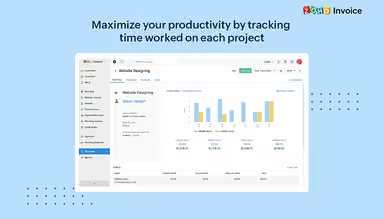
Projects get set up with hours tracked against them, so unbilled time or expenses are visible before anything goes to a customer. Invoices come straight from a project or from logged hours, billed either by project or by task. Recurring billing cycles can fold in unbilled hours automatically.

See How It Works
Customer Portal

Zoho Invoice includes a customer portal. Clients view invoices, quotes, timesheets, and project details from one account. They can pay an invoice in full, pay part of it, or settle several invoices in one transaction. Customers accept quotes and leave comments on them, and logged hours or unbilled expenses stay visible for review. The portal also collects ratings and feedback on the business.

See How It Works

Pros And Cons of Zoho Invoice

Pros

  • Helps you follow up on unpaid invoices sooner

  • Keeps billing organized as your client list grows

  • Cuts errors when you bill for expenses

  • Helps service businesses send clients accurate bills

  • Cuts the time spent on recurring billing

Cons

  • Some community answers leave users wanting more clarity

  • Customer support responses can be slow to arrive

  • Wrong entries can take extra effort to fix properly

Zoho Invoice Reviews

Total 45 reviews

4.5

All reviews are from verified customers

Rating Distribution

5

Stars

69%

4

Stars

24%

3

Stars

2%

2

Stars

0%

1

Stars

4%

Share your experience

A

Anonymous

Not specified, 11-50 employees

More than a year

3.0
June 2024

Basic Invoicing and Overview tool

Pros

It's fundamental and doesn't overwhelm with features. It's part of the broader Zoho system.

Cons

Templates are limited, and setting up invoices in different languages can be problematic.

Rating Distribution

Ease of use

10

Value for money

4

Customer Support

7

Functionality

6

C

Cassandra

Pharmaceutical, 1-10 employees

More than a year

5.0
June 2024

User friendly

Pros

The app is incredibly intuitive, simplifying bookkeeping tasks and reducing stress.

Cons

For my business needs, there are no drawbacks. I adore the app.

Rating Distribution

Ease of use

10

Value for money

10

Customer Support

10

Functionality

9

A

Anonymous

Not Specified, 1-10 employees

Less than 6 months

5.0
June 2024

Zoho Books Review

Pros

The mobile app performs well its attractive logo adds to its appeal. It's efficient and delivers quality.

Cons

There's an additional fee for converting uploaded documents into transactions.

Rating Distribution

Ease of use

10

Value for money

9

Customer Support

10

Functionality

9

Frequently Asked Questions

Does Zoho Invoice offer an API?

Yes, Zoho Invoice offers an API.

What language does Zoho Invoice support?

Zoho Invoice software supports over 10 languages, including English, French, German, Japanese, Korean, Polish, and Greek.

What other apps does Zoho Invoice integrate with?

Zoho Invoice integrates with platforms such as Stripe, PayPal, QuickBooks, HubSpot, Slack, Google Workspace, and Authorize.net.

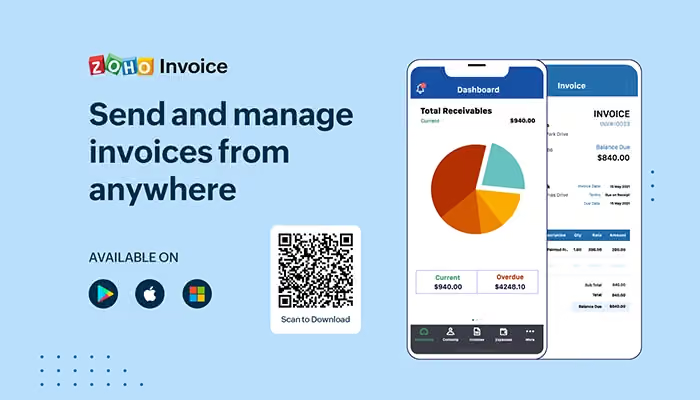
Does Zoho Invoice have a mobile app?

Yes, Zoho Invoice offers a dedicated mobile app for both iOS and Android.

What types of pricing plans does Zoho Invoice offer?

Zoho Invoice pricing has no subscription fee, as the software is free to use. Get a detailed Zoho Invoice cost breakdown to make an informed decision.

Who are the typical users of Zoho Invoice?

Zoho Invoice features are used by freelancers, consultants, contractors, small businesses, agencies, startups, and entrepreneurs.

What level of support does Zoho Invoice offer?

Zoho Invoice offers email and phone support, an online contact form, FAQs, community support, help resources, and documentation.