


Last Updated
Key Takeaways
Generated from the text of customer reviews
Our Verdict
Overall Rating
Based on 167 users reviews
4.4
Rating Distribution
Positive
89%
Neutral
9%
Negative
2%
Starting Price
$79
per month
Aplos Specifications
- Financial Reporting
- Invoice Management
- Expense Tracking
- Tax Management
Aplos Features
Fund Accounting
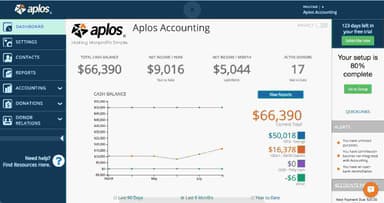
Every transaction goes to the right fund automatically. Restricted and unrestricted balances stay separate without any manual work. Auditors and board members can see exactly where every dollar went without anyone having to rebuild the numbers.
Transactions
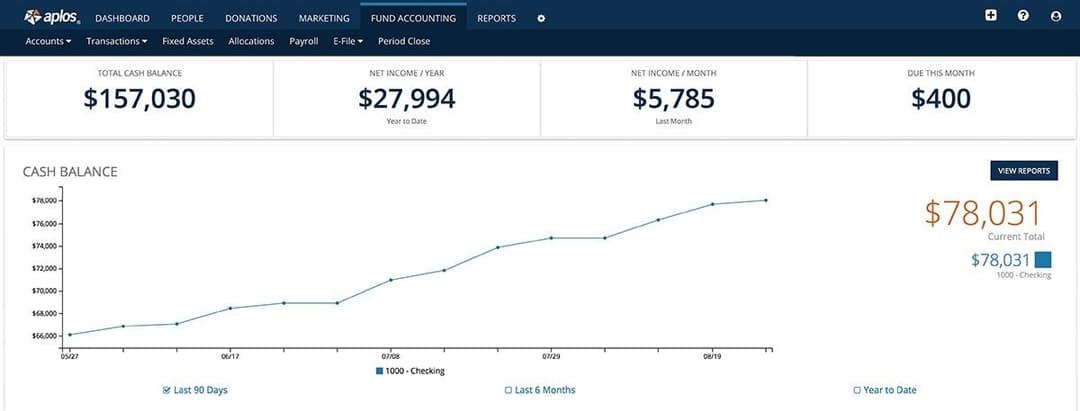
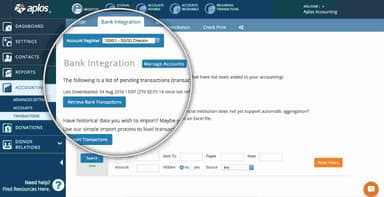
The checking register shows a live running balance so teams always know their cash position. Bank integration pulls transactions in automatically. Bank reconciliation then matches them against statements to stay FASB compliant, and accounts payable and receivable are tracked in the same place.
Bill Approval
Bills go to the right approvers automatically without the need for manual check-ins for signatures. Status tracking shows what is pending, in review, or approved in one view. Every approval and change is logged as it happens, so the audit trail builds itself.
Church Bookkeeping
Tithes, offerings, and designated gifts are tagged to the correct fund as they come in, with restricted gifts tracked separately. Monthly financial statements are generated and stored in the account. Church-specific reports like Income Statement by Fund and Balance Sheet by Fund are available on demand.
Advanced Accounting
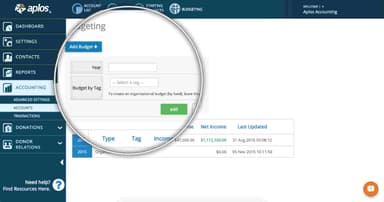
Budgets are built and compared by fund, program, or department. Tags filter reports by project, campaign, or location. User access is limited to what each person needs, and entries, allocations, and fixed asset tracking can all be automated.
Nonprofit Bookkeeping
Transactions are entered and categorized to the correct fund within the platform. Monthly financial reports are generated and accessible in the account at any time. Books stay FASB and GAAP compliant, with Form 990-N and 990-EZ filing available from within the same environment.
Pros And Cons of Aplos
Pros
Advanced registry filters help locate institutional transactions in seconds
Multiple tab support allows viewing several financial records simultaneously
Single host account management controls multiple distinct organizational funds easily
Prompt customer support resolves accounting setup questions without delay
Integrated CRM tools combine financial records with donor marketing data
Cons
Navigation between dates requires returning to the main page
Reviewing memos requires opening individual transactions from the main display
Software integrations need minor workflow smoothing for data entry
Aplos Pricing
Lite | Core | Advanced | Custom |
|---|---|---|---|
$79 per month | $129 per month | $229 per month | Custom pricing |
|
|
|
|
Disclaimer: The pricing details were last updated on Aug 21, 2026 from the vendor's website. Please contact us for a tailored pricing list.
Aplos Reviews
Total 167 reviews
4.4
All reviews are from verified customers
Rating Distribution
5
Stars57%
4
Stars32%
3
Stars8%
2
Stars1%
1
Stars2%
Share your experience
Layli Nichols
Accounting, 1-10 employees
More than a year
“Customer NO Service”
Pros
Aplos is easy to learn and fairly easy to use. For a church, it is easy to automate contribution letters.
Cons
There is virtually no customer service anymore. You call the support line and are immediately hung up on, the only way to get "support" is to submit a ticket and wait some indeterminate amount of time for an email from a help "bot" who is not at all helpful. A software company can have the greatest software available, but it is only as good as its software support team in the end. This is a big fat ZERO from me.
Rating Distribution
Ease of use
3
Value for money
4
Customer Support
1
Functionality
4
Raffi S.
Non-Profit Organization Management, 1-10 employees
“Donor management system works well”
Pros
The donor management side works well. It lets you keep a full database of donors and set up household connections which is helpful.
Cons
It promotes itself as the top church accounting software but the donation processing part which is a church's main source of revenue, is really disappointing. Entering donations into the system and getting them into the accounting records takes several separate steps and none of it connects properly with the bank integration. The contribution statement area is also very limited when it comes to filtering. For instance, there's no way to generate a report for acknowledged or dismissed contribution statements. It makes those fields feel pointless if they can't actually be used. On top of that, the email template can't be saved so it has to be rewritten every single time a contribution statement is sent.
Rating Distribution
Ease of use
4
Value for money
4
Customer Support
5
Functionality
2
Fred D.
Civic & Social Organization, 11-50 employees
“Great value for money”
Pros
It has been a really strong solution for our foundation accounting and bookkeeping needs. The layout is simple to handle and it gives us all the accounting reports we need. Considering the price, it offers outstanding value and is hard to beat.
Cons
Honestly I can't think of anything I dislike. I've already brought it into two different organizations I'm involved with and it has worked well in both.
Rating Distribution
Ease of use
10
Value for money
10
Customer Support
10
Functionality
10
Frequently Asked Questions
Does Aplos offer an API?
Yes, Aplos does offer an API.
Does Aplos software have a mobile app?
No, Aplos does not offer a mobile app.
What language does Aplos software support?
Aplos primarily supports the English language.
What types of pricing plans does Aplos software offer?
Aplos offers multiple pricing plans, including Lite ($79/month), Core ($129/month), Advanced ($229/month), and a Custom plan for its users. Request a personalized Aplos cost estimate for your business.
What other apps does Aplos software integrate with?
Keela, Raisely, Ramp, PEX, Gusto, Church Community Builder, Church Multiplication Network, and ANAFP.
Who are the typical users of Aplos software?
Typical users of Aplos include nonprofits, churches, faith-based organizations, private schools, and foundations.
What level of support does Aplos software offer?
Aplos offers support via phone, help desk, support chat, and contact form.