

Last Updated

Overview
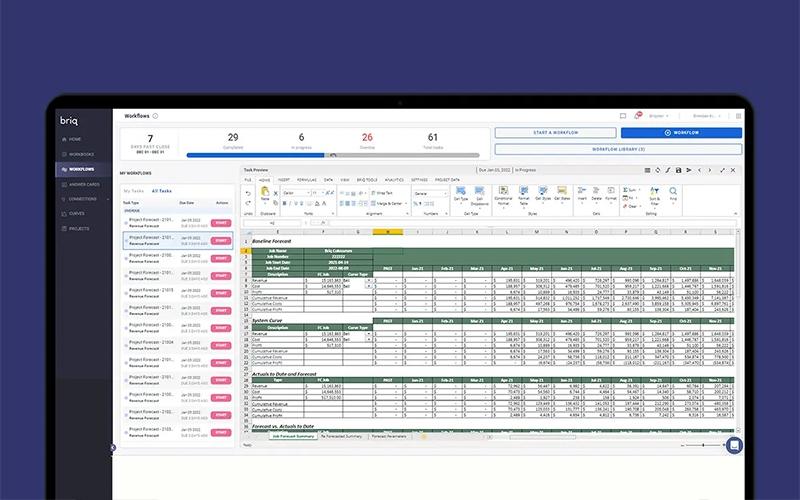
Briq is an AI-powered automation platform that transforms construction businesses by streamlining critical functions and significantly increasing margins. Despite some reported functionality issues during implementation, its automation capabilities and excellent customer support make it a compelling choice. Briq helps teams solve complex problems and achieve substantial time and cost savings.
Briq Specifications
- Budget Management
- Reporting and Analytics
- Project Planning and Scheduling
- Project Cost Estimation
What Is Briq?
Briq is an AI-powered automation platform that revolutionizes business operations by deploying digital workers to mimic human tasks in software. This innovative approach streamlines core accounting, financial analysis, project planning, and execution, leading to a significant reduction in overhead costs and improved margins for businesses. The platform's capabilities extend to solving complex problems and boosting overall operational efficiency. Briq is specifically designed for businesses in critical industries, providing a transformative solution for automating highly repetitive and data-intensive workflows.
Briq Pricing
Briq Integrations
Briq software supports integration with multiple platforms, such as:
Who Is Briq For?
Briq is ideal for a range of industries, including:
- Operations
- Finance
- IT
- Risk and legal
- HR
- Industrial construction
- Oil and gas
Is Briq Right For You?
If your construction business seeks to revolutionize financial and operational efficiency through advanced AI automation, Briq is an ideal fit. Briq is tailored for medium to large-sized organizations in critical industries, offering robust support and significant cost savings by optimizing existing systems. It is designed to boost profitability and empower data-driven decisions across all project stages, making it a compelling choice for businesses aiming for substantial operational transformation and profitability gains.
Still not sure about Briq? Contact our support team at (661) 384-7070 for further guidance.
Briq Features
Risk Management AI
This specialized AI automates workflows designed to protect the business from potential risks. It identifies anomalies, ensures compliance, and manages critical data to mitigate financial and operational exposures. By proactively automating risk-related tasks, Risk Management AI helps safeguard assets and maintain business continuity, strengthening overall organizational resilience.
Otto
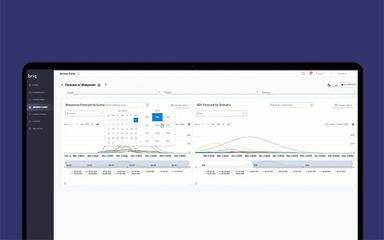
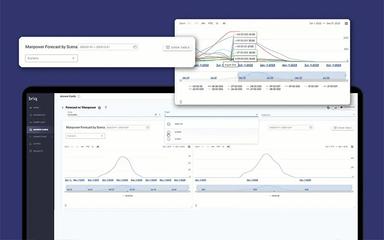
Otto is an intelligent ‘do-bot’ that goes beyond traditional chatbots, actively performing tasks and building comprehensive reports. It can answer complex questions, generate forecasts, and proactively alert users to critical issues. Otto empowers teams to make faster, data-driven decisions, helping businesses stay ahead, plan effectively, and significantly grow their bottom line.
Finance AI
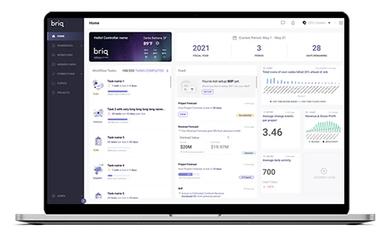
This AI automates critical accounting and financial analysis functions, streamlining processes like budgeting, forecasting, and reporting. It helps businesses gain real-time insights into their financial health, enabling more informed decision-making and enhancing overall profitability. Finance AI reduces manual effort, ensuring accuracy and efficiency in financial operations.
Operations AI
Operations AI automates key project planning, execution, and reporting workflows for construction businesses. By streamlining these processes, it boosts efficiency and accuracy, ensuring projects stay on track and within budget. This digital worker helps manage complex operational tasks, enabling teams to focus on strategic initiatives rather than repetitive administrative burdens.
Pros And Cons of Briq
Pros
Excellent customer support and responsiveness
Significant time and cost savings
Improved financial management and reporting
Cons
Integration process can be quite tedious
Frequent employee turnover during implementation process
Briq Reviews
Total 7 reviews
4.9
All reviews are from verified customers
Rating Distribution
5
Stars86%
4
Stars14%
3
Stars0%
2
Stars0%
1
Stars0%
Share your experience
David Smith
Construction, 51-100 employees
Less than 6 months
“Mixed Experience with Briq Good Idea but Needs Improvement”
Pros
Good automation features, helpful for financial planning, and saves time on repetitive tasks.
Cons
Difficult setup, integration issues, and performance is not always reliable.
Rating Distribution
Ease of use
10
Value for money
10
Customer Support
10
Functionality
10
Giovanni R.
Construction, 51-100 employees
Less than a year
“Project Manager”
Pros
Good automation features and helpful financial insights that improve workflow efficiency.
Cons
Setup can be complex, and performance is sometimes inconsistent.
Rating Distribution
Ease of use
9
Value for money
10
Customer Support
10
Functionality
10
Daniel Carter
Finance, 11-50 employees
Less than a year
“Financial Operations Manager”
Pros
Briq provides strong automation for budgeting, forecasting, and financial workflows. The platform helps reduce manual work and improves accuracy with real-time data insights. Its ability to integrate with accounting and project management systems makes it very efficient for construction companies.
Cons
The initial setup and integration process can take time, especially for new users. Pricing is not transparent and requires direct consultation. Also, some features may overlap with existing tools depending on your current system.
Rating Distribution
Ease of use
8
Value for money
10
Customer Support
10
Functionality
10
Frequently Asked Questions
Who are the typical users of Briq?
Briq is designed for businesses in critical industries, including various construction sectors like operations, oil and gas, IT, risk and legal, HR, industrial construction, and finance.
What types of pricing plans does Briq offer?
The Briq price offers custom plans tailored to the unique needs of each user. Request a personalized Briq pricing quote for your business.
Does Briq offer an API?
No, Briq does not offer an API.
Does Briq have a mobile app?
No, Briq does not offer a mobile app.
What language does Briq support?
Briq supports the English language.
What level of support does Briq offer?
Briq offers customer support via email and a help center.
What other apps does Briq integrate with?
Briq integrates with a wide range of systems and platforms, including Salesforce, NetSuite, Procore, and Sage.