


Contractor Essentials Software
Last Updated

Overview
Contractor Essentials’ all-in-one software simplifies construction financials and project management. Users can manage financials, track time and materials, and generate reports. Although it has a longer initial setup time, Contractor Essentials empowers construction businesses to streamline workflows and improve profitability.
Contractor Essentials Software Specifications
- Accounting
- Project Scheduling
- Project Tracking
- Document Management
Contractor Essentials Software Features
Accounting Capability
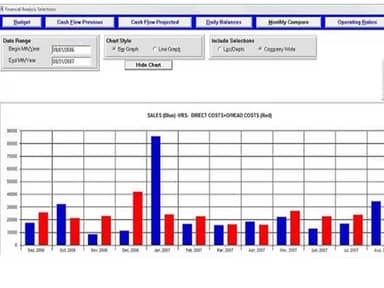
Contractor Essentials' main solution includes all required financial modules, including GL, AP, AR, and Payroll. Check, credit card, and direct deposit are all acceptable ways of payment for invoices. The AR module allows users to enter recurring invoices for clients and retains a complete customer history. The payroll module of Contractor's Essentials allows different pay rates per employee, manages union reporting choices, and processes certified payroll with ease.
Customizable Interface
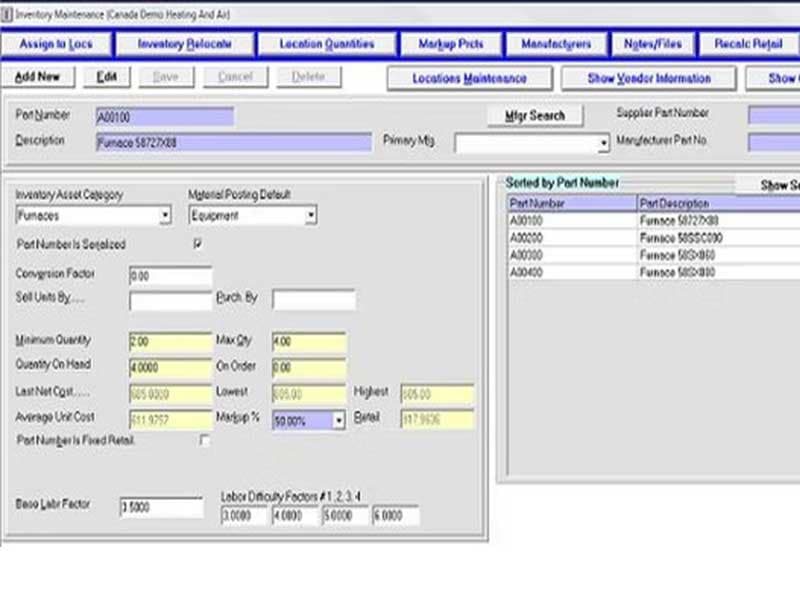
The user interface of Contractor Essentials is readily navigable with a conventional drop-down menu at the top of the screen. A vertical menu on the left side of the screen provides rapid access to frequently used functions and routine chores. The data entry panels of Contractor Essential are easily accessible and provide excellent lookup options and tabs for relevant module choices. Areas like My Tasks can be utilized or hidden when they are not needed.
Ease of Use
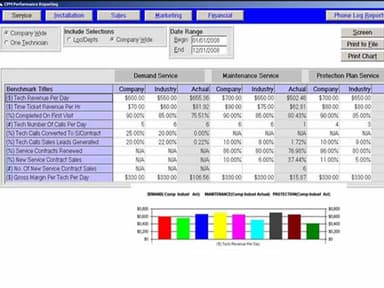
The Critical Performance Measures module gives customers access to specific reports that classify and define industry and corporate benchmarks. Users in the field have easy access to Contractor Essentials.
Pros And Cons of Contractor Essentials Software
Pros
Comprehensive financial modules like GL and AP ensure complete financial management
Customizable interface to enhance efficiency, allowing a personalized user experience
Built-in communication tools allowing emailing and printing documents directly from the software
Critical performance measures offered for better decision-making through performance reporting
Cons
Initial setup can be time-consuming
According to some software users there can be integration and communication issues
Contractor Essentials Software Reviews
Total 1 reviews
4
All reviews are from verified customers
Rating Distribution
5
Stars0%
4
Stars100%
3
Stars0%
2
Stars0%
1
Stars0%
Share your experience
Construction, 51-100 employees
Less than a year
“Great software but limited trial period”
Pros
Contractor Essentials has been an important tool for us especially for managing contracts and budgeting. The mobile app is also a great feature because it allows easy access to project details while on site. Since we started using it our team has definitely become more productive.
Cons
The free trial did not give me enough time to fully explore all the features. I would have liked to have more details about the budgeting and advanced reporting features. also even the interface is pretty easy to use but it can sometimes be a bit slow.
Rating Distribution
Ease of use
7
Value for money
8
Customer Support
6
Functionality
9
Frequently Asked Questions
Does Contractor Essentials software offer a mobile app?
Yes, Contractor Essentials offers a mobile app.
Does Contractor Essentials support the English language?
Contractor Essentials supports the English language.
What types of pricing plans does Contractor Essentials offer?
Contractor Essentials offers flexible pricing plans tailored to the users' needs. For detailed information, you can request a custom Contractor Essentials pricing quote.
Can I get a Contractor Essentials demo?
Yes, you can request a Contractor Essentials demo to explore its functionalities. The demo will provide you with an extensive look at the software’s overall features.