


FastPIPE
Last Updated

Overview
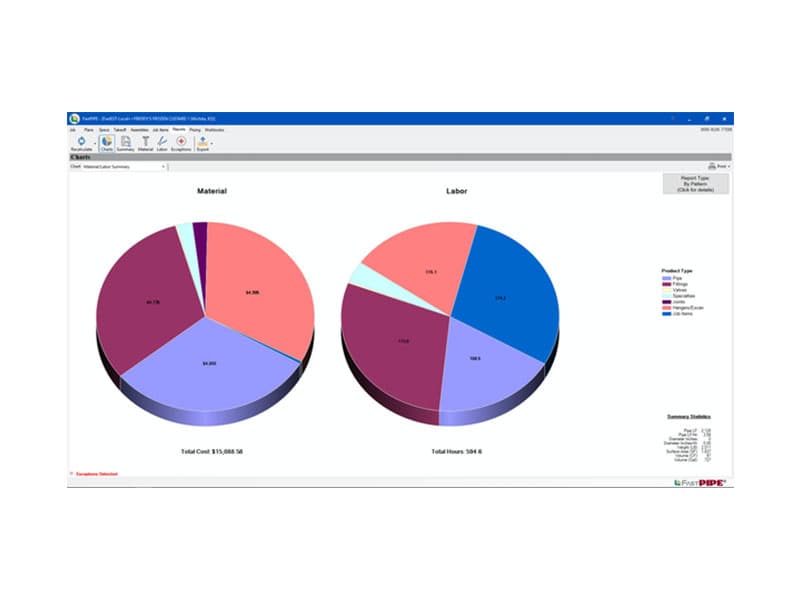
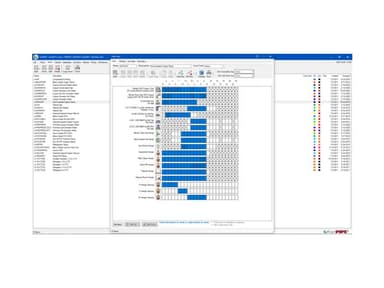
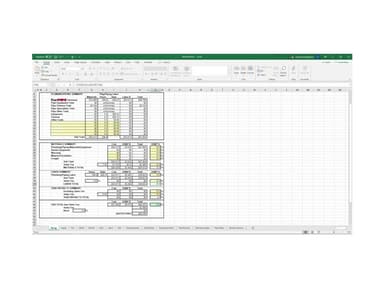
FastPIPE software helps contractors streamline project tasks like estimations, schedule management, and payment processing in a centralized platform. Key features include a quick pipe menu, AutoConnect pipe, and dual monitor support. Although it only integrates with QuickBooks, FastPIPE software supports a user-friendly interface and a variety of estimation tools.
FastPIPE Specifications
- Accounting
- Project Scheduling
- Project Tracking
- Document Management
What is FastPIPE Software?
FastPIPE estimating software is a comprehensive mechanical and plumbing estimating program designed for commercial, industrial, residential plumbing, HVAC, and industrial contractors. For mechanical contractors who conduct fabrication and HVAC installation, FastPIPE piping estimating software includes onscreen takeoff of pipe, fittings, valves, and assemblies.
FastPIPE Pricing
FastPIPE Software Demo
FastPIPE Software Reviews
Do you want to know what current FastPIPE Construction software users think of it? FastPIPE estimating software reviews are primarily positive, indicating that users like the features and would recommend it to other construction organizations.
Please leave any comments or suggestions about FastPIPE software in the Reviews section if you have any comments or suggestions.
Our Thoughts
FastPIPE is cutting-edge plumbing and mechanical estimating software for commercial and industrial contractors who require a quick and accurate tool to estimate material and labor construction costs. You can schedule a demo to learn more about the software and its functionalities or contact our customer support team at (661) 384-7070 to determine whether it is the right fit for you.
FastPIPE Features
Master Catalog
With over 150,000 pieces, FastPIPE construction software has the largest and most comprehensive plumbing and mechanical estimate catalog. They have data for every major manufacturer of pipelines, fittings, valves, flanges, and hangers. In addition, the plumbing and piping goods represent Tyler, Nibco, Gruvlok, Viega, Anvil International, Weldbend, Swagelok, and many other manufacturers. The software provides up-to-date pricing and industry-standard MCAA and PHCC labor estimates for each item in the inventory, allowing you to construct estimates quickly and correctly.
Customizable Specs
FastPIPE allows you to create unique specs and takeoff screens for each operation. You can also develop your library of specs and takeoffs, removing the need to start from zero. Usually, when establishing a new job, you will copy the specs from the global list. Then, after transferring the international spec into your task, you may use the Spec Editor to make any minor modifications.
Auto Connect Feature
The on-screen digitizer speeds up takeoff even further with the patented Auto Connect technology. For example, when you remove a pipe fitting, the software scans the physical plan to see whether there is a connection between that fitting and another. Then, it will automatically cut the pipe between the two fittings if it passes the inspection, saving your time!
Pros And Cons of FastPIPE
Pros
Intuitive interface with frequent updates
Diverse estimation tools
Transfer data directly to the bidding spreadsheet
Seamless import of new and revised drawings
Cons
Sometimes need repetitive clicks
Requires constant saving of data
Configuring and personalizing can take some time
FastPIPE Reviews
Total 12 reviews
4.8
All reviews are from verified customers
Rating Distribution
5
Stars75%
4
Stars25%
3
Stars0%
2
Stars0%
1
Stars0%
Share your experience
Construction, 11-50 employees
More than a year
“digital takeoff time cut in half”
Pros
I really appreciated how user-friendly it is! The setup doesn't feel complicated and it didn't take long to get used to. Once I started using it, it cut the time I usually spend on a takeoff in half and doing it digitally also helped keep my scheduling and time management on track.
Cons
Honestly, there isn't much to complain about. It genuinely makes life easier for estimators.
Rating Distribution
Ease of use
10
Value for money
10
Customer Support
9
Functionality
9
Construction, 1-10 employees
More than a year
“convenient piping takeoffs”
Pros
Switching from the old-school highlighter and manual drawing workflow has made our piping takeoffs a lot more convenient. The tool helps us move through the process faster and stay organized instead of constantly marking things up by hand.
Cons
There are moments when it feels a little laggy, usually when the sheet already has a large number of takeoff items loaded but it's not a constant problem.
Rating Distribution
Ease of use
10
Value for money
9
Customer Support
9
Functionality
10
Construction, 11-50 employees
More than a year
“updated pricing you can trust”
Pros
It keeps showing updated pricing and I rely on it because the numbers feel accurate and dependable.
Cons
It doesn't include every item in the database so a few things I need aren't always listed.
Rating Distribution
Ease of use
10
Value for money
10
Customer Support
10
Functionality
8
Frequently Asked Questions
Does FastPIPE Software offer an API?
The platform doesn’t provide an API.
What language does FastPIPE support?
The software supports the English language.
What other apps does FastPIPE integrate with?
FastPIPE doesn’t integrate with any third-party application.
Does FastPIPE support mobile devices?
No, the software doesn’t support mobile devices.
What types of pricing plans does FastPIPE offer?
FastPIPE pricing begins with a one-time Purchase Option at $4,995, with additional applications costing $2,495. Alternatively, you can opt for a Lease Option at $225 per month, with additional applications priced at $93 per month. Maintenance is available at $1,100 per year, with additional applications costing approximately $200 annually.
Who are the typical users of FastPIPE?
This software is used by plumbing, HVAC, mechanical, commercial, and industrial contractors.
What level of support does FastPIPE offer?
The platform offers phone and email support.