

Last Updated

Overview
LiveField helps you manage tasks, share plans, and access data all through cloud. Although efforts are being made to have access to information without an internet connection, the feature is still a work-in-progress. However, LiveField makes up for it by offering reasonable pricing plans and a comprehensive solution to your construction management needs.
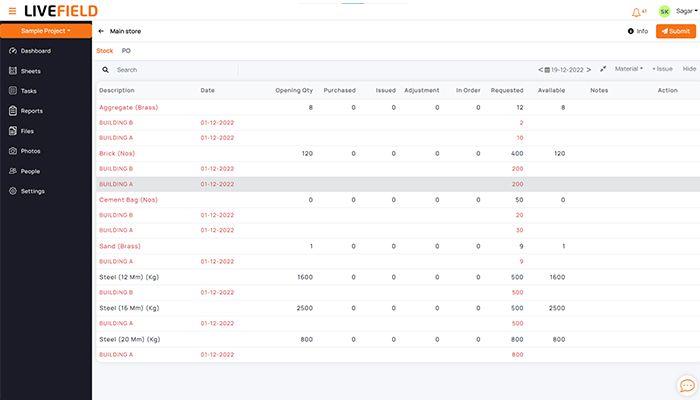
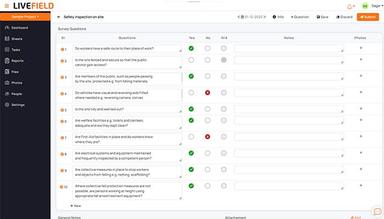
LiveField Specifications
- Project Planning and Scheduling
- Budget Management
- Resource Allocation
- Document Management
What Is LiveField?
Overview
LiveField is a cloud-based construction management software designed specifically for the construction industry. It empowers contractors and stakeholders to streamline managing construction projects by providing a central hub for project planning, collaboration, and field data collection. LiveField tackles the challenges of communication and information flow on construction sites, offering a user-friendly platform accessible from anywhere with an internet connection.
LiveField Pricing
- Basic: ₹825 user/month
- Business: ₹799 user/month
- Enterprise: ₹749 user/month
Disclaimer: The pricing is subject to change.
LiveField Integrations
The vendor has not disclosed information about any third-party applications.
Who Is LiveField For?
The software is for:
- Project management consultant (PMC)
- General contractors
- Specialty-contractors
- Design-build firms
Is LiveField Right For You?
Consider LiveField software if you struggle to manage complex construction projects and ensure seamless communication across your teams. The software streamlines your workflow with a centralized platform for task management, document sharing, and real-time collaboration. Keep everyone on the same page and your projects on track.
LiveField utilizes industry-standard security measures to safeguard your project data. Its cloud-based architecture ensures scalability to accommodate even the largest and most demanding projects. By leveraging all the software's features, construction companies can experience improved efficiency, streamlined communication, and enhanced project visibility.
Still not sure if LiveField is right for you? Contact their customer support team at (661)384-7070, who will help you make the best decision for your construction management needs.
LiveField Features
Task Management
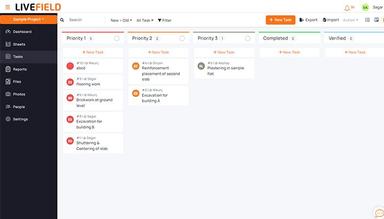
Manage Tasks and Track Progress. Assign tasks, set deadlines, and track progress. Ensure all project activities are finished on time and within budget so managing projects becomes easier. Reduce waste with the use of digital documents and store all the data on the cloud.
Collaborate Through Photos and Chat
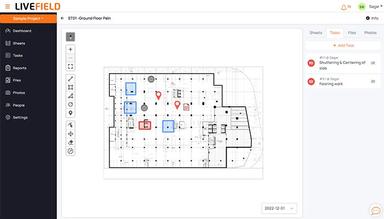
Eliminate the chaos of scattered paper documents. Digitize all your project documents and drawings, ensuring everyone has access to the latest version from one location. This information is accessible through a stable internet connection.
Centralize Documents and Drawings
Foster seamless communication on your projects. Capture, store, and share project photos, keeping everyone informed of progress and potential issues. Collaborate more easily without the need of generating excel sheet.
Pros And Cons of LiveField
Pros
Saves time by centralizing functions into one software
Users view it as a comprehensive management software
A very up-to-date customer support system
Cons
Currently does not support offline functionality
According to some LiveField reviews, the software slows down in case of large amounts of information
LiveField Reviews
Total 2 reviews
4.5
All reviews are from verified customers
Rating Distribution
5
Stars50%
4
Stars50%
3
Stars0%
2
Stars0%
1
Stars0%
Share your experience
Sagar
Construction, 1-10 employees
Less than a year
“Among the best software available in market for the construction management”
Pros
Livefield is super simple to navigate, and it includes all the necessary tools for handling construction projects. Plus, it's available on the app store, making project management from both the site and office very efficient. It also aids in team collaboration.
Cons
Livefield needs an active internet connection to function. I hope the developers will add offline sync support soon.
Rating Distribution
Ease of use
10
Value for money
8
Customer Support
10
Functionality
9
Akshay
Construction, 1-10 employees
Less than a year
“Excellent App, Recommended to people working in construction industry”
Pros
The features the app developers created cater perfectly to the construction industry's needs. Everything I need is in one software, so I don't have to switch between apps. All my data stays in one place.
Cons
It doesn't work offline, but that has not caused any problems so far.
Rating Distribution
Ease of use
9
Value for money
10
Customer Support
10
Functionality
9
Frequently Asked Questions
Does LiveField offer an API?
The vendor has not disclosed information about any APIs.
What language does LiveField support?
LiveField primarily supports the English language.
What other apps does LiveField integrate with?
The vendor has not disclosed this information.
Does LiveField support mobile devices?
Yes, the software has a mobile application for Apple and Android users. It is also working towards offline sync functionality for more mobility.
What types of pricing plans does LiveField offer?
LiveField provides its users with three plans: Basic, Business, and Enterprise.
Who are the typical users of LiveField?
LiveField can be used by all types of companies in the construction industry. Although this usually means builders or interior designers, the software can be used by app developers as well.
What level of support does LiveField offer?
LiveField offers 24/7 support. They also have a training guide and an excellent support team to teach you how to use the app.