

Last Updated

Overview
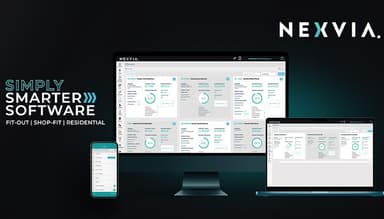
Juggling project details, budgets, and communication across teams in the construction industry can be a nightmare. Nexvia offers a streamlined solution. Explore Nexvia's innovative platform and discover how to manage projects efficiently, centralize information, and collaborate seamlessly – all in one user-friendly place. Explore this robust software and discover features like real-time cost tracking, invoicing, and in-depth reporting.
Nexvia Specifications
- Project Planning and Scheduling
- Budget Management
- Resource Allocation
- Document Management
Nexvia Features
Live Dashboards & Reporting
Nexvia provides real-time visibility into your projects through customizable dashboards. Monitor key metrics like project progress, budgets, and resource allocation at a glance. Generate reports to track project performance and identify areas for improvement.
Estimation & Tenders
Streamline the estimation and tendering process. Create accurate and detailed bids with integrated cost estimating tools. Manage tender documents electronically and collaborate with teams to ensure competitive bids are submitted efficiently.
Finance & Budgeting
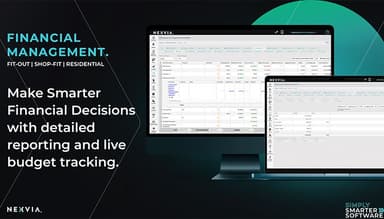
Simplify managing project finances with features like invoicing and tracking payments received, and monitoring job costs in real-time. Stay on top of budgets, identify potential cost overruns early, and make data-driven decisions to optimize profitability. Stay on top of project budgets and make informed financial decisions using track live job costs monitoring.
Project Management
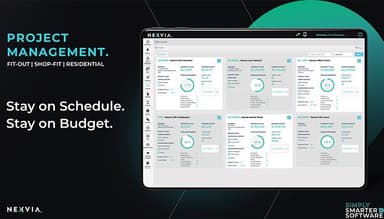
Manage all aspects of your projects effectively. Create detailed project plans, assign tasks and deadlines to team members, track progress in real-time, and collaborate seamlessly within the project area. Ensure everyone has access to the latest information and eliminates communication silos. The software also facilitates sharing project-related documents within the project management area, ensuring everyone has access to the latest information.
On Site Management
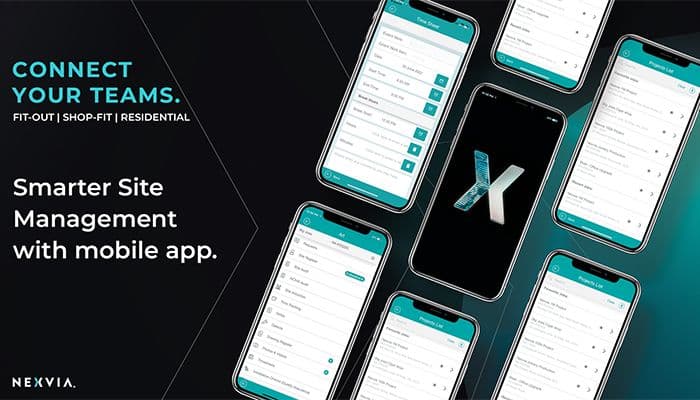
Track worker progress, manage timesheets, and communicate updates directly through the mobile app. Access project plans, documents, and safety protocols anytime, anywhere.
Material Management
Manage material requisitions, track inventory levels, and monitor material deliveries seamlessly within the platform. This centralized approach minimizes material waste, ensures timely project completion, and allows for better cost control. Utilize cost and profit information to identify areas for improvement and optimize project delivery.
Pros And Cons of Nexvia
Pros
Simplifies complex project workflows
Provides health and safety audits to ensure risk mitigation
Optimizes workforce allocation
Minimizes administrative burden
Simplifies payment tracking and financial management
Nexvia's construction management software has been lauded
Cons
Some Nexvia reviews mention minor hiccups in the system
As a platform software, it may not suit all niches
There is an initial learning curve
As a trade-off for simplicity, there is limited customization
Nexvia Reviews
Total 11 reviews
4.6
All reviews are from verified customers
Rating Distribution
5
Stars64%
4
Stars36%
3
Stars0%
2
Stars0%
1
Stars0%
Share your experience
Ben
Construction, 11-50 employees
More than a year
“An amazing product and team!”
Pros
One of our main needs for Project Management software was having everything done on a single platform rather than juggling multiple systems. The major advantage of this is enhanced efficiency and precision. I did extensive research to find the best software offering a comprehensive Project Management Solution for our business, from quoting to completion. After evaluating other options and running trials, it quickly became clear that Orbis was the right choice. It boasts numerous features and modules integrated within the platform, providing an almost complete solution. Although it initially lacked some features we needed, Orbis's development team has been excellent in incorporating upgrades and new functions, leading to continuous improvements in our operations. They're a fantastic team with a superb product, a winning combination.
Cons
As mentioned earlier, the software is nearly a complete solution, thanks to its ongoing development and improvement. This continuous development is actually a benefit, even though I've noted it as a con here, as it acknowledges that while the product is already excellent, it will become even better with further updates. The development team listens to feedback and either offers existing solutions or provides insights into new features to enhance the solution. For instance, we used to schedule tasks for up to 20 staff daily, and when we first started with Orbis, this function wasn't available. The Nexvia team heard our needs and developed a Resource Scheduling module, allowing us to manage this task within Orbis. I estimate that Orbis currently meets 90%-95% of what a complete Project Management solution should offer, and with ongoing development, it's getting closer to 100% each week. Most other software systems we tested only covered about 60% of the solution.
Rating Distribution
Ease of use
10
Value for money
10
Customer Support
10
Functionality
10
Mikaela
Graphic Design, 1-10 employees
More than a year
“The key to managing our projects in one centralised location”
Pros
Orbis Pro integrates all elements of Collectivus into one platform. The Nexvia team tailored Orbis Pro to our specific needs, enabling us to quote our projects and then track and manage our hours and expenses for each job. We can clearly see our earnings from each project and spot trends for future projects to enhance our processes. Orbis Pro also makes invoicing and payment tracking incredibly simple!
Cons
Adapting to Orbis Pro was initially a challenge for our team, but with the continuous support and guidance from the Nexvia team, it's now become second nature.
Rating Distribution
Ease of use
10
Value for money
10
Customer Support
10
Functionality
10
Tristan
Construction, 11-50 employees
Less than 6 months
“Customer Support is what sets Orbis apart.”
Pros
It unifies all aspects of the business into a single platform. We can instantly view our earnings from each project and manage expenses as the project moves along. After completing a project, we can easily review all cost and profit information. The customer support has been outstanding; the team has even traveled to meet with us and is always available by phone or email.
Cons
Like with any new software system, it takes time to learn and adjust, especially with so many moving parts. The time tracking for employees feels a bit cumbersome, and learning to report and follow up on tenders has been slow. However, the Orbis team is receptive to change and willing to enhance the system when they see a good idea or a better approach. They've made several improvements for us.
Rating Distribution
Ease of use
10
Value for money
10
Customer Support
10
Functionality
10
Frequently Asked Questions
Does Nexvia offer an API?
Yes, Nexvia provides an API for seamless integration with other tools and systems.
What language does Nexvia support?
Nexvia supports multiple languages, ensuring accessibility for diverse user bases.
What other apps does Nexvia integrate with?
Nexvia integrates with various applications, enhancing its functionality. Some notable integrations include Xero, QB, Hubspot, and myob.
Does Nexvia support mobile devices?
Nexvia is accessible via mobile devices.
What types of pricing plans does Nexvia offer?
The vendor has not disclosed this information.
Who are the typical users of Nexvia?
Nexvia caters to construction professionals, project managers, and teams involved in building and infrastructure projects.
What level of support does Nexvia offer?
Nexvia provides comprehensive customer support, ensuring users receive timely assistance throughout their project management journey.