


TurboBid Estimating
Last Updated

Overview
TurboBid software streamlines bidding in construction, offering advanced features for precise estimates. However, users report occasional glitches in the interface, affecting workflow. Despite this drawback, its powerful functionalities and integration options make it a top choice for contractors aiming for accurate project cost management.
TurboBid Estimating Specifications
- Accounting
- Project Scheduling
- Project Tracking
- Document Management
What is TurboBid Estimating Software?
Overview
TurboBid software is an on-premise estimating software solution for small and midsize contractors designed to assist them in completing project estimates. Regardless of the type of work, it does so, such as new residential, light commercial, remodeling, service work, or flat rate pricing.
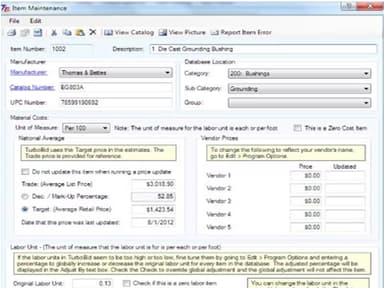
Moreover, it enables you to calculate material installation times based on an existing labor unit that you can easily adjust to reflect the estimate. Thousands of pre-built assemblies for all types of work are available in the extensive database. TurboBid's database contains tens of thousands of material items with pricing from multiple vendors.
TurboBid Estimating Cost
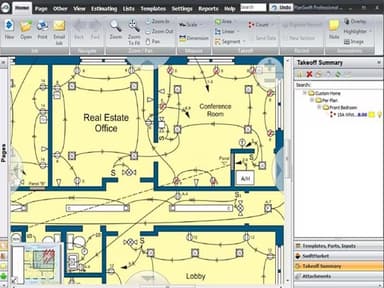
Want to know about the TurboBid estimating pricing? There are several ways to get TurboBid Estimating software. First, one-time purchases ranging from $1,395 to $2,411 are available with on-screen takeoff. In addition, monthly payment plans are also available, starting at $99 per month.
TurboBid Software Demo
TurboBid construction software offers a free demo that helps you assess the software in real-time. In addition to detailed analysis in real-time, the demo enables you to decide whether the software is worth an investment or not.
TurboBid Reviews
The TurboBid construction software reviews are available on various online sources. You can read an overview of the pros and cons below. In addition, the TurboBid reviews give you an accurate description of how current users perceive the software.
Our Thoughts
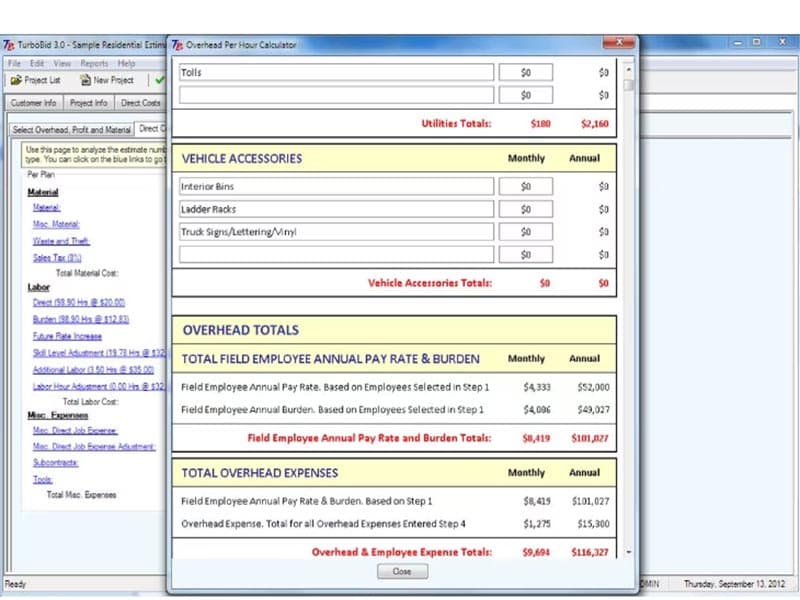
When comparing estimating systems, you'll notice that TurboBid construction software is more user-friendly. You can use it to evaluate all types of work such as residential, commercial, industrial, new construction, remodeling, service work, flat-rate pricing. In addition, it produces a far superior bid package than other estimating programs.
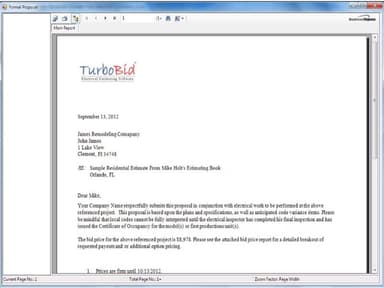
This software also comes with customizable reports that you can use to create formal proposals and bid estimates for clients. It also provides live online training and customer support.
Unsure if TurboBid is right for you? Call us at (661) 384-7070 for expert guidance.
TurboBid Estimating Features
User Friendly Format
TurboBid's unique wizard format breaks down the estimating process into small steps, making it easier to understand. For example, you just have to simply click "Next" to proceed to the next step in the estimating process once you've completed entering the requested data for one step.
TurboCloud Technology
The unique TurboCloud technology is not available in any other estimating program. The software can update your material prices and provide you with new items and assemblies in addition to the fantastic grid view.
Detailed Bid Packages
TurboBid software creates a detailed bid package for you automatically. The professional-looking bid package saves time and gives your customers confidence in your abilities. With TurboBid, it's no longer a question of who has the cheapest bid.
TurboBid Estimating Reviews
Total 6 reviews
4.2
All reviews are from verified customers
Rating Distribution
5
Stars33%
4
Stars50%
3
Stars17%
2
Stars0%
1
Stars0%
Share your experience
Construction, 1-10 employees
“One of the most accurate project cost estimations!”
Pros
It amazes me how accurate the estimates are when I compare them with the actual ones at the end of the project. TurboBid usually gives out the closest estimate to the actual costs. Although I have only used it for small projects (houses), I believe it is possible to expand its use to larger projects.
Cons
For me, it was simply too much to take in at first because there are so many things you can do with it. Also, the customer support is good, but the time it takes to respond to minor queries is painfully slow, at least in my specific situation.
Rating Distribution
Ease of use
8
Value for money
6
Customer Support
7
Functionality
7
Construction, 11-50 employees
“One of the best estimation software, a perfect allrounder”
Pros
It is great that I can use TurboBid for all sorts of construction jobs I work on, ranging from residential to commercial construction and remodeling or service work. And then theres the way it is set up beautifully, like a flow chart, so that you dont miss anything when progressing through your bidding process. Also, the bid is far more accurate than what you get with other solutions. Lastly, the ease of use is commendable. Using the software comes naturally to you, and if not, the excellent customer support team is always available to go the extra mile.
Cons
Theres very little when it comes to pointing out the cons, to the point that it feels like Im nitpicking. But there are some improvements that can be made, like the inability to rework your quantities before finalizing a purchase. Or that the user experience is kind of cluttered in a sense and you have to go through individual items in the assemblies to get to where you want. But these issues are very easily solvable, and Ive heard theyre planning some upgrades to fix them.
Rating Distribution
Ease of use
8
Value for money
9
Customer Support
8
Functionality
8
Electrical manufacturing, 2-9 employees
“TurboBid has helped growing my business”
Pros
Started and electrical business with no experience in bidding. TurboBid has helped a lot and even a layperson like me can use it to bid effectively.
Cons
Setting up assemblies is a bit confusing. But im sure the customer support can help me with that.
Rating Distribution
Ease of use
8
Value for money
10
Customer Support
9
Functionality
8
Frequently Asked Questions
What are the main features of TurboBid?
Audit Trail, Project Management, Work Order Management, Accounting Integration, Billing And Invoicing, Quote Management, Customizable Templates, Quotes/Estimates, Change Orders, Subcontractor Management, Reporting/Analytics, What-if Analysis, Historical Database, Takeoff, Commercial/Industrial.
How much does TurboBid cost?
TurboBid Estimating software is available in several ways. First, one-time purchases are available with on-screen takeoff for $1,395 up to $2,411. There are also monthly payment plans starting at $99 per month.
Who are the typical users of TurboBid?
Small and midsize contractors.
Which mobile platforms does TurboBid support?
Android.
Which operating system does TurboBid support?
Windows, Web app.
What payment method does TurboBid support?
Monthly, Yearly.
What is the deployment type?
On-premise.