


Last Updated
Overview
Navigating billing complexities and compliance in a chiropractic practice? Genesis EMR offers an agile, secure platform that streamlines these challenges. With intuitive features for revenue optimization and robust compliance management, it's a tailored solution for small and large practices. Read the profile to learn more.
Overall Rating
Based on 257 users reviews
4.5
Rating Distribution
Positive
90%
Neutral
9%
Negative
1%
Starting Price
$177
per month + $ 0 Setup Fee
Genesis Chiropractic Software Specifications
- Appointment Management/Scheduling
- e-Prescriptions
- Lab Integration
- Patient Portal
Genesis Chiropractic Software Features
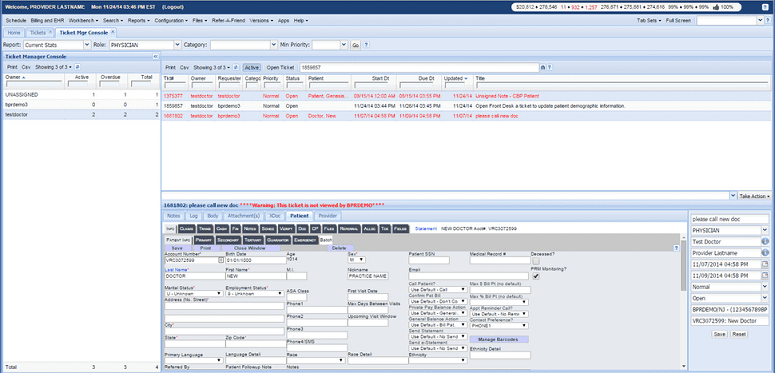
Automated Billing and Revenue Cycle Management
This feature automates the billing process, reducing manual effort and errors. It helps practices manage claims, payments, and revenue cycles efficiently, improving cash flow and reducing compliance risks.
Care Plan Wizard
The Care Plan Wizard allows for the creation of individualized care plans for patients. This feature ensures that each patient receives a tailored treatment plan, improving patient satisfaction and outcomes.
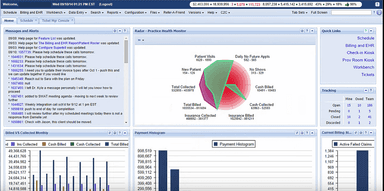
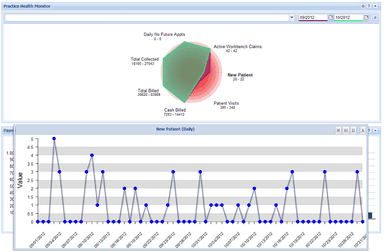
Real-Time Analytics
With real-time analytics, practices can gain insights into various aspects of their operations. This feature helps make data-driven decisions, from patient retention strategies to revenue optimization.
Patient Relationship Management
This feature leverages AI to provide automated alerts for risks in patient retention, revenue, and compliance. It helps practices maintain strong relationships with their patients, thereby improving retention rates.
Compliance Management
The software helps practices stay compliant with healthcare regulations. It offers secure data storage and encrypted communications, ensuring patient data is always protected. Apart from the ones mentioned above, the software offers features like appointment scheduling, electronic health records, and telehealth capabilities.
Pros And Cons of Genesis Chiropractic Software
Pros
Users find the interface to be user-friendly, and it is quick to learn and implement
The software offers comprehensive features for billing, scheduling, and patient management. It also provides real-time monitoring of correct billing and use of modifiers, and the forms and processes are customizable
The customer support and training are exceptional, and the teams are genuinely invested in helping users be successful
Being cloud-based, it allows for remote access and real-time updates
The software has built-in checks and balances for compliance and provides audit-proof notes
Cons
The SOAP notes and new patient paperwork could offer more customization options
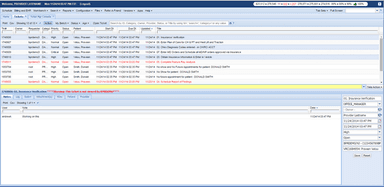
The task communication feature can be confusing, and there is no quick internal message system for staff communication
The occasional bugs can create inefficiencies in the workflow
Genesis Chiropractic Software Pricing
Cash | Insurance Full-Service | Insurance Self-Service |
|---|---|---|
$177per month + $ 0 Setup Fee | $327per month + $500 Setup Fee | $327per month + $500 Setup Fee |
|
|
|
Disclaimer: The pricing details were last updated on Aug 21, 2026 from the vendor's website. Please contact us for a tailored pricing list.
Genesis Chiropractic Software Reviews
Total 257 reviews
4.5
All reviews are from verified customers
Rating Distribution
5
Stars63%
4
Stars28%
3
Stars7%
2
Stars2%
1
Stars1%
Share your experience
Zameeya J.
Health, Wellness and Fitness, 101-500 employees
More than a year
“clear and user-friendly design”
Pros
Right away the layout felt visually simple and comfortable to move through without being overloaded with medical terminology. It stays simple to read and makes sense from both the provider side and the patient side.
Cons
Nothing to complain about here. I ran into no interface issues at all and it never felt overwhelming to use. Everything is simple and fits well within normal business needs.
Rating Distribution
Ease of use
10
Value for money
10
Customer Support
10
Functionality
10
Michael W.
Hospital & Health Care, 1-10 employees
More than a year
“Keeps pace with my practice”
Pros
Since 2009 this software has grown right alongside my practice. It has continued to evolve over the years and stays current with real-time changes in technology.
Cons
It performs best when used with Google which isn't always possible. A fast WiFi connection or landline internet works best, while hotspots really aren't ideal.
Rating Distribution
Ease of use
10
Value for money
10
Customer Support
10
Functionality
10
Dr. Michael R.
Health, Wellness and Fitness, 1-10 employees
More than a year
“friendly onboarding and stellar support”
Pros
Genesis has a very user-friendly system that makes everything simpler, from scheduling appointments to handling documentation. The rollout went more smoothly than I expected because their onboarding process was thorough and well organized. Customer support has been one of the best parts.. quick to respond, knowledgeable and always ready to help a little extra when needed. The training materials are clear and the team is genuinely kind and supportive which made the whole startup process feel a lot less intimidating.
Cons
Getting used to any new EHR comes with a bit of a learning curve at first. Adjusting to different workflows is not always simple when you're already busy managing a practice. Even so, Genesis guided us well through the setup and was there with support at every stage so although it took some time before everything felt natural, we never felt like we had to figure it out by ourselves.
Rating Distribution
Ease of use
10
Value for money
10
Customer Support
10
Functionality
10
Frequently Asked Questions
How much does Genesis Chiropractic cost?
Genesis EMR pricing is customizable. The software offers three pricing options Cash, Insurance Full Service, and Insurance Self Service. Contact Software Finder to learn which plan best suits your needs.
Who are the main users of Genesis Software?
The main users of Genesis EHR are chiropractic practices, including both small clinics and larger healthcare organizations.
What are the main features of Genesis Chiropractic Software?
Genesis Chiropractic Software offers robust features, including billing, scheduling, patient management, real-time monitoring of billing, customizable forms, compliance checks, and detailed reporting.
What level of support does Genesis Software have?
Genesis Software offers exceptional customer support, including training and a dedicated support team invested in user success.
Is Genesis Chiropractic EMR cloud-based?
Yes, Genesis Chiropractic Software is cloud-based, allowing for remote access and real-time updates.