


PrimePay
Last Updated

Key Takeaways
Generated from the text of customer reviews
PrimePay provides payroll and HR compliance tools either as standalone software or as part of a full-service PEO arrangement. Its main users include small business owners, office managers, and finance teams that do not have a separate payroll department. Users value its phone support, although some reviews report issues with tax withholding accuracy. PrimePay has since been rebranded as CoAd Pay following the July 2026 launch that brought PrimePay and CoAdvantage together under a more flexible PEO model.
Our Verdict
PrimePay is a smart choice for small businesses that want predictable payroll costs without a long-term contract. Businesses that expand from single-state operations to multi-state payroll or PEO services can also use PrimePay. Its published pricing makes costs easier to assess, while the available payroll and PEO options can support businesses as their needs grow. Recommended for businesses that value transparent payroll administration instead of extensive HR features.
Overall Rating
Based on 236 users reviews
4.3
Rating Distribution
Positive
86%
Neutral
8%
Negative
6%
Starting Price
Custom Pricing
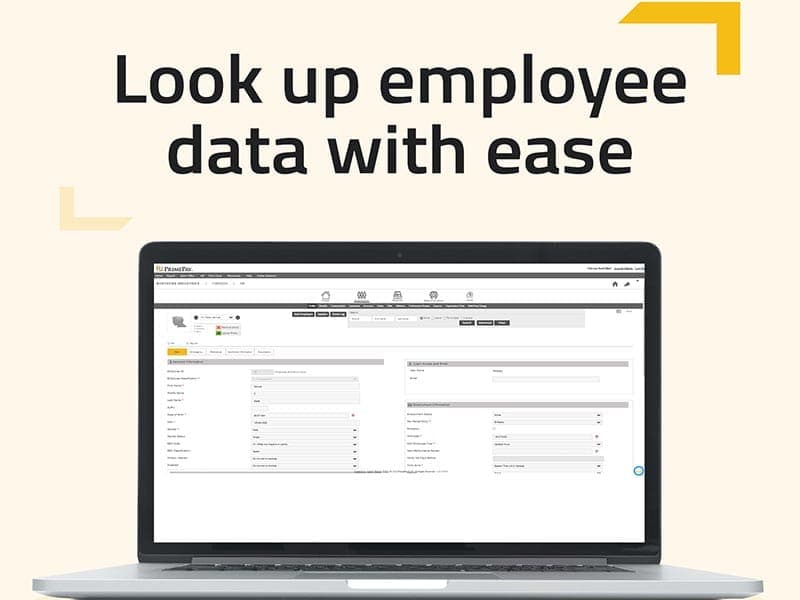
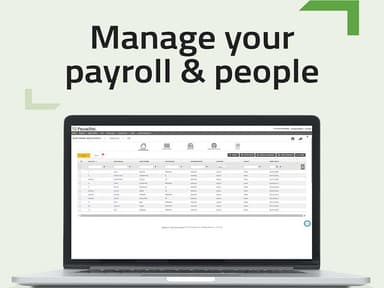
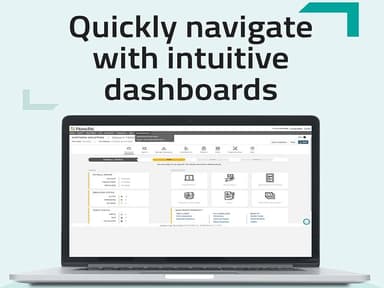
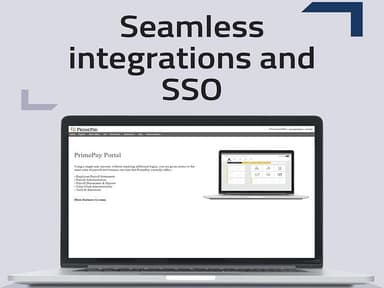
PrimePay Specifications
- Employee Information Management
- Recruitment and Applicant Tracking
- Performance Management
- Attendance and Time Tracking
What Is PrimePay?
PrimePay (Now CoAd) is a Human Capital Management (HCM) solution created following the combination of PrimePay and CoAdvantage. It supports payroll processing with federal, state, and local tax filing, direct deposit, pay cards, and HR compliance through Mineral. Businesses can also connect it with CoAd Time, CoAd ATS, and CoAd Expense or choose a full PEO arrangement when they prefer to outsource HR management.
The software manages prominent payroll activities such as tax submissions, tax calculations, and employee payments. The payroll system supports direct deposits as well as pay cards for employees who do not use regular bank accounts. HR teams can also use its compliance tools to stay informed about changes to employment regulations.
What Is PrimePay Best For?
PrimePay stands out for its access to human payroll support, giving small businesses a way to manage payroll while getting assistance with payroll questions and account issues. In this way, users can manage regular payroll work without depending entirely on automated support or self-service resources.
How Much Does PrimePay Cost?
PrimePay pricing starts at $55/month + $5/employee for the Base plan. It offers pricing based on employee count, selected services, HR outsourcing requirements, and payroll complexity. Other plans include:
- Pro: Starts at $85/month + $6/employee
- Custom: Custom pricing
- PEO: Custom pricing
Additional State Payroll Tax Filing: $7.50/state/month. The base service includes one state, while businesses can add up to four additional states for payroll tax filing
Estimated Additional Costs
- Time Pro Upgrade: May start at $3–$10/employee/month. This upgrade adds scheduling, time tracking, and expense management
- Managed Payroll Services: Estimated at $50–$500+/month. CoAd specialists handle payroll administration on behalf of the business
- Electronic W-2 And Year-End Tax Forms: Estimated at $1–$5/employee/year. This covers electronic processing and distribution of year-end tax documents
- Printed W-2 And 1099 Forms: Estimated at $2–$10/document. This covers printing and mailing employee and contractor tax forms
- Applicant Tracking System: Estimated at $50–$500+/month. The service supports applicant management and recruitment processes
- Learning Management And Additional Courses: Estimated at $2–$8/employee/month. Businesses can add training content and more learning resources
- Digital And Physical Labor Law Posters: Budgets around $50–$300/location/year. This service provides updated labor law posters for workplace compliance
- Cyber Insurance: Estimated at $25–$300+/month. This optional coverage provides cyber liability insurance
- PEO Services: Estimated at $80–$180+/employee/month. PEO services can cover payroll, HR administration, benefits management, compliance, and HR support
Disclaimer: The pricing is subject to change.
PrimePay Integrations
PrimePay connects with a variety of software including:
How Does PrimePay Work?
Here is how the tool functions for a new or transitioning customer:
- Continue using the same login details if you are an existing PrimePay customer
- Sign up and choose a Base, Pro, or Custom plan based on payroll needs
- Process unlimited payroll runs with automatic tax calculations, filings, and payments
- Receive employee payments through direct deposit, next-day deposit options, or paycards for employees without bank accounts
- Access earned wages early through Earned Wage Access (EWA) without changing the payroll process
- Monitor HR compliance with Mineral, which provides employment law alerts, templates, handbooks, and HR resources
- Prepare W-2s and 1099s with electronic or mailed delivery options
- Expand with add-ons like time tracking, recruiting, background checks, insurance, ACA compliance, or PEO services
Who Is PrimePay For?
It caters to the following sectors:
- Food service
- Retail
- Manufacturing
- Healthcare
- Non-profits
PrimePay Use Cases
Based on our analysis of PrimePay's published features and what it is used for, we have the following scenarios that represent the strongest fit:
Existing PrimePay Customers That Want Consistent Features
Anyone who was a PrimePay customer before the rebrand is still a PrimePay customer under the same login and contract. Businesses in this position are not choosing new software — they are confirming that billing, support contacts, account managers, and system functionality all remain identical, with only the name and visual branding updated.
Multi-State Employers Consolidating Tax Filing
Staffing requirements differ across different states. It results in paying taxes to a variety of states and municipalities with different tax requirements. Small businesses in a similar position use PrimePay's multi-state payroll tax filing to consolidate this into one automated process rather than tracking separate state requirements manually.
Growing Businesses Needing HR Compliance Without A Dedicated HR Department
Small businesses without an in-house HR function use PrimePay to stay ahead of changing HR regulations. Customers cite PrimePay's flexibility and user-friendliness as the deciding factor for managing a growth path. This suggests that the tool fits businesses actively scaling headcounts.
Businesses Wanting Predictable Costs Without A Long-Term Contract
Because PrimePay charges a flat monthly base fee plus a per-employee rate with no long-term contract and a 60-day cancellation notice, businesses wary of being locked into an annual payroll vendor agreement use this structure to keep the option to switch providers open, while still receiving the 30-day money-back guarantee if the platform is not a fit.
Businesses Planning to Eventually Move To Full PEO Co-Employment
Because of PrimePay PEO services, businesses can start with self-service payroll as well as anticipate needing full HR outsourcing later. This provides benefits administration, risk management, and HR support. Users mention PrimePay as a starting point without needing to migrate to providers when they are ready to scale into PEO services.
Is PrimePay Right For You?
If you need a transparent pricing and contract lock-in matter to your evaluation, PrimePay may be worth considering. The recent merger of PrimePay and CoAdvantage has led to the creation of CoAd, which combines payroll, HR, benefits and PEO services under one organization. The transition increased HR outsourcing, compliance, and workforce management options to the product ecosystem.
PrimePay customers will continue to use their existing login credentials, contracts, billing, and payroll systems. CoAd will continue to build on its Quantum technology platform to support future enhancements to payroll, HR and workforce management.
Still doubtful if PrimePay is the right fit for you? Get in touch at (661) 384-7070, and we will help you make an informed decision.
PrimePay Features
Automated Payroll And Tax Filing
PrimePay’s automated payroll calculates federal, state, and local taxes. It files them and automatically pays on every pay run. It offers unlimited payroll runs included on every plan and no additional charge for running payroll as often as needed.
Direct Deposit, Paycards, And Earned Wage Access
It has a direct deposit on every plan, with a next-day deposit available as an upgrade. Money Network paycards support employees without a bank account and Earned Wage Access lets employees draw a portion of earned wages before payday without altering the employer's payroll run.
Employee Self Service
PrimePay features an employee portal, allowing employees to access and manage their personal information, such as contact details, payroll, and time-off requests. This feature empowers employees, reduces the workload on the HR team, and promotes better communication and transparency within the organization.
Compliance Powered By Mineral
The tool offers a third-party employment law monitoring platform providing automatic law-change alerts, HR document templates, and employee handbooks. It includes federal and single-state coverage with a basic LMS; Pro adds a master multi-state handbook, a full compliance course catalog, and on-demand access to certified HR experts.
Year-End Tax Document Preparation
W-2s and 1099s are prepared and distributed annually for every employee and contractor, available for digital delivery, printed and mailed, or both, billed per form with no bundled surprise fees.
Time And Attendance
The web clock's time and attendance feature allows businesses to manage their workforce management. Employees can clock in and out using time clock or mobile app, and the system automatically logs them in without manual work.
Pros And Cons of PrimePay
Pros
Easy access to payroll information through employee self-service tools
Supports accurate employee record management and data updates
Provides clear payroll reports for tracking workforce expenses
Simplifies tax document preparation during year-end processes
Allows employees to access pay details from mobile devices
Cons
Employee portal navigation can require additional learning
Limited customization options for certain payroll workflows
Some users report occasional delays in system updates
PrimePay Pricing
Base | Pro | Custom | PEO |
|---|---|---|---|
Starting at $55 per month | Starting at $85 per month | Custom Pricing | Custom pricing |
|
|
|
|
Disclaimer: The pricing details were last updated on Sep 25, 2026 from the vendor's website. Please contact us for a tailored pricing list.
PrimePay Reviews
Total 236 reviews
4.3
All reviews are from verified customers
Rating Distribution
5
Stars62%
4
Stars24%
3
Stars6%
2
Stars1%
1
Stars6%
Share your experience
Retail, 1-10 employees
Less than a year
“Helped keep my fees down”
Pros
They collaborated with me to keep my processing fees down. In the past I have only used my payroll provider for the basics and nothing more.
Cons
Being with them for less than a year makes it tough to pick a downside. However my monthly payroll charges were higher than the quote I received which happened twice even after it was fixed. It seems like there might be a recurring system glitch that needs attention.
Rating Distribution
Ease of use
9
Value for money
9
Customer Support
9
Functionality
9
Aviation & Aerospace, 101-500 employees
Less than a year
“fantastic setup with a great consultant”
Pros
We just finished setting up a new benefits program for Open Enrollment using PrimePay and the whole process was fantastic. Our consultant was amazing too. His deep understanding of the system and benefit plans made me feel confident at every stage. He was always punctual, communicated everything clearly and was available whenever I had a question. On top of being a real professional, he was also friendly and easy to talk to. In short I would definitely recommend him to anyone and hope to work with him again.
Cons
One thing that could be better is the clarity around their branding. The way PrimePay and SyncHR are presented can be a little confusing making it hard to tell them apart or understand what each one does. So a clearer and more consistent brand message would really help.
Rating Distribution
Ease of use
10
Value for money
9
Customer Support
9
Functionality
9
Education Management, 51-100 employees
Less than 6 months
“A knowledgeable and fast team”
Pros
The team is incredibly knowledgeable and solves issues fast. They are always willing to hop on a call and work together with us to make sure we have a great experience.
Cons
Honestly there is nothing to complain about. Every interaction with the team has been a positive experience for me.
Rating Distribution
Ease of use
10
Value for money
10
Customer Support
10
Functionality
10
Frequently Asked Questions
Does PrimePay offer an API?
Yes. PrimePay provides API capabilities through Partner Connect for authorized connections with external applications.
What languages does PrimePay support?
PrimePay supports English.
What other apps does PrimePay integrate with?
PrimePay integrates with tools such as QuickBooks, Sage Intacct, Xero, Employee Navigator, Mineral, UKG, and SwipeClock.
Does PrimePay have a mobile app?
Yes. PrimePay offers a mobile app.
What types of pricing plans does PrimePay offer?
PrimePay pricing starts at $55/month + $5 per employee, with Pro ($85/month + $6 per employee), Custom, and PEO plans priced according to employee count, payroll complexity, and selected HR services. You can request a personalized PrimePay cost quote for your business today.
Who are the typical users of PrimePay?
PrimePay is used by small and midsize businesses, HR teams, payroll managers, and organizations needing payroll and HR support.
What level of support does PrimePay offer?
PrimePay offers phone and chat support, with HR support options available on higher-tier plans.